


Overview
Audit by UnifyApps enables monitoring and tracking of changes across your system with detailed audit records. This means you can access a comprehensive history of data modifications, view who made changes, when they occurred, and what exactly was altered, making it ideal for compliance, accountability, and troubleshooting.
.png&w=1080&q=75)
.png)
Use Cases
Compliance Monitoring: Track all changes made to critical business data using Get audit records. This helps organizations maintain detailed logs for regulatory compliance and enables them to demonstrate accountability during audits.
Data Change Investigation: When unexpected data changes occur, use filters in Get audit records to identify when the change happened, who made it, and what exactly was altered. This allows for quick resolution of data issues and accountability for changes.
Security Audit Trail: Maintain a comprehensive history of all system changes with filtered audit records. Security teams can monitor for unusual activities, investigate potential security breaches, and ensure that all modifications follow company policies.
Get audit records
The Get audit records action in Audit by UnifyApps allows users to retrieve and analyze detailed logs of changes made across the system. This provides visibility into who modified data, what changes were made, and when they occurred.
Input Fields:
.png&w=1080&q=75)
.png)
For general audit records:
Filter: Define conditions to narrow down audit recordsWhere: Specify field name for filtering (e.g., Change Type, Owner User Id)
Condition: Select operators like "Equals to"
Value: Enter specific value to match
Additional options include:
Add Condition: Add another condition in the same group
Add Condition Group: Create logical groups with AND/OR operators
Add Filter: Combine multiple filters for complex queries
For asset-specific audit records:
Select Asset: Choose the specific asset to auditAsset ID: Provide the unique identifier for the selected assetFilter: Same filtering capabilities as general audit records.png&w=1080&q=75)
.png)
Pagination:
Offset: Starting point for retrieving recordsLimit: Maximum number of records to retrieve
Sort order:
Choose between Ascending or Descending
Records are sorted based on the time they were captured
Output:
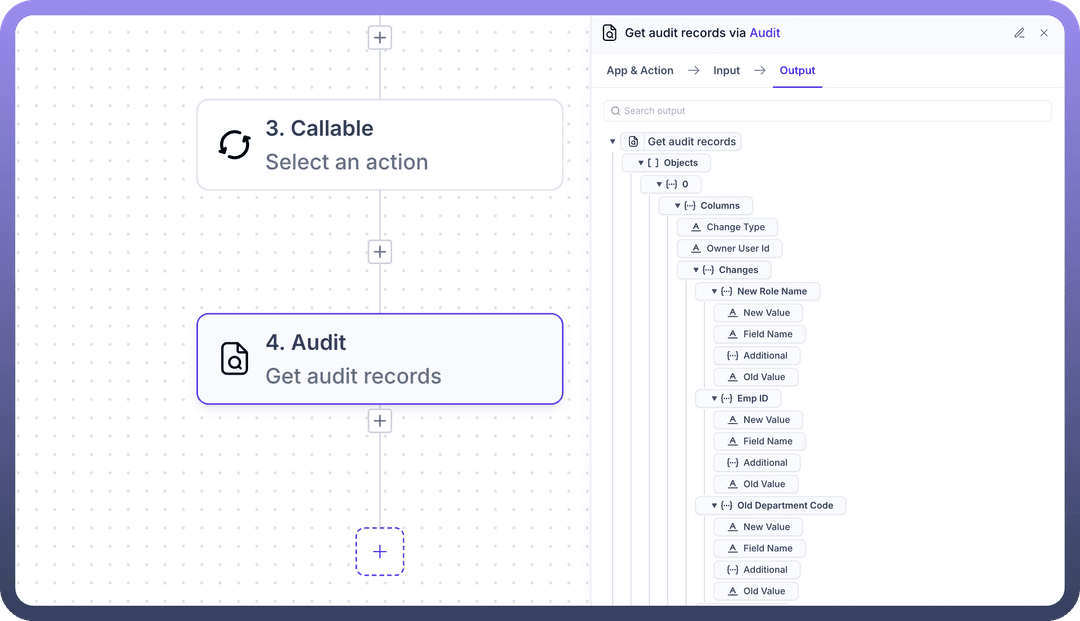
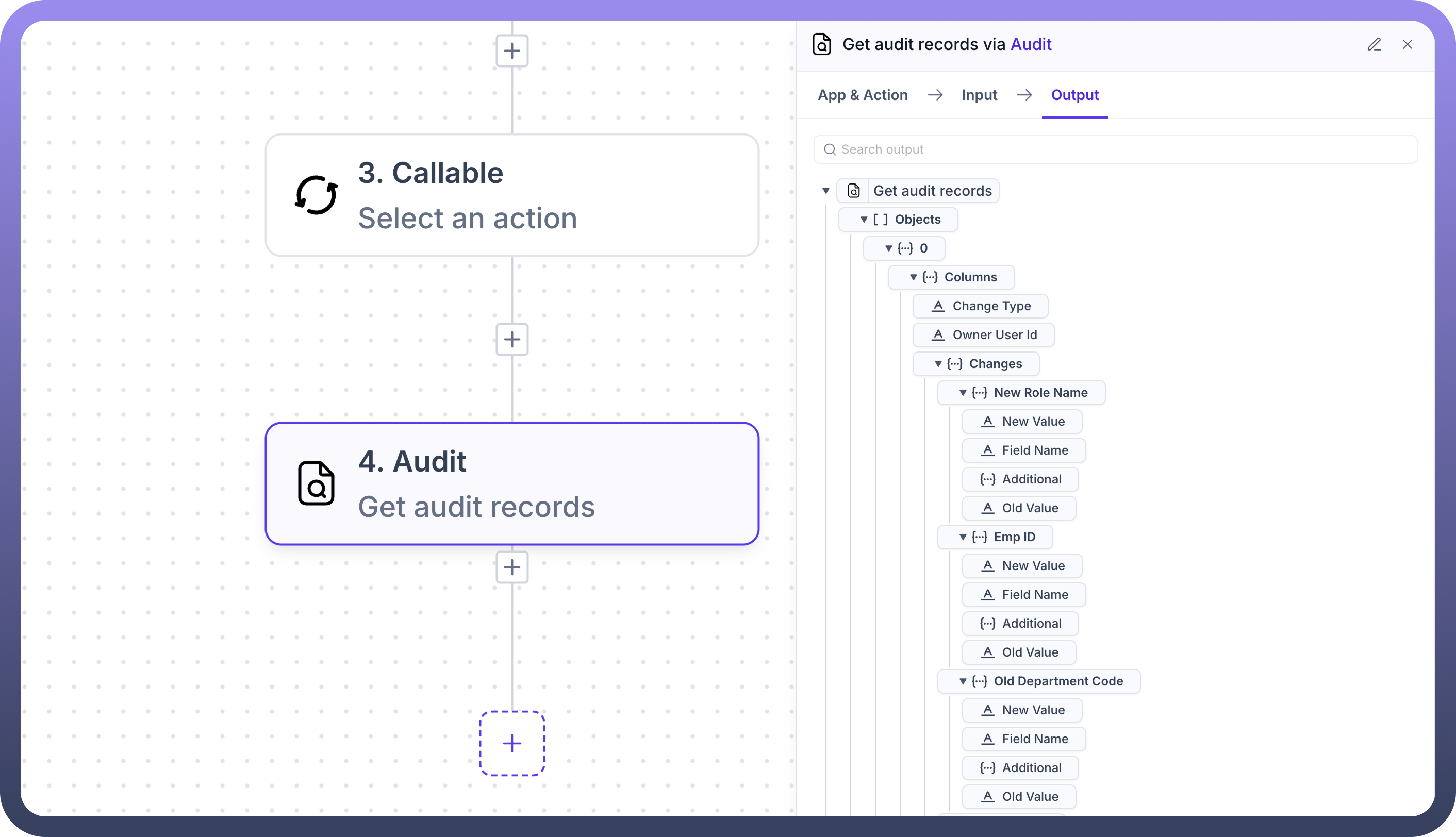
The action returns detailed audit records with a hierarchical structure:
Objects: Collection of audit records
Columns: Key metadata for each record
Change Type: Type of change (create, update, delete)
Owner User Id: User who made the change
Changes: Detailed information about modifications
Date: When the change occurred
New Value: Updated value
Field Name: Name of the modified field
Additional: Extra context information
Old Value: Previous value before change
Country: Geographic information if applicable
Same structure as Date with New Value, Field Name, etc.
Line Item Id: Identifier for specific line items
Same structure as above fields
This action provides comprehensive visibility into all system changes, enabling users to monitor activity, investigate issues, and maintain compliance.
Get audit records for an asset
This specialized action allows users to retrieve audit records specific to a particular asset or resource within the system. This is useful when you need to focus on the change history of a single important entity.
Input Fields:
Select Asset: Choose the asset type from the dropdownAsset ID: Specify the unique identifier for the selected assetFilter: Apply conditions to narrow down audit records for the assetSame filtering capabilities as the general Get audit records action
Pagination and Sorting: Same options as the general Get audit records action
Output: Similar structure to the general Get audit records action, but results are filtered to include only changes related to the specified asset.