


Actions are the steps an automation executes after the trigger fires. Each action node performs one operation — querying a database, posting a message, running code, or transforming data — and its output is available as data pills to every subsequent node.
Overview
Actions are the steps an automation executes after the trigger fires. Each action node performs one operation — querying a database, posting a message, running code, or transforming data — and its output is available as data pills to every subsequent node.
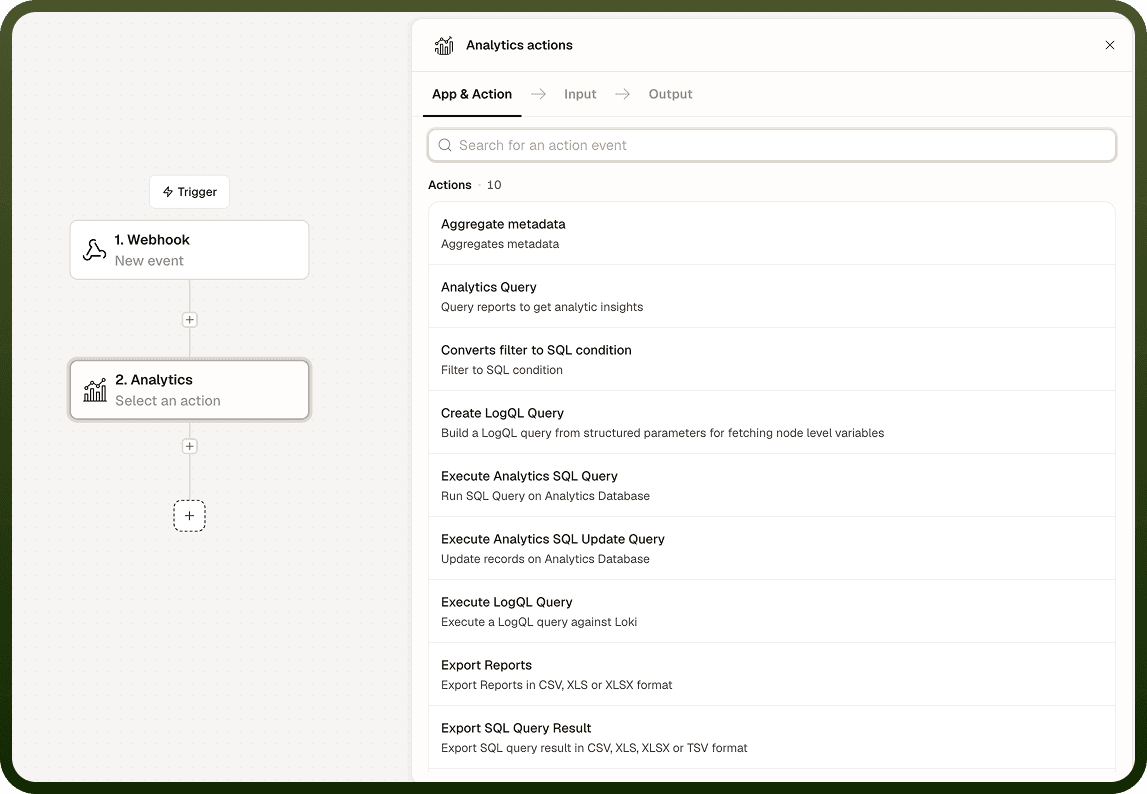
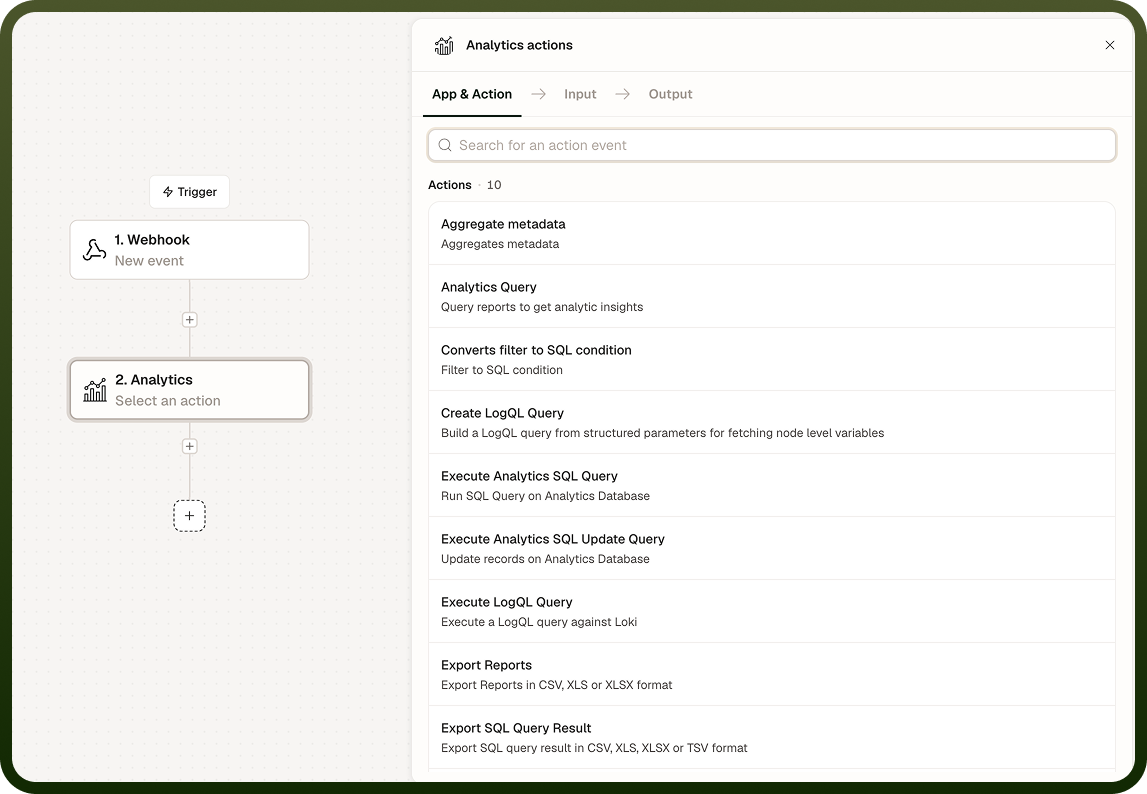
Actions are added by clicking the "+" button between nodes on the canvas, or by dragging from the node picker on the right. Once placed, an action node opens its configuration panel, where you select the specific operation and provide the required inputs.
Types of Actions
Internal connectors — platform-native capabilities that do not require an external app connection:
PII by UnifyApps — detect and mask personally identifiable information in text
Unify AI — run AI-powered operations (classification, extraction, generation) using configured models
Standard Entities by UnifyApps — read and write to platform entities (users, connections, and so on)
Storage by UnifyApps, Variables by UnifyApps, Code by UnifyApps, and other built-in nodes
Application connectors — actions for specific third-party apps:
Each installed connector exposes the operations its API supports (Create record, Update record, Send message, and so on)
Examples: Salesforce → Create Opportunity, Jira → Create Issue, Slack → Post Message, Gmail → Send Email
Connector availability depends on the connectors installed in your workspace
Notes
Actions are the building blocks of every automation. To add and configure them effectively:
Search the node picker by app name or action keyword to find the right node quickly — scrolling through the full list takes longer than typing two characters.
Configure each action fully before adding the next; the output data pills are only available once the action node is saved.
Use Internal connectors (Variables, Storage, Code) for cross-cutting logic that does not belong to a single app.
Check the node's Output tab after a test run to confirm the shape of the data before referencing it as a data pill downstream.
For detailed configuration of each action node, see the individual node page under Nodes by UnifyApps.