


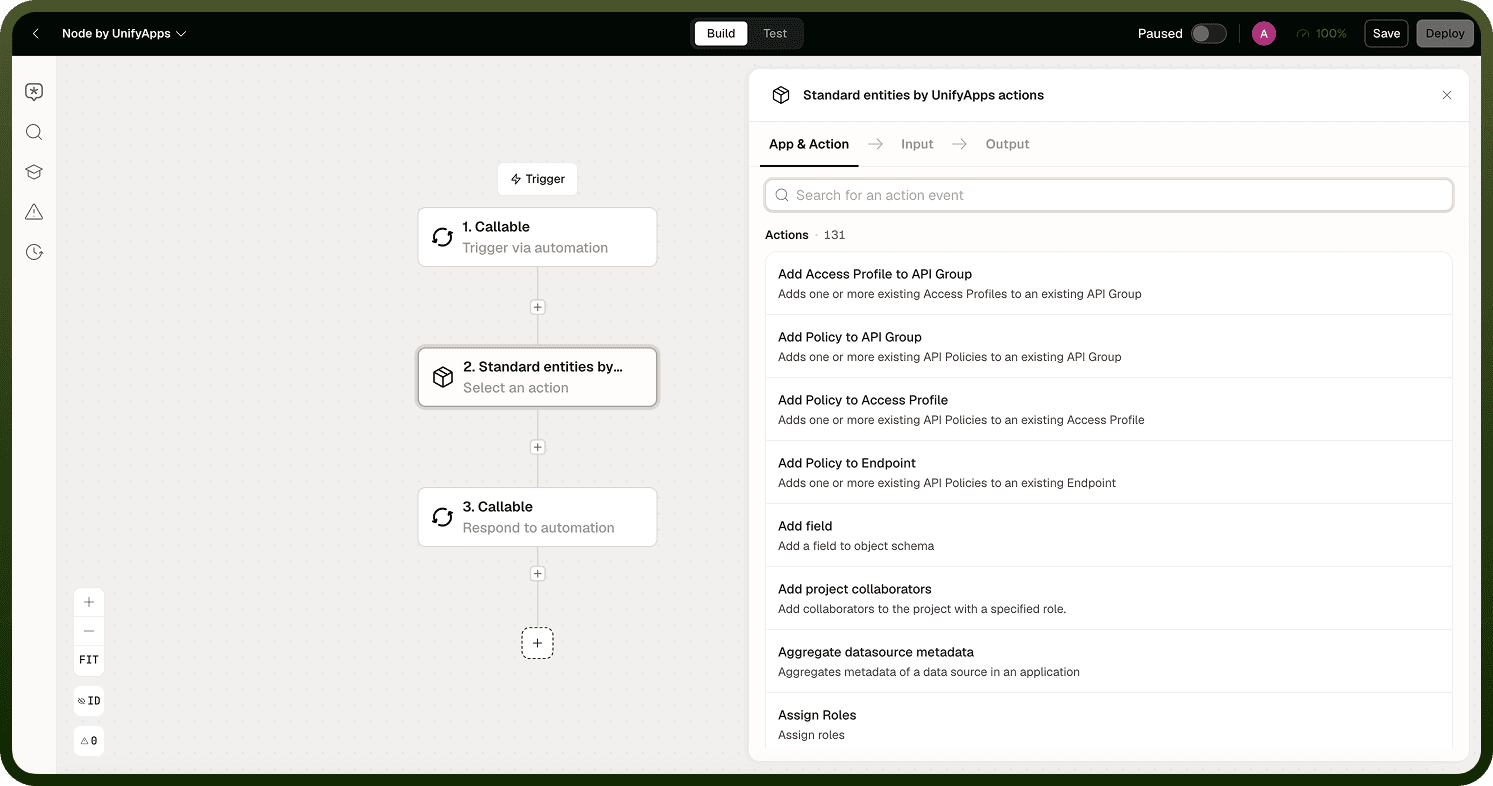
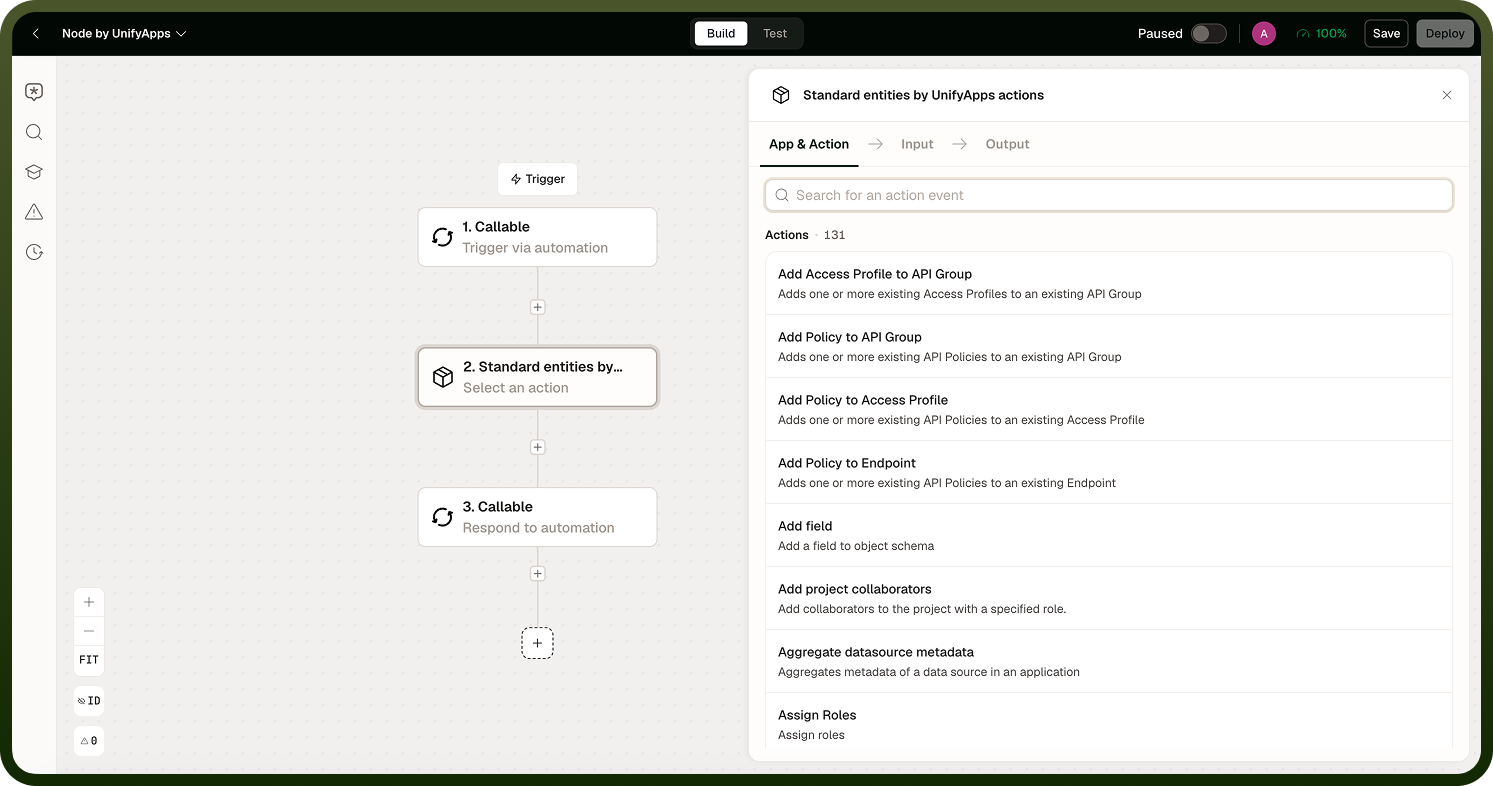
The Standard Entities node by UnifyApps is designed to streamline user management, role assignments, metadata aggregation, and detailed auditing across applications.
Overview
The Standard Entities node by UnifyApps is designed to streamline user management, role assignments, metadata aggregation, and detailed auditing across applications. It empowers teams to efficiently manage users, roles, entities, and automations while maintaining comprehensive access to application-level data and configurations. This node is ideal for administrators and developers handling multi-layered applications and workflows.
Use Cases
Team Collaboration Management — A project administrator uses "Add User Teams" to assign team memberships to users across applications, ensuring users gain access to resources and permissions tailored to their roles.
Metadata Exploration for Reporting — Developers leverage "Aggregate Datasource Metadata" to explore and validate metadata of datasources within application pages, facilitating accurate reporting and integration.
User Audit Compliance — For compliance audits, administrators use "Get User Audit" to review changes made by users, such as role assignments or application configurations.
Actions
# | Action | Description | Input | Output |
|---|---|---|---|---|
1 | Add User Teams | Assigns one or more user teams to a specific user within an application. | Application ID; User (single selection); User Teams (multiple selection) | — |
2 | Aggregate Datasource Metadata | Provides a detailed breakdown of all metadata for a specified datasource used in creating a page. | Application ID; Page ID; Datasource ID | Display Name, Entity Type, Field Type, Searchable, Updatable, Sortable |
3 | Assign Roles | Assigns one or more roles to a specific user or user team within the application. | Application ID; User (single selection); User Teams (single selection); Roles (multiple selection) | — |
4 | Change State of Role in Application | Toggles a specified role between enabled and disabled. | Application ID; State of Role (Enable or Disable); Role | — |
5 | Check User in User Team | Verifies whether a specific user is part of a specified user team, returning a boolean value. | Application ID; User; User Team | True if the user is part of the team; otherwise false |
6 | Create or Update Role in Application | Creates a new role or updates an existing role within an application. | Application ID; Role (select to update, leave empty to create); Role Name; Role Description; Permission Groups | — |
7 | Create User | Creates a new user for an application. | Name; Username; Password; Contact; Email; Phone Number; Application ID; State (Active/Locked/Disabled/Deleted); Language; Custom Attributes; Login Type (Password or SSO); Reset Password (boolean) | — |
8 | Delete User | Deletes a user from the application. | Delete by Username or User ID; Application ID; User | — |
9 | Delete Role | Deletes a role from the platform. | Role (dropdown) | — |
10 | Delete Connections | Deletes one or more connections from the platform. | Connection (multiple selection) | — |
11 | Enable Role | Enables a specific role in the platform. | Role (dropdown) | — |
12 | Fetch User | Retrieves detailed information about a specified user. | Fetch by User ID or Username; Application ID; User | Contact Details, Created Time, State, Username, Owner User ID, Last Login At, Last Modified By, User Groups |
13 | Fetch Roles | Retrieves roles from the platform based on filters. | Filter (ID, Application ID, Created On, Edited By, Last Edited, Project, Is Standard Role, State, Tags); Page (Offset and Limit); Sorts; Include Disabled; Include Total Count | — |
14 | Fetch Entities | Retrieves information about standard entities in the platform. | Select Standard Entity; Projections; Filter options; Search Object; Page; Sorts; Include Total Count | — |
15 | Get Asset Count | Provides the count of data pipelines based on specific criteria. | Asset Type (Data Pipeline); Filter Count Records (Deployment Status, Destination, ID, Last Modified By, Owner User) | — |
16 | Get Entity Details | Fetches detailed information about a specific object or its reporting schema. | Select Object; Schema Type (Object or Reporting); if Reporting, select Group (Platform or Storage) | Output varies by selection |
17 | Get Unified Entity Model Reporting Details | Fetches comprehensive reporting details about a Unified Entity Model. | Select Model (dropdown) | — |
18 | Get User Audit | Provides detailed audit information for a specific user. | Filter Records (Asset Class, Asset Version, Activity Type, Tags); User ID | — |
19 | Get Reachable Nodes Schema for a Node | Retrieves the schema for a specific node within a workflow. | Workflow Definition; Node IDs | — |
20 | Get Audit Records | Fetches audit-related information for a specific asset, including versions and change history. | Asset Class (e.g., WORKFLOW_DEFINITION for automation); Asset Group; Asset ID | Created Time, Owner User ID, Modified Time, Asset Version, Differences between New Value and Old Value |
21 | Get Connection Details | Provides details about one or more connections within the platform. | Select Connections (multiple selection) | — |
22 | Get Data Pipeline Details | Fetches detailed information about data pipelines. | Filter (Deployed Status, Created Time, Destination, Modified Time, Resumable Status) | Modified Time, Source Connection ID, Name, Created Time |
23 | Get Connections | Fetches information about platform connections with flexible filtering. | Filter (Active, App Name, Created Time, Tag, ID, Last Modified By, Owner User, Modified Time, Projects) | App Name, Name, Active Status, ID |
24 | Get Automation Details | Retrieves detailed information about selected automation workflows. | Select Workflows; Include Nodes and Edges (default: False) | Workflow Name, Description, ID, Input Schema, Content Type |
25 | Import Changeset | Imports a changeset, optionally deploying assets or updating existing ones. | File Details; Password (for ZIP file); Deploy Assets (boolean); Update Existing Assets (boolean) | — |
26 | Modify Automation | Performs operations on a selected automation: Pause, Unpause, or Delete. | Select Workflow (single selection); Operation Type | — |
27 | Restore Deleted Role | Restores a previously deleted role in the application. | Role ID | — |
28 | Update User State | Updates the state of a user within an application. | Application ID; User; State (Active, Disabled, Deleted, Locked) | — |
29 | Update User Properties | Updates specific custom properties of a user within an application. | Application ID (optional); User; Update User Custom Properties (Test Field Custom Properties, Team) | — |
30 | Reset Password | Resets the password for the user account associated with the current login. | New Password | — |
Notes
Keep the following in mind when using Standard Entities by UnifyApps:
Standard Entities manages platform-level objects (users, roles, connections); use it for administrative tasks, not for business-domain data, which belongs in application entities.
Apply entity-type filters before querying; querying without filters returns all records and may time out in large workspaces.
Role assignment changes take effect immediately; test role changes in a staging workspace before applying them to production.
Check the FAQs section for entity-type-specific requirements, such as which fields are required when creating a new user or assigning a role.
Combine Standard Entities actions with conditional branches to handle edge cases like users who already have the target role or connections that are already in the desired state.