


The On-Prem Files node lets an automation list directories, read files and their metadata, upload, update, and delete files on an on-prem agent's host, and watch for file-system changes in real time.
Overview
On-Prem Files reaches file systems inside your own network through an on-prem agent you install on a host inside your environment. The agent opens an outbound connection to the UnifyApps platform and keeps it live; when an automation reaches the On-Prem Files node, the platform routes the file operation down to the connected agent, which executes it locally and returns the result. Because the agent initiates the connection — outbound only — no inbound firewall openings are required, and your internal file systems are never exposed to the internet.
You select the agent — or an agent group for redundancy or load distribution — via the Connection setting on the node. Multiple automations can share the same agent.
File Operations
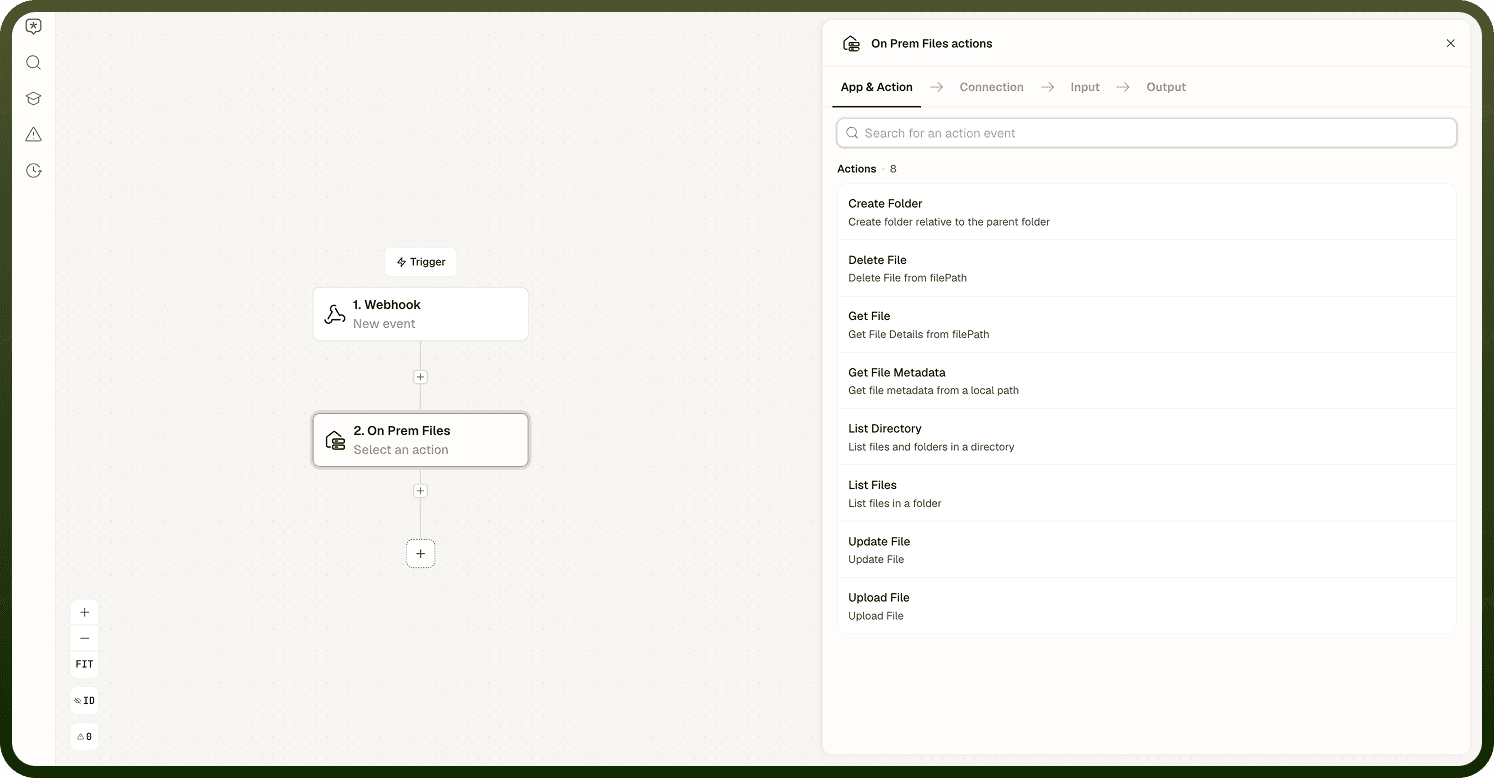
On-Prem Files supports six operations against the agent's host file system. Every path you specify must fall within the agent's configured allowed-paths list — an automation can only touch the directories you have approved on the agent itself.
Operation | Description |
|---|---|
List Directory | Returns the contents of a directory on the agent's host. |
Get File | Reads a file and returns its content together with metadata such as size and modification time. |
Upload File | Writes a file to the agent's host at the path you specify. |
Update File | Replaces the content of an existing file on the agent's host. |
Delete File | Removes a file from the agent's host. |
Create Folder | Creates a new directory at the specified path on the agent's host. |
File Triggers
On-Prem Files provides two real-time triggers that fire when the agent detects a change on the host file system. Configure a watched directory or file when setting up the trigger.
Trigger | Fires when |
|---|---|
On File Change | A file is added, deleted, or renamed within a watched directory. |
On File Permission Change | The permissions of a watched file are modified. |
Notes
Configure the agent's allowed-paths list restrictively — grant access only to the directories your automations actually need to touch.
The On File Change trigger fires on file added, deleted, or renamed. It does not fire on in-place content edits. Design automations around the events that actually fire.
To reliably detect content changes, use an atomic write pattern: write to a temporary file, then rename it into place. The trigger fires on the rename.
The agent's OS user account determines what file operations are possible. Restrict it to the minimum necessary access.
When you need multiple on-prem agents for redundancy or load distribution, target an agent group as the Connection — the platform routes to any available member of the group.