


Clone Record creates an exact copy of an existing record in a UnifyApps Storage object, assigning the copy a new system-generated ID while leaving the original unchanged.
Overview
The Clone Record action duplicates a record identified by its ID. All field values are copied exactly from the source record into the new record; the original record is not modified in any way. The cloned record receives a new, unique system-generated ID. Use Clone Record to duplicate a template record, carry forward a previous entry's full data set, or branch a workflow from a known good state — then apply changes to the copy with a follow-up Update Record step.
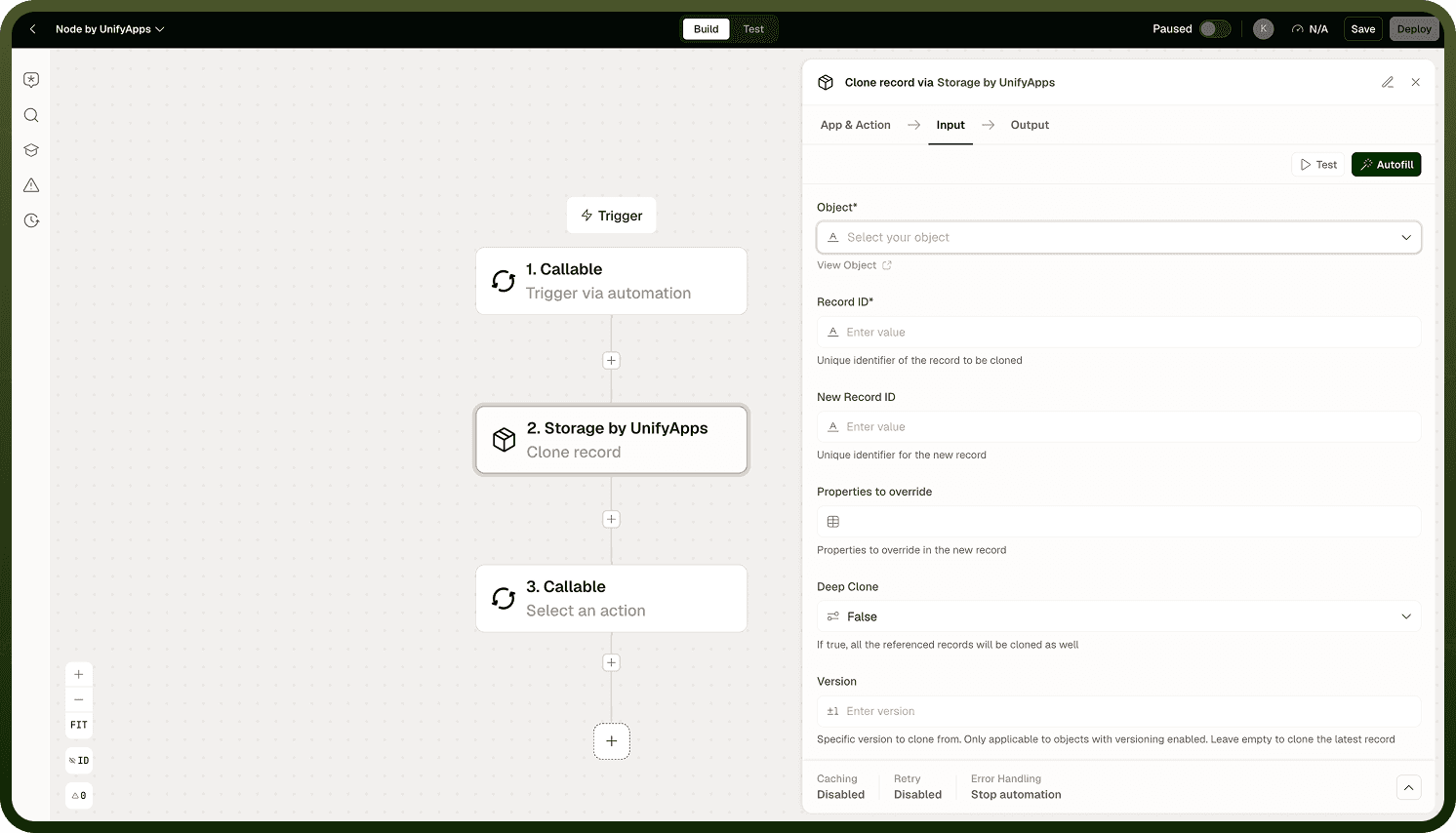
Input
Field | Description | Required |
|---|---|---|
Object | The Storage object (table) containing the record to clone. | * |
Record ID | The ID of the record to copy. | * |
Output
The newly created record — an exact copy of the source — with its own system-generated record ID and all field values copied from the original. Use the returned ID in downstream steps to reference or modify the clone.
Notes
Keep the following in mind when using Clone Record.
The cloned record receives a new system-generated ID; the original record's ID is preserved and unchanged.
All stored field values are copied exactly from the source; no fields are excluded or transformed by default.
The original record is not modified in any way by a clone operation — it remains exactly as it was.
After cloning, use Update Record on the new record's ID to modify specific fields on the copy without affecting the original.
Downstream steps should reference whichever record ID they need — the original or the new clone — explicitly, since both exist after the step runs.
Clone Record is most useful as a two-step pattern: clone a source record to create a copy, then update the copy's specific fields. This keeps the original intact as a reference or template.