


Update Record modifies specific fields on existing records in a UnifyApps Storage object, using per-field operations that go beyond simple replacement. Apply the change to a single record by ID with Update Record, or to many records in one step with Bulk Update Records.
Overview
Both actions update records by applying per-field operations rather than replacing a record wholesale. Beyond replacing a value with Set, you can Unset a field to remove it, Increment or Decrement a numeric field without reading the current value first, Add to list or Remove from list to modify list fields positionally, and Add to set or Remove from set to modify list fields while keeping their entries unique. Increment and Decrement are especially useful for counters — you bump a number safely in one step rather than fetching it, adding, and writing it back. Both actions also share three record-level options: Skip if blank (leave a field untouched when the incoming value is empty or null), Unset if null (remove a field when the incoming value is genuinely null), and Skip schema validation (bypass schema checks when the object's schema changes dynamically or isn't defined).
Operations
Use Update Record when you already know the ID of the one record to change. Use Bulk Update Records when you need to update several records — each with its own set of field operations — in a single step, without looping.
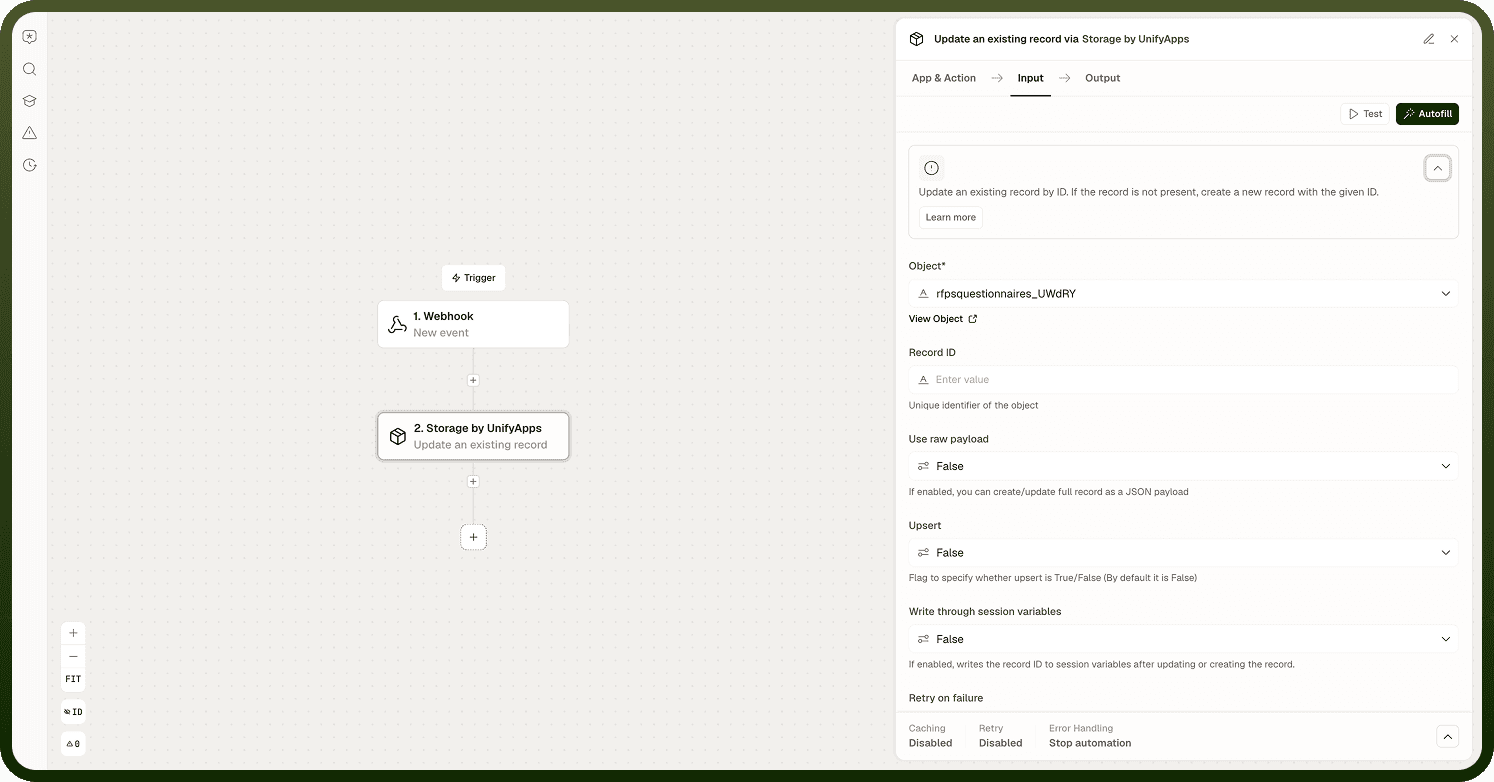
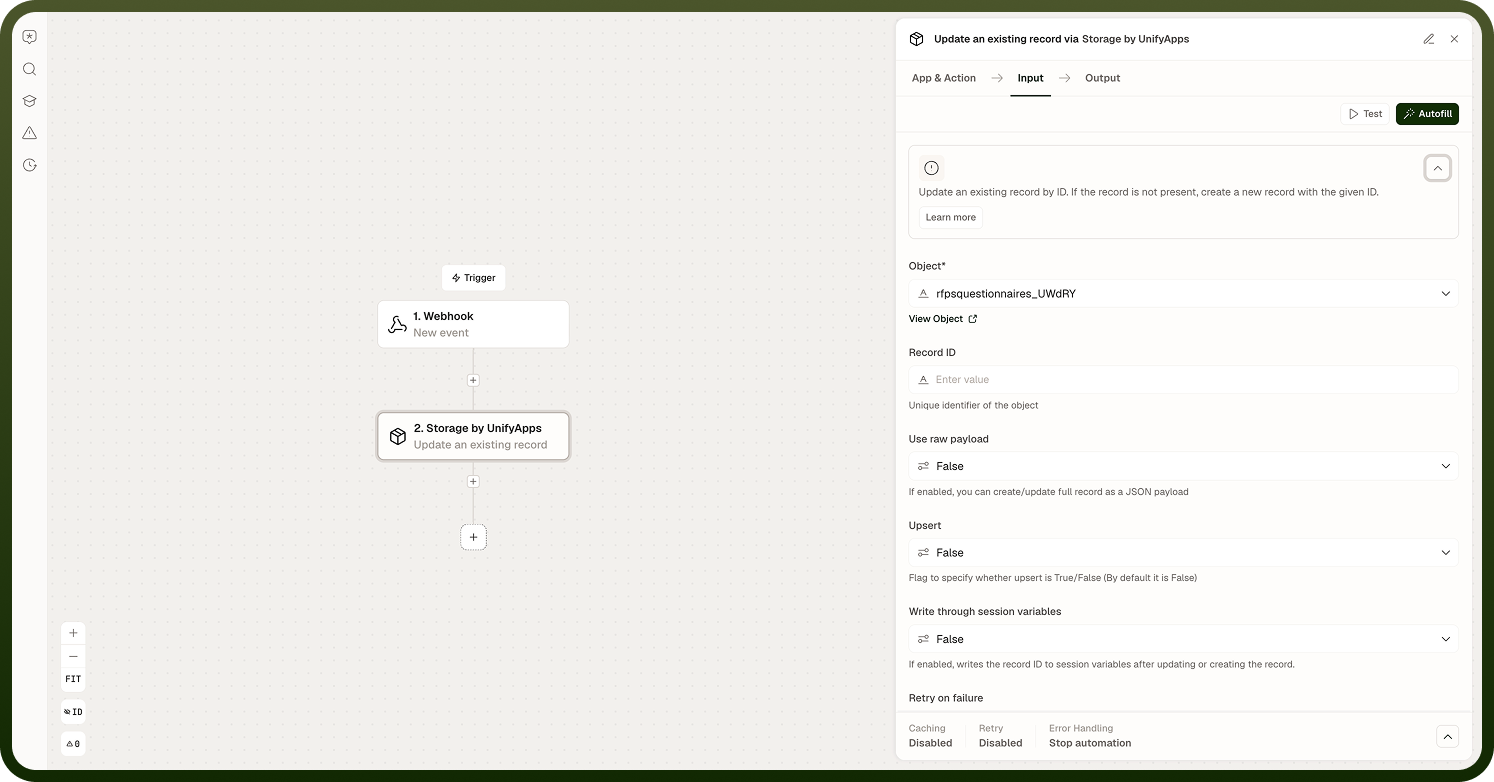
Update Record
Targets a single record by its ID and applies per-field operations to it.
Input Fields:
Object — The Storage object (table) containing the record to update.
Record ID — The ID of the record to update.
Update fields — For each field to change: a field name, an action type (Set, Unset, Increment, Decrement, Add to list, Remove from list, Add to set, Remove from set — defaults to Set), and the value to apply.
Skip if blank — Skip a field if its incoming value is empty or null, leaving the existing value untouched.
Unset if null — Remove a field from the record when its incoming value is genuinely null, instead of storing null.
Skip schema validation — Skip schema validation when updating fields. Defaults to enabled.
Write through session variables — When enabled, writes the record ID to session variables after the update.
Output:
A success flag, plus the updated record — id, entityType, properties, version, createdTime, modifiedTime, ownerUserId, lastModifiedBy, and deleted — reflecting its state after the operations were applied.
Bulk Update Records
Updates the fields of multiple records in one step, each targeted by its own record ID, instead of calling Update Record once per record.
Input Fields:
Object — The Storage object (table) containing the records to update.
Updates — A list of update entries. Each entry has a Record ID and its own set of Update fields (same field name / action type / value structure as Update Record).
Skip if blank — Applies across all entries in Updates.
Unset if null — Applies across all entries in Updates.
Skip schema validation — Applies across all entries in Updates. Defaults to enabled.
Output: updated (number of records successfully updated), failedCount (number that failed due to validation errors), and errors (a map of record ID to error message for the records that failed).
Note: In Bulk Update Records, leaving an entry's Record ID blank creates a new record instead of updating an existing one — unlike Update Record, which always requires an existing ID.
Notes
Keep the following in mind when using either update action.
Increment and Decrement adjust a numeric field atomically in a single step — you do not need to read the current value first, making them safe for counters in concurrent automations.
Add to list and Remove from list modify a list field positionally and allow duplicates; Add to set and Remove from set keep the list's entries unique.
Use Unset as the field's action type (not Skip if blank or Unset if null) to permanently remove a field from a record.
Different fields in the same update — or different entries in a bulk update — can use different action types in one step.
Use Bulk Update Records instead of looping Update Record when the set of records and their field changes are already known; it applies all updates in a single step and reports per-record failures instead of stopping the whole automation.
Together, these two actions cover both single-record precision updates and multi-record batch updates without needing a full record replacement.