


The Standard Entities node lets automations manage API clients, API Groups, endpoints, policies, and access profiles programmatically. Use these operations to automate API onboarding, govern access programmatically, and maintain API configurations without manual admin UI work.
Overview
API & Access Management in the Standard Entities node covers the platform's API layer — the clients that consume APIs, the API Groups (sometimes called Collections — the two terms refer to the same object) and endpoints they call, the policies that govern behavior, and the access profiles that bundle authentication and policies into reusable configurations. Managing these programmatically lets you build consistent, auditable API governance into automation flows.
API Clients
An API client is an external consumer identity authorized to call the platform's APIs. Create API Client (internal name: standard_entities_create_api_client) provisions a new client. Input: Name, Description. Output: Client ID, Name, Description, Owner User ID. This node does not expose separate update or delete actions for API clients — provisioning is the only client operation available here.
API Groups and Endpoints
An API Group is a logical grouping of related endpoints. The node supports creating both layers:
Create API Group (internal name: standard_entities_create_api_collection) — creates a new API Group. Input: API Group Name, Description, Path, MCP Server, A2A Server, Policies, Include Version in Path (boolean), Version. Output: API Group ID.
Create API Endpoint (internal name: standard_entities_create_api_endpoint) — creates a new endpoint inside an API Group.
As with clients, the node does not expose separate update or delete actions for API Groups or endpoints — these actions create new objects only.
One HTTP method per endpoint: For REST resource types (Callable, Webhook, External API, Event Streams), a single Create API Endpoint call is scoped to one HTTP Method (GET, POST, PUT, DELETE, or PATCH) — create one endpoint per method you need to expose on a given path. SOAP endpoints are more restrictive still — a SOAP endpoint only ever supports POST.
Create API Endpoint — Input: API Group, API Name, Description, Active (boolean), Policies, Resource Type (Callable, Webhook, LLM, External API, or Event Streams), and Resource Type–specific fields — for Callable, a Request Type of REST or SOAP plus the linked Automation, and the HTTP Method (restricted to POST when Request Type is SOAP). Output: the saved endpoint, including its endpoint URL, resource IDs, and HTTP method.
Use these operations to provision API surface area as part of a deployment automation.
Policies
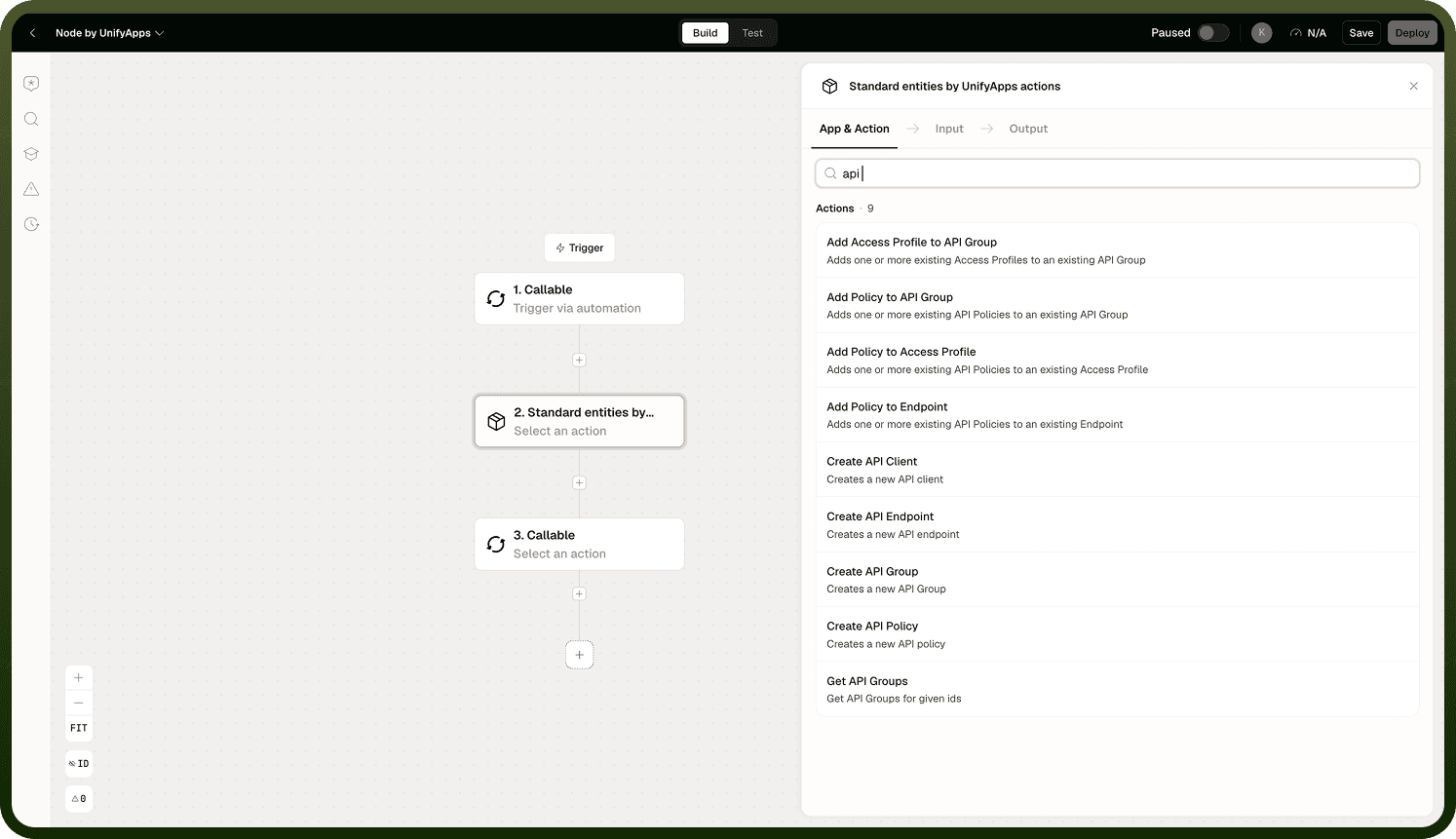
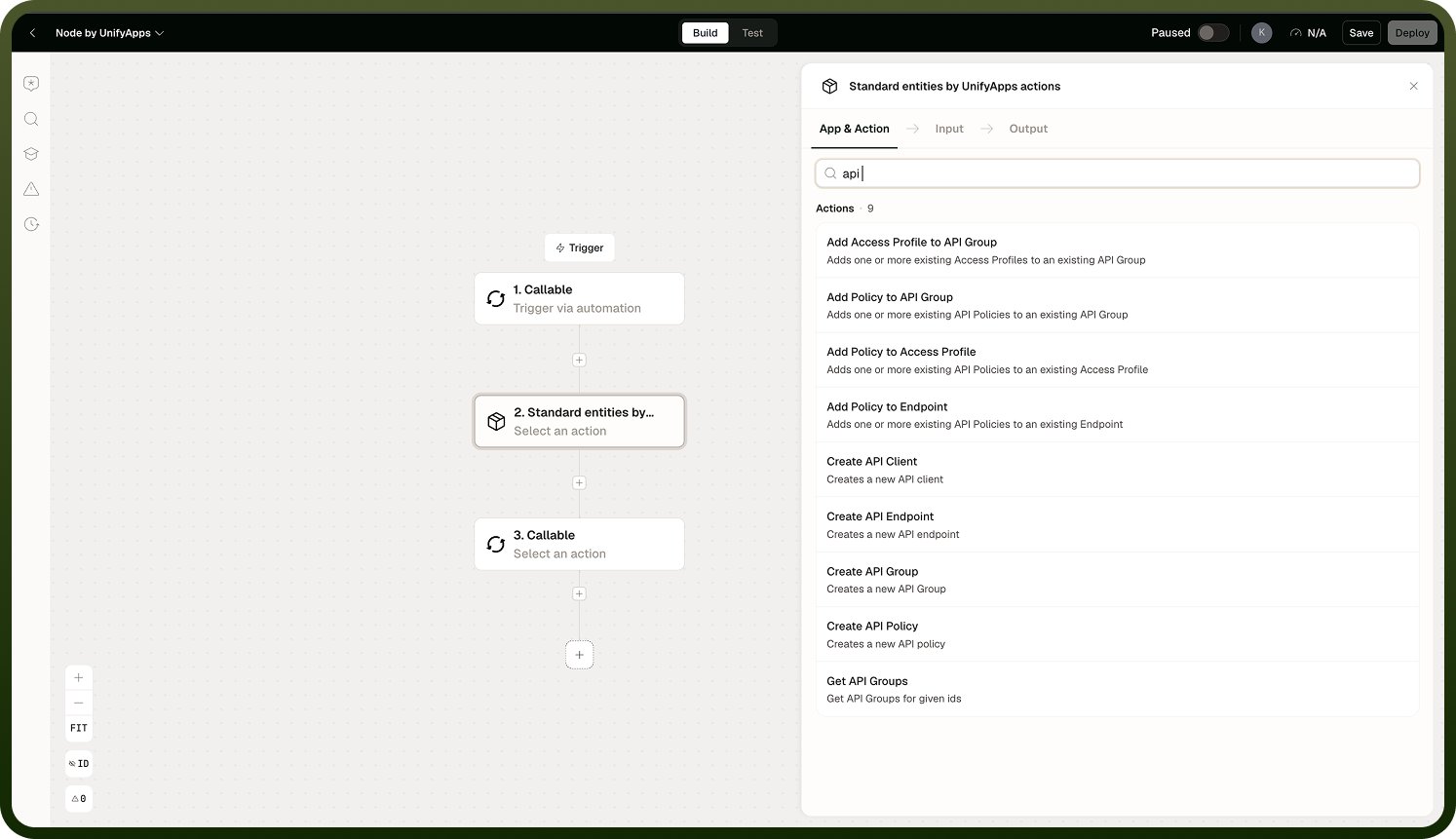
Policies define behavioral rules applied to API calls — for example, rate limiting, authentication requirements, or allowed origins. Create API Policy (internal name: standard_entities_create_api_policy) creates a new policy of a selected type (ACL, Rate Limiting, CORS, Timeout, Usage Quota, and others), with a type-specific payload. The node does not expose update or delete actions for policies, but a policy can be attached after creation as well as at creation time, via three dedicated actions: Add Policy to API Group (internal name: standard_entities_add_policy_to_api_group; Input: API Group, Policies), Add Policy to Endpoint (internal name: standard_entities_add_policy_to_endpoint; Input: Endpoint, Policies), and Add Policy to Access Profile (internal name: standard_entities_add_policy_to_access_profile; Input: Access Profile, Policies).
Access Profiles
Access profiles bundle an authentication method and policies into a reusable configuration, and are linked to API Groups — not to individual clients. The node supports two access-profile operations:
Create Access Profile (internal name: standard_entities_create_api_access_profile) — creates a new access profile and links it to one or more API Groups at creation time. Input: Profile Name, API Groups to Include, API Client ID, Authentication Details (Authentication Method — JWT, Auth Token, OAuth2.0, Basic Auth, External Authentication, or No Auth — plus method-specific fields), Policies. Output: the saved access profile, including its authentication details and policy IDs.
Add Access Profile to API Group (internal name: standard_entities_add_access_profile_to_api_group) — links one or more existing access profiles to an existing API Group. Input: API Group, Access Profiles (multiple selection). Output: the API Group ID and the linked Access Profile IDs.
The node only creates access profiles and links existing ones to an API Group — it does not expose actions to update or delete an access profile.
Use access profiles for consistency: Assigning an access profile to an API Group is safer and easier to audit than managing permissions per endpoint. When the profile's policies or authentication method change, every API Group it is linked to is governed consistently.
Notes
API and access management operations affect live platform integrations.
Permission checks are pre-flight and strict — a missing permission throws an error and stops the automation, not a soft failure you can catch.
Use check permissions before operations that may require elevated access, and branch on the result.
Access profiles link to API Groups, not to individual clients — govern access by attaching a profile to the API Group that fronts the endpoints you want to protect.
Adding an access profile to an API Group only links an existing profile — create the profile first with Create Access Profile, then link it with Add Access Profile to API Group.
This node does not expose update or delete actions for API clients, API Groups, endpoints, policies, or access profiles — it can create these objects, link profiles to groups, and attach policies to a group, endpoint, or access profile (both at creation time and afterward via the dedicated Add Policy actions), but changing or removing an existing object requires the admin UI or another interface.
Run API management automations with a dedicated service identity whose actions can be attributed and reviewed in audit logs.