


Unify Automations is the workflow layer of the UnifyApps platform. It lets you connect apps, schedule tasks, and run multi-step logic without writing backend code.
Overview
Unify Automations is the workflow automation layer of the UnifyApps platform. It lets you connect apps, schedule tasks, and run multi-step logic without writing backend code. You describe what should happen — when this occurs, do that — and the platform executes it reliably, whether that means sending a notification, updating a record, or calling another system.
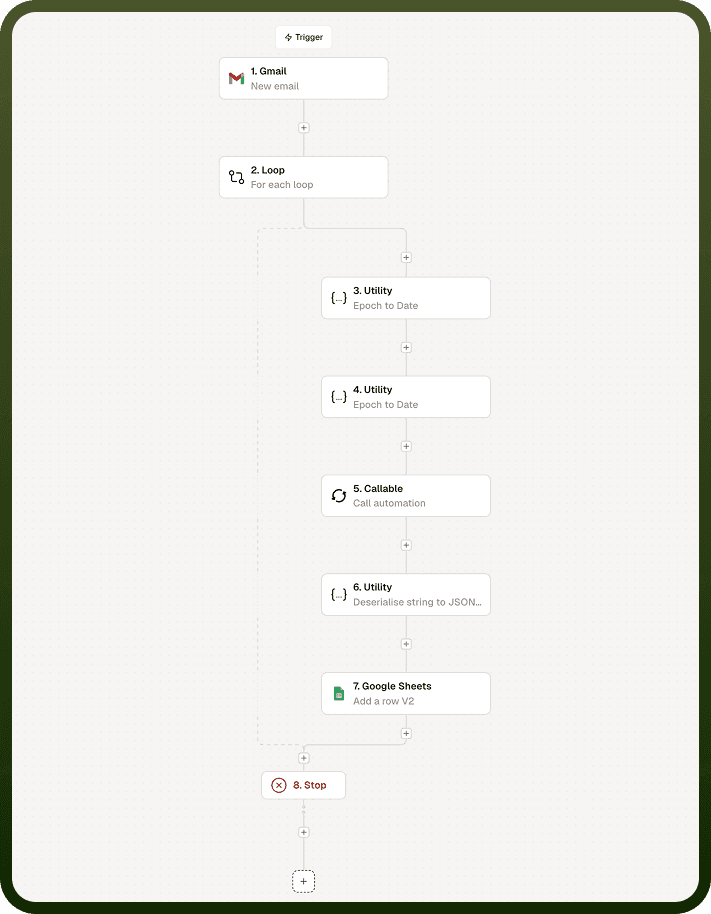
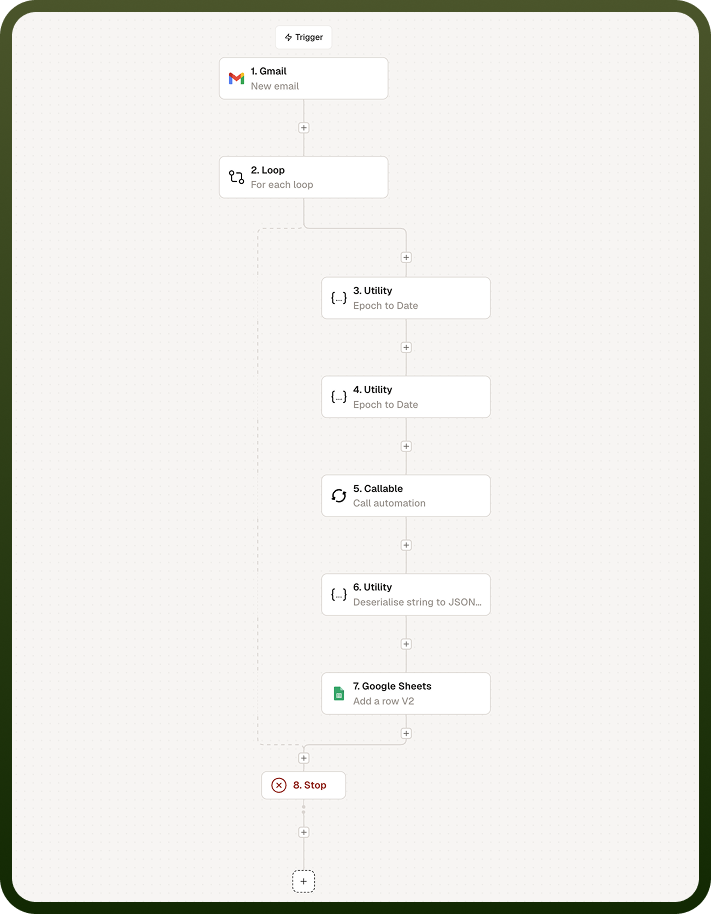
Automations are built on a visual canvas where you wire a trigger to one or more actions. When the trigger fires, the platform executes each action in sequence (or in branches), passing data between steps automatically. The result is a run: one complete execution of the automation from start to finish.
You do not need to manage servers, write API boilerplate, or maintain scheduled jobs. Unify Automations handles the infrastructure — you focus on the logic.
What You Can Build
Unify Automations supports patterns ranging from simple one-step notifications to complex multi-branch workflows with loops, conditions, and callable sub-automations. Common use cases include:
App-to-app sync — when a record is created or updated in one system, mirror the change in another. For example, create a CRM contact whenever a new user signs up in your product.
Notification and alerting — route events from any connected app to a messaging channel, email, or ticketing system. For example, notify a Slack channel when a high-priority support ticket is opened.
Scheduled data tasks — run a report, aggregate metrics, or trigger a batch operation on a daily, weekly, or custom cron schedule without a server.
Approval and review flows — route submissions through a multi-step approval chain, branching on the outcome at each stage.
API orchestration — use the Callable trigger to expose an automation as an API endpoint, so external systems or other automations can invoke it and receive a response.
Data transformation and enrichment — pull data from one app, transform it with inline code or logic nodes, and write the result to a destination system.
Key Benefits
Unify Automations offers the following key benefits:
No backend code required — All trigger subscriptions, API calls, scheduling, and retry logic are managed by the platform. You configure behavior through forms and a visual canvas rather than writing and deploying code.
Centralized connectivity — Unify Automations shares the connector library with the rest of the UnifyApps platform. Any app you have already connected in your workspace is immediately available as a trigger or action source — there is no separate integration setup.
Multiple ways to start — You can build an automation from a blank canvas, start from a prebuilt template that matches a common pattern, or describe what you want in plain language and let the AI generator produce a draft. All three paths end in the same flow builder where you refine and test the result.
Built-in observability — Every run is logged. The Monitor tab shows you the status of each run, the full input and output of every node, and the exact point where an error occurred — so debugging is a matter of reading the trace, not reproducing a failure in production.
Composable by design — Automations can call other automations via the Callable trigger. This lets you build a library of reusable sub-automations and compose them into larger workflows, keeping each automation focused on a single responsibility.
Notes
Keep the following in mind when building with Unify Automations:
Each automation has exactly one trigger; if you need the same logic to start from multiple sources, create one automation per trigger and call a shared child automation via the Callable trigger.
Runs are logged automatically — you do not need to add logging nodes. Use the Monitor tab to inspect any run after it completes.
Use templates for well-known patterns (sync, notify, approve) rather than rebuilding common logic from scratch.
Callable automations can be versioned and deployed independently; update the child automation without redeploying every parent that calls it.
An automation’s execution cost scales with the number of action nodes per run; consolidate related operations into fewer nodes where possible.