


The Scope operator wraps a sequence of steps into a single error-handling unit — if anything inside fails, the Scope catches the error at the group boundary so you can retry or route the failure without halting the entire automation.
Overview
The Scope operator wraps a group of steps so you can treat them as one unit — most importantly, for error handling. If any step inside the Scope fails, the Scope catches that error at the group level instead of letting it stop the entire automation immediately. You then decide what happens next: retry the grouped steps, run alternative handling, or let the error propagate.
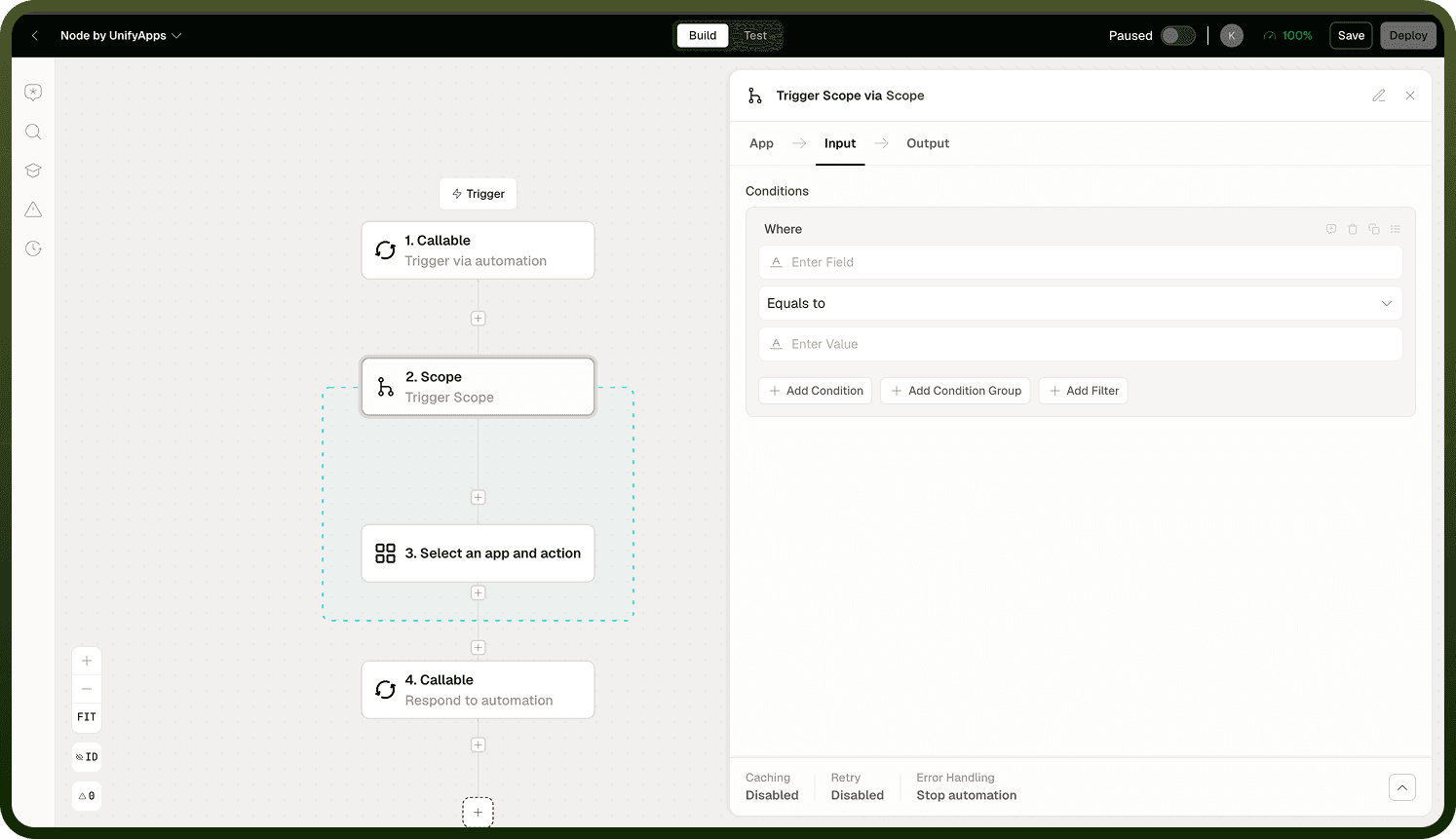
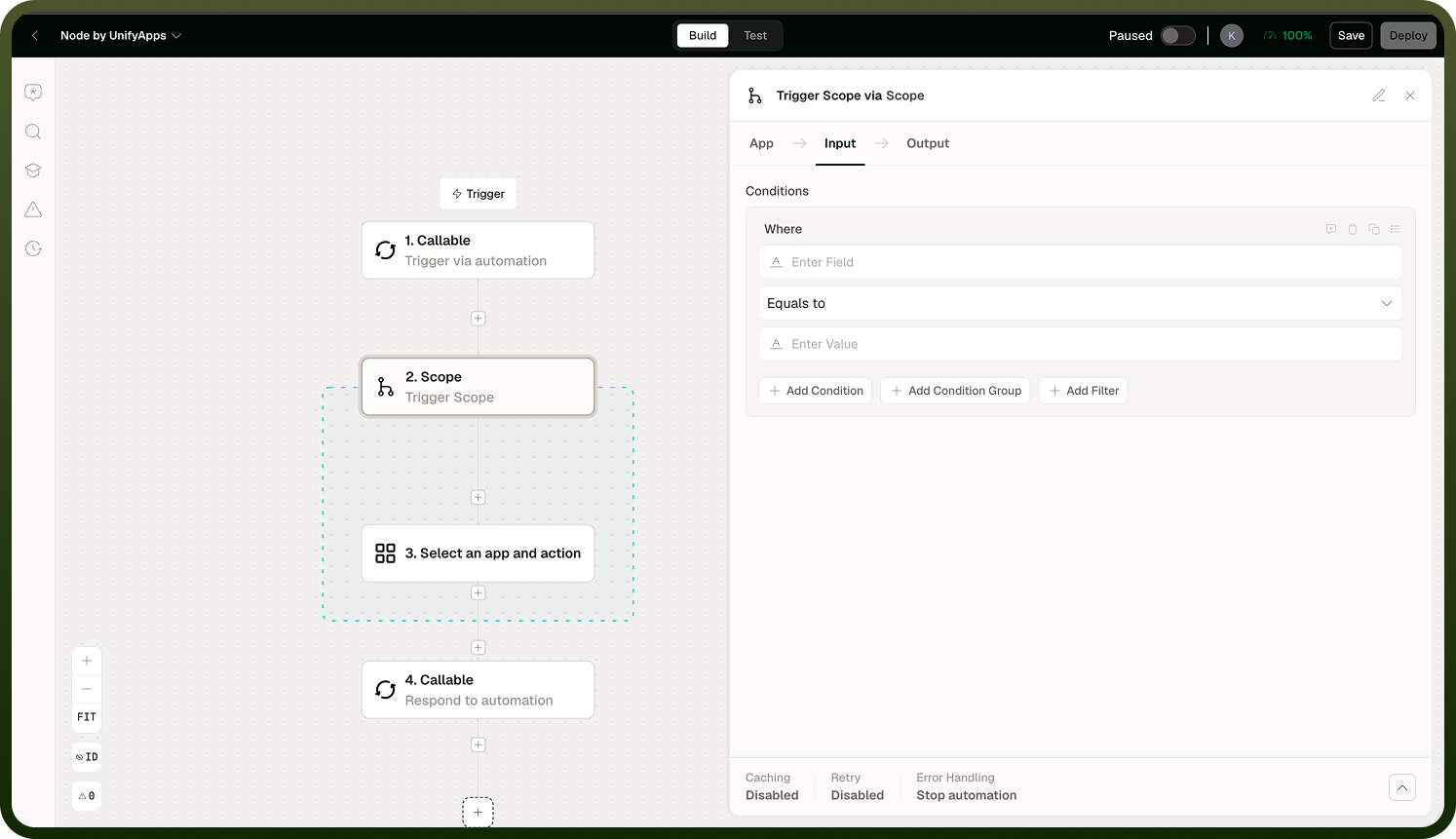
Think of Scope as a "try these steps together, and if something goes wrong, here is how to react" wrapper around a risky sequence — an external API call, a write operation, a parse, or any combination of steps that should succeed or fail together.
How Scope Works
When you add a Scope to the canvas, the flow builder renders it as a container. You add steps inside the Scope the same way you add steps to the main flow — using the + add button inside the Scope body. Steps inside the Scope run in sequence from top to bottom, just as they would in the main flow.
At runtime the Scope monitors the steps it contains:
If all inner steps succeed, execution exits the Scope and continues down the main flow.
If any inner step throws an error, the Scope catches it at the group boundary. The remaining inner steps are not executed for that attempt.
The Scope then applies the retry and error handling configuration you set before deciding whether to surface the failure to the rest of the automation.
On the canvas the Scope is labelled and can be collapsed into a block, making large flows easier to read. The flow builder also shows the current iteration count during a run when retries are active.
Configuration
Input Field | Description |
|---|---|
Steps (inner flow) | The sequence of steps nested inside the Scope. Add, reorder, and configure them the same way you would in the main automation flow. All steps share the Scope's error handling and retry settings. |
Retry | Whether the Scope should automatically retry its inner steps when they fail. When enabled, the Scope re-runs all inner steps from the beginning on each retry attempt. Configure the number of retry attempts according to how many times the grouped steps should be re-tried before the error is treated as a real failure. |
Error handling | What the Scope does once retries are exhausted (or if retry is disabled). The error can propagate outward to the main automation's error handling, stop the automation, or follow a defined error path — matching the per-step error handling options available on individual steps. |
Scope-Level Retry
Retry is the primary reason to use a Scope around steps that interact with external services. When a step inside the Scope encounters a transient failure — a momentary timeout, a rate limit, a brief network interruption — retrying the whole group often succeeds without any manual intervention.
When retry is configured on a Scope:
A step inside the Scope fails.
The Scope catches the error and waits (if a delay between retries is configured).
All inner steps run again from the first step in the Scope, not from the step that failed.
If the retry attempt succeeds, execution continues normally out of the Scope.
If retries are exhausted without a successful run, the error propagates outward and the Scope's error handling setting determines what happens next.
Note: Because the Scope retries all inner steps from the beginning, make sure any writes or side-effects inside the Scope are safe to repeat. If a step creates a record on the first attempt and the next step fails, a retry will attempt to create that record again.
Error Catch in Scope
Without a Scope, an unhandled error in any step stops the automation at that point (or follows the individual step's error handling setting). The Scope changes this by catching errors at the group boundary — the failure is contained within the Scope rather than immediately surfacing to the main flow.
This gives you a clean pattern for risky sequences:
Isolate the fragile steps inside a Scope.
Configure the Scope to retry them a few times for transient errors.
Only treat the failure as a real automation-level error once the retries do not help.
If the error is not resolved by retries, the Scope propagates it outward. The failure is not hidden — the automation surfaces it the way an unhandled error normally would, so it appears in run logs and error reporting just as expected.
Note: Scope-level error handling is separate from the automation-wide settings (timeout, circuit breaker, log level). The automation-wide settings apply to the entire run; Scope settings apply only to the steps nested inside that Scope.
Notes
To make the most of Scope:
Use Scope around any sequence of steps that calls an external API or performs a write — these are the most common sources of transient failures that benefit from retry.
Keep the inner steps focused. A Scope that contains a large portion of the automation is harder to reason about; prefer smaller, purpose-specific Scopes around genuinely risky sub-sequences.
Because retry re-runs all inner steps from the beginning, ensure inner write operations are idempotent (safe to repeat with the same effect) before enabling retry.
Scope and individual-step error handling work independently. A step inside a Scope still has its own retry and error handling settings; the Scope's settings apply at the group level after the inner step's settings have been applied.
Use the canvas collapse affordance on the Scope block to keep the main flow readable when the Scope contains many inner steps.
Applied carefully around genuinely risky sub-sequences, Scope keeps transient failures contained and your main flow clean and easy to reason about.