


Export SQL Results runs a SQL query against the analytics and reporting store and writes the output to a file in CSV, XLS, or XLSX format. The export runs asynchronously — the node returns a job reference immediately and the file is produced in the background, making this action suitable for large result sets that would be impractical to hold in memory.
Overview
Use Export SQL Results when the goal is a downloadable file rather than in-memory row data. Submit a query and choose a format; the platform enqueues an export job and processes the results in batches behind the scenes. Your automation receives a job reference it can use to track progress and retrieve the file once the job completes.
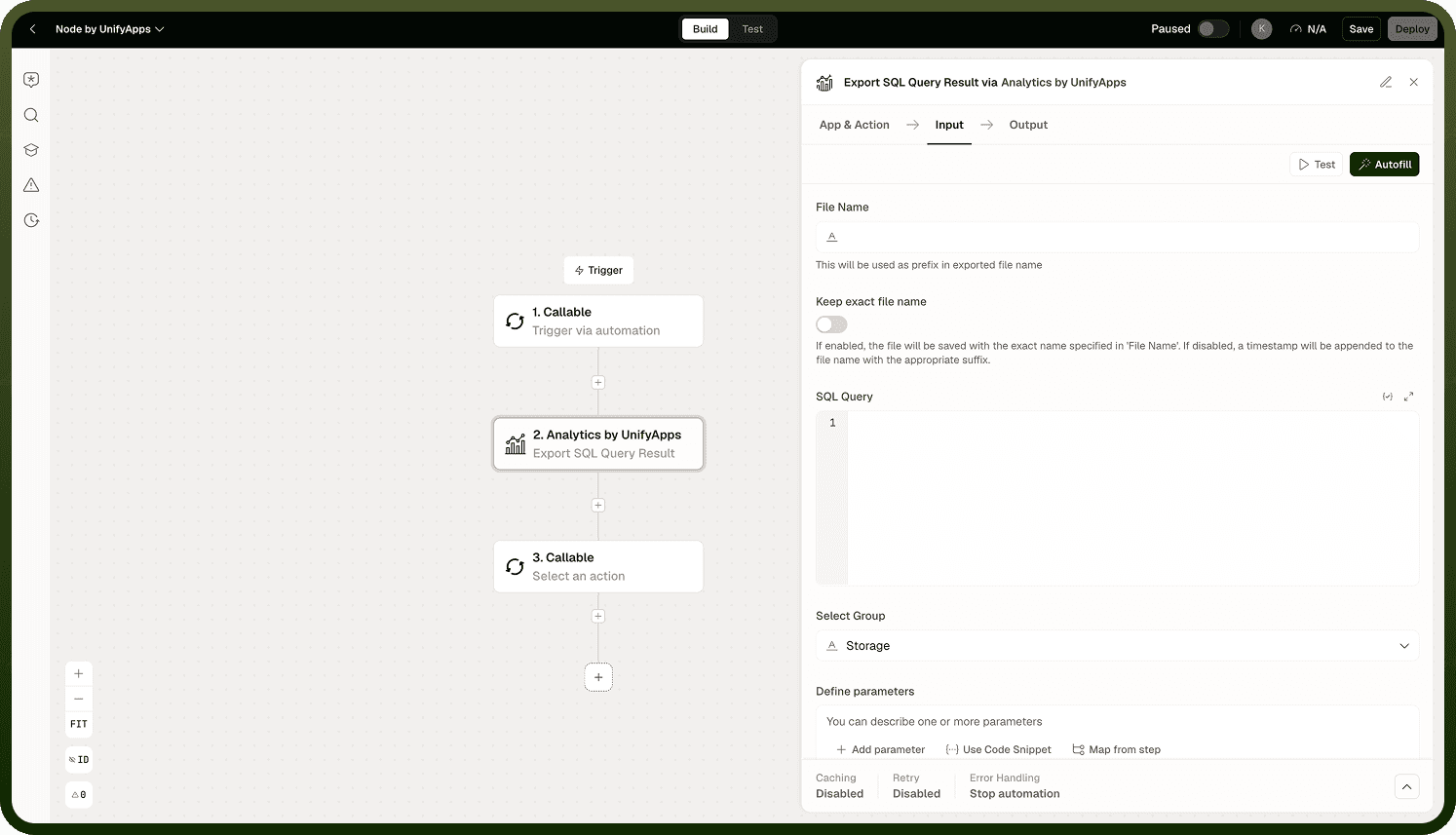
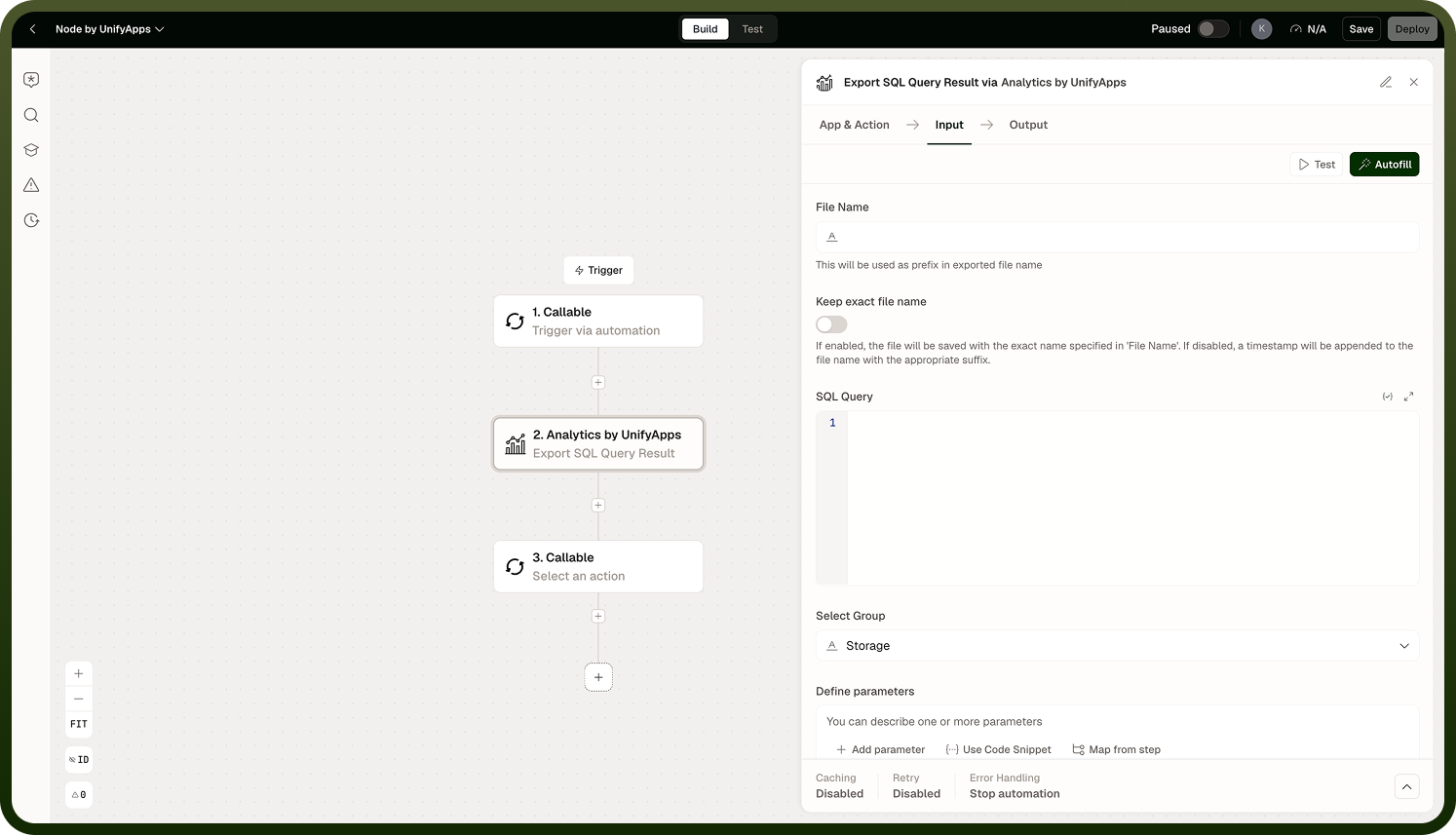
This action is well-suited to scheduled reporting automations — for example, generating a weekly CSV of open tickets and attaching it to an email — where the file is the deliverable rather than the data itself. Because the export is asynchronous, the file is not ready the instant this node returns; design the downstream steps to wait for job completion before attempting to fetch the file.
Export is asynchronous: The node returns a job reference immediately. The file is produced in the background in batches. Do not assume the file is available the moment the node completes — check job status before fetching.
Input
Field | Description | Required |
|---|---|---|
SQL Query | A valid SQL SELECT statement whose results will be written to the export file. Use named placeholders (:name) for any runtime values. | * |
Export Format | The file format for the export. Accepted values: CSV, XLS, XLSX. | * |
Parameters | Key-value pairs binding runtime values to the named placeholders in your query. Each key must match a :name placeholder exactly. |
Output
The action returns a job reference object for the asynchronous export operation:
A job ID or job reference that uniquely identifies the background export task.
An initial status indicating that the export has been enqueued and is processing.
The file itself is not part of this node's output. Retrieve it after the job completes using the job reference in a subsequent step or polling loop.
Notes
Keep the following in mind when using Export SQL Results.
The export runs asynchronously — the file is produced in batches in the background. The node does not block until the file is ready; it returns a job reference immediately.
Use named placeholders (:name) in your SQL query. Positional ? markers are not supported.
Supported formats are CSV, XLS, and XLSX. Choose the format that matches the downstream consumer's expectations — CSV for maximum compatibility, XLS/XLSX for recipients who need spreadsheet formatting.
This action targets the analytics and reporting store. It does not export workflow execution logs; use LogQL actions for that data.
For small result sets that will be consumed directly by downstream nodes, Execute SQL Query with pagination is more direct — Export SQL Results is optimized for file delivery, not in-memory data passing.
Design your automation to wait for the export job to complete before fetching the file. Attempting to retrieve the file from an in-progress or failed job will return an error or an incomplete result.