


Create LogQL Query builds a valid LogQL query string from workflow, execution, or node identifiers, so you can target specific automation runs in the workflow-log store without writing LogQL syntax by hand. The resulting query is passed directly to Execute LogQL Query in the next step.
Overview
LogQL is the query language used to search the workflow-log store — the store that holds execution logs and variables for automation runs. Writing LogQL from scratch requires knowing the exact label selectors and log-stream structure. Create LogQL Query removes that barrier: supply one or more identifiers (workflow, execution, node) and the action assembles a correctly scoped query for you.
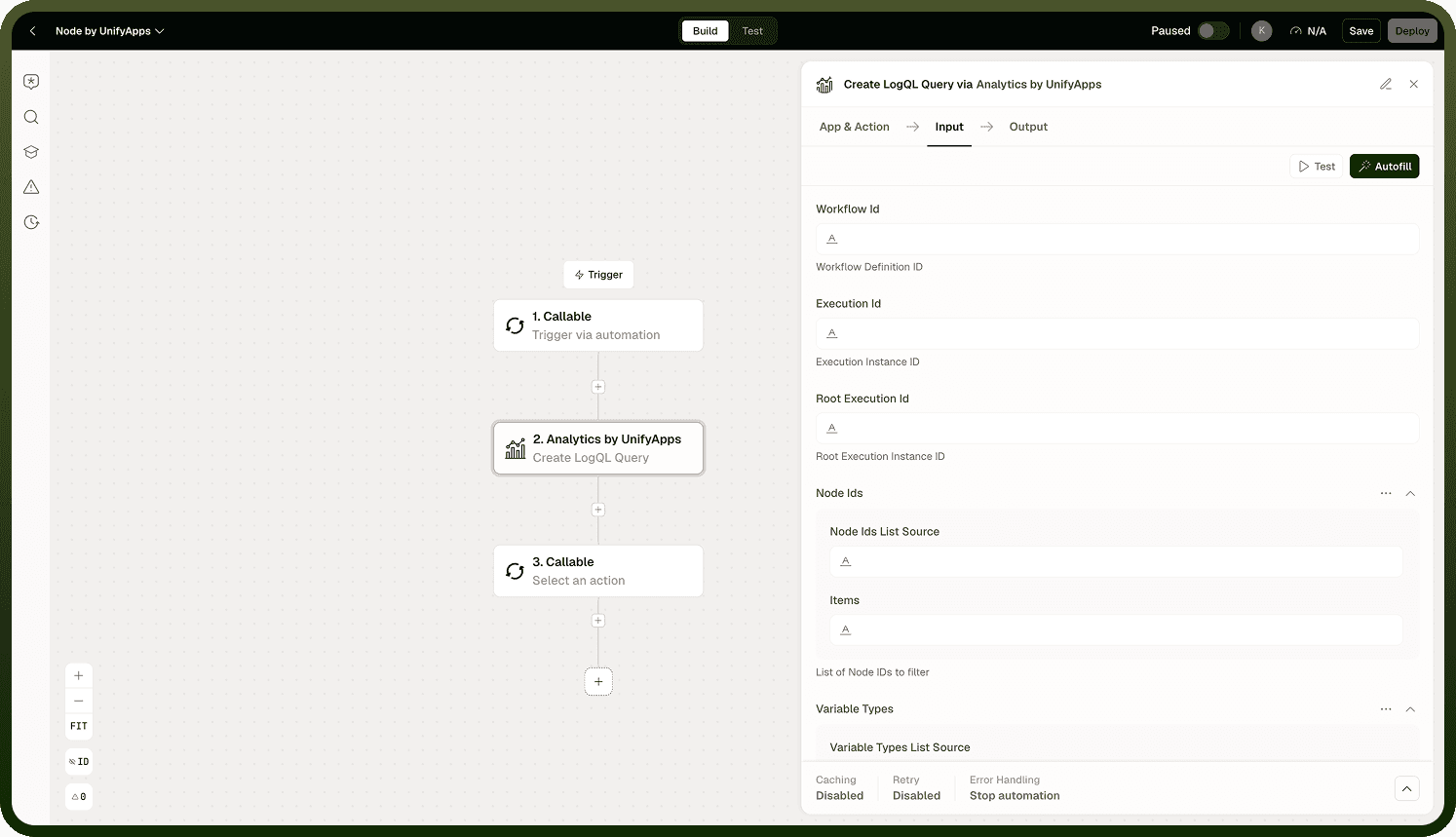
This action is almost always the first step in a two-node pattern: Create LogQL Query followed by Execute LogQL Query. You would rarely write LogQL by hand; instead, let this node generate the query from the identifiers available in your workflow context, then pass its output directly to Execute LogQL Query to retrieve the matching log entries.
LogQL is not SQL: LogQL queries the workflow-log store — execution logs and variables — not your business or reporting data. For business data, use the SQL actions instead.
Input
Field | Description | Required |
|---|---|---|
Workflow ID | The identifier of the workflow whose logs you want to query. Scopes the query to all execution runs of this workflow. | |
Execution ID | The identifier of a specific execution run. Narrows the query to a single run rather than all runs of the workflow. | |
Node ID | The identifier of a specific node within the execution. Further narrows the query to logs produced by that node alone. |
At least one identifier must be provided. Supplying multiple identifiers produces a more targeted query — for example, pairing a Workflow ID and Execution ID scopes the query to a single run of that workflow.
Output
The action returns a LogQL query string ready to be passed to Execute LogQL Query:
A LogQL query string containing the label selectors and stream matchers derived from the identifiers you provided.
This string is the sole output — it is not a result set. Pass it to Execute LogQL Query to retrieve actual log entries.
Notes
Keep the following in mind when using Create LogQL Query.
This action generates a query; it does not execute one. Always pair it with Execute LogQL Query to retrieve log data.
LogQL targets the workflow-log store — execution logs and variables — not the analytics and reporting store. It is the observability layer, not the business data layer.
The more identifiers you supply, the more targeted the generated query. A Workflow ID alone matches all runs; adding an Execution ID pins it to a single run; adding a Node ID further narrows to one node's output within that run.
Identifiers are typically available as outputs from trigger or context nodes in the same automation — you do not usually hardcode them.
If none of the optional identifiers are provided, the node cannot build a meaningful query — always supply at least one.
The generated LogQL string is opaque to downstream nodes other than Execute LogQL Query. Treat it as a pass-through value and do not attempt to parse or modify it manually.