


AgentKit by UnifyApps is a toolkit of individual conversational-AI operations — model calls, slot collection, prompt execution, web crawling, embeddings, OCR, and response publishing — that you wire together to build your own assistant logic inside an automation. Use it when you want to compose conversational behavior step by step rather than hand the whole interaction to a packaged agent.
Overview
AgentKit gives you lower-level building blocks rather than a finished assistant. Each operation does one thing — call a model, ask the user a question, embed a piece of text — and you decide the order, the branching, and what happens between the steps. Everything that a packaged agent decides for you stays under your control, which makes AgentKit the right choice when the conversation has to follow a defined path, or when a step in the middle needs to hand off to the rest of your automation.
The node requires no external connection — it runs against the platform's own AI services, so you can add it to an automation and choose an action immediately. Each action's inputs are presented once you select it, and its output is available to downstream steps as data pills.
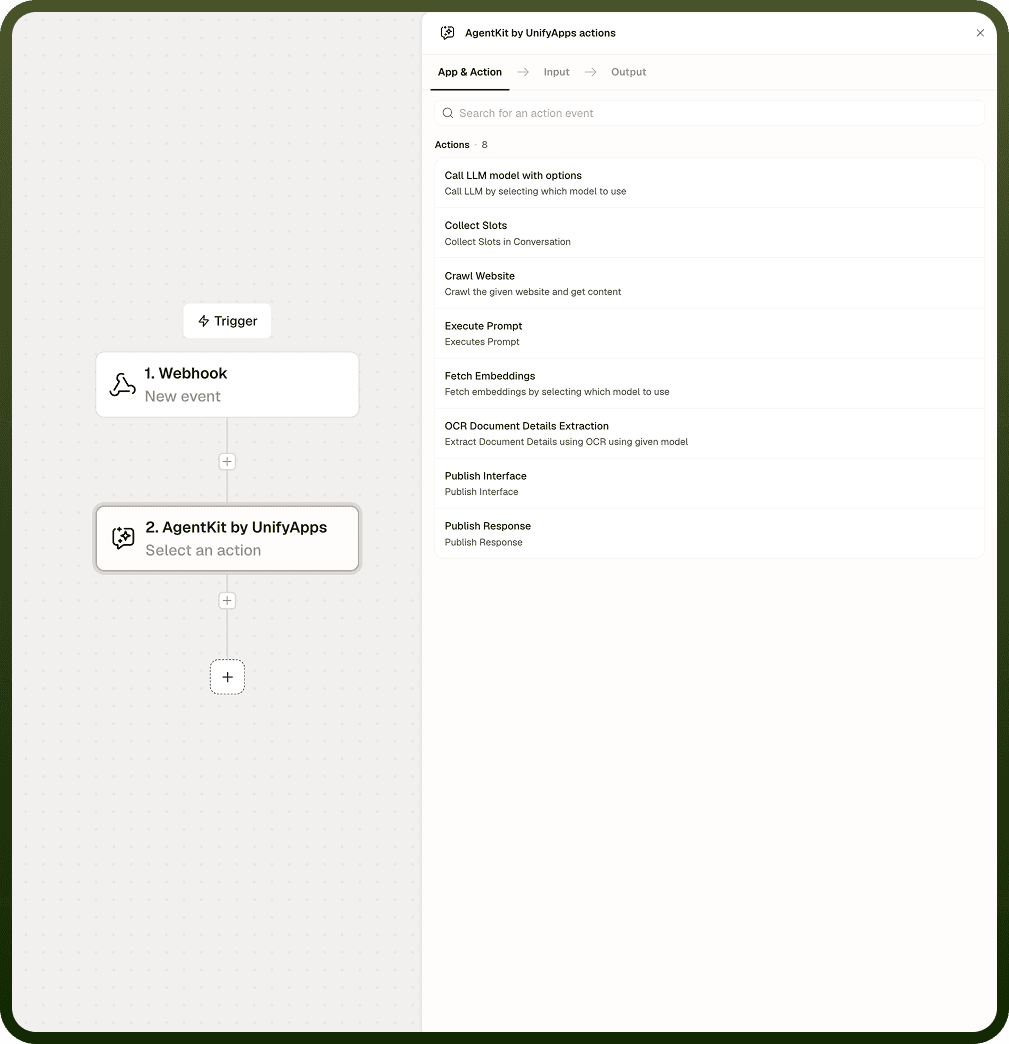
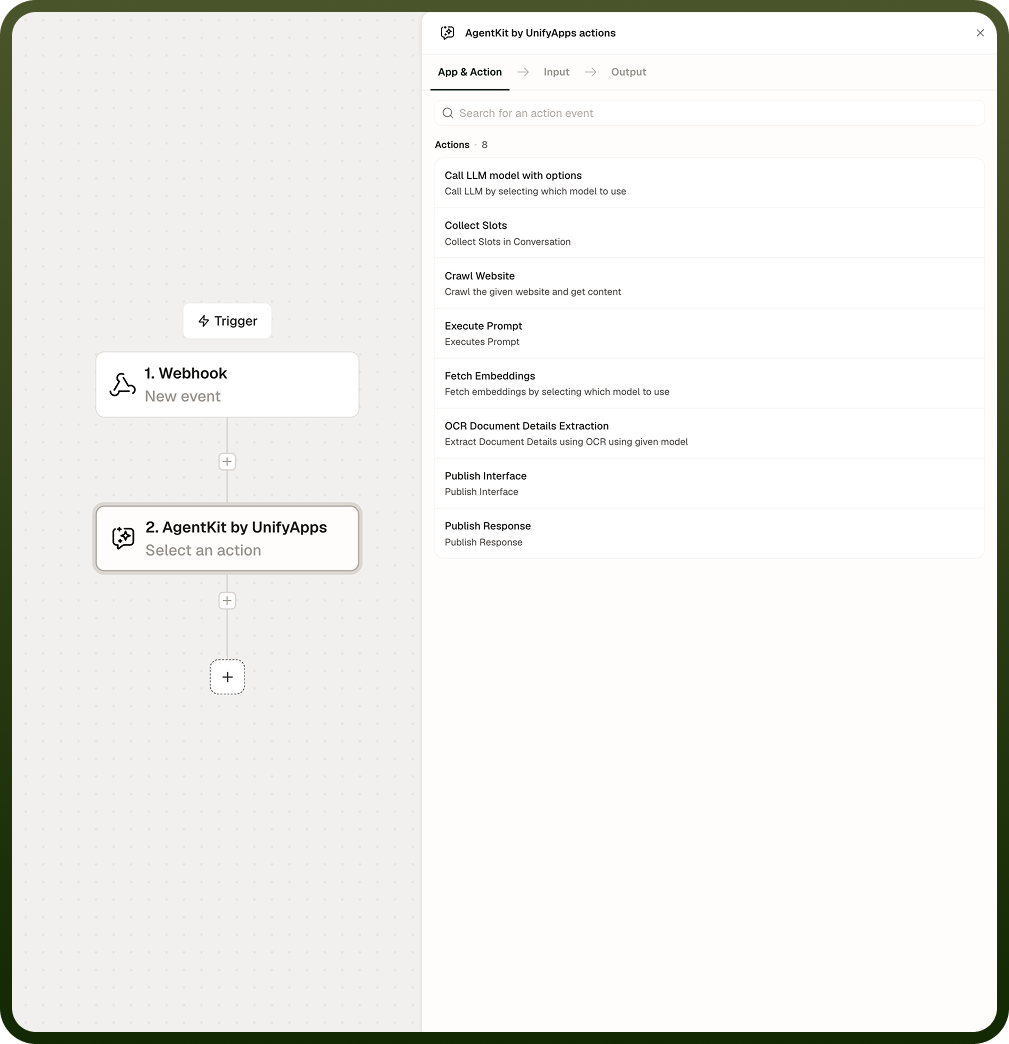
Actions Supported
Each action has its own page with full input and output detail. Use this table to find the one you need.
Action | Description | When to use it |
|---|---|---|
Call LLM Model with Options | Calls a large language model, letting you select which model to use and pass call settings. | Any step that sends a prompt to a model and needs control over the model and its settings. |
Collect Slots | Collects a defined set of values from the user through a guided conversation. | Gathering required details — an order number, a date, a reason — before the automation can proceed. |
Execute Prompt | Runs a saved prompt template by reference. | Reusing one centrally maintained prompt across several automations instead of repeating its text. |
Crawl Website | Crawls a given website and returns its content. | Pulling page content into an automation as the source material for a later step. |
Fetch Embeddings | Converts text into vector embeddings using the embedding model you select. | Building semantic search or similarity matching over your own content. |
OCR Document Details Extraction | Extracts structured document details from scans and images using the model you select. | Reading invoices, forms, and receipts where the data is an image rather than machine-readable text. |
Publish Response | Sends a message to the user during the run. | Delivering a model reply, a status update, or a final result back to the conversation. |
Publish Interface | Renders a form or interface to the user during the run. | Collecting structured input or a confirmation rather than free-text conversation. |
Call LLM Model | The original model-call action. Deprecated — superseded by Call LLM Model with Options. | Do not use in new automations. Migrate existing automations to Call LLM Model with Options. |
Use Cases
Guided support intake. Collect Slots gathers the order number and issue type, Call LLM Model with Options drafts a reply from that context, and Publish Response returns it to the user.
Invoice processing. OCR Document Details Extraction pulls the invoice number, total, and date from a scan, and the extracted values feed validation and storage steps further down the automation.
Knowledge retrieval over your own content. Crawl Website fetches the source pages, Fetch Embeddings converts them into vectors, and a retrieval step matches an incoming question against them.
Approval with structured input. Publish Interface renders a form, the user submits a decision, and the automation branches on the response.
Standardized prompting across teams. Execute Prompt runs one saved template from several automations, so a change to the prompt applies everywhere it is used.
How the Operations Fit Together
The operations are designed to be chained. Three combinations cover most builds:
Conversation loop: Collect Slots → Call LLM Model with Options → Publish Response. Gather what you need, reason over it, reply. Add Publish Interface in place of Publish Response wherever the user has to choose rather than read.
Retrieval pipeline: Crawl Website → Fetch Embeddings → retrieval. Crawl to obtain raw content, embed it so it can be searched semantically, then query it for the context a later model call needs.
Document pipeline: OCR Document Details Extraction → validation → storage. Extract the fields, check them with standard nodes, then write them where they belong. Add Fetch Embeddings if you also need to search across the extracted documents.
Keep each operation to one responsibility. AgentKit flows stay readable when each node does one thing and the branching between them lives in standard automation nodes rather than inside a prompt.
Building an AgentKit Flow
Add the AgentKit node to your automation from the node picker.
Select the action you need. The action's inputs appear only after it is chosen.
Configure the inputs for that action, mapping data pills from earlier steps where the value comes from elsewhere in the automation.
For Collect Slots, define each slot under Define Slots using "Add Slot". A slot name must start with a letter, contain no spaces, and use no special characters other than _ and :.
Set Number of Retries before Skipping this Slot if the default of three attempts does not suit the conversation.
Add the downstream step that consumes the action's output — a Publish Response to reply, a Condition to branch, or a storage node to persist the result.
Test the automation and check the output tree to confirm each operation returned what the next step expects.
Note: Slot collection does not fail the run. If a user does not provide a valid value within the retry limit, the slot is skipped and left empty, and the automation continues to the next step.
Notes
Keep the following in mind when building with AgentKit:
Use Call LLM Model with Options for all new automations. The older Call LLM Model action is deprecated — migrate existing automations off it rather than extending them.
The model is chosen when you build the automation, not switched per run. If different cases need different models, branch the automation and use a separate node on each path.
Choose the embedding model deliberately — it is fixed at build time, and the vector size it produces must stay compatible with the store you search against. Use the same model to embed indexed content and incoming queries.
Design downstream steps to tolerate a missing slot. A skipped slot returns an empty value rather than an error, so check that the value came back before acting on it.
Leave automatic slot detection on unless you need an explicit answer to every question. Enabling Skip Automatic Slot Detection asks the user for every slot regardless of what they have already said.
OCR quality tracks the quality of the source image. Blurry, low-resolution, or skewed scans produce less reliable extraction, so prefer clean scans and validate business-critical fields downstream.
Use Publish Response when the automation is telling the user something, and Publish Interface when it needs something structured back.
Reach for AgentKit when you want to own the conversational logic. If a packaged agent already covers the interaction, use the agent node instead and keep the automation simpler.
A well-built AgentKit flow reads like the conversation it drives — one operation per turn, with the branching visible on the canvas rather than buried in a prompt.