


The Platform Tools node is meta-tooling that lets an automation discover what the platform can do and resolve schemas on the fly, rather than having everything hard-wired at build time. It is especially useful for AI agents and dynamic builders that need to find the right operation and understand its shape at runtime.
Overview
Platform Tools provides two broad capabilities:
Discovery — search, browse, and inspect nodes and their operations without knowing in advance what is available.
Schema resolution — compute the actual input or output shape of a node given a specific configuration, so downstream wiring can be done accurately before a run starts.
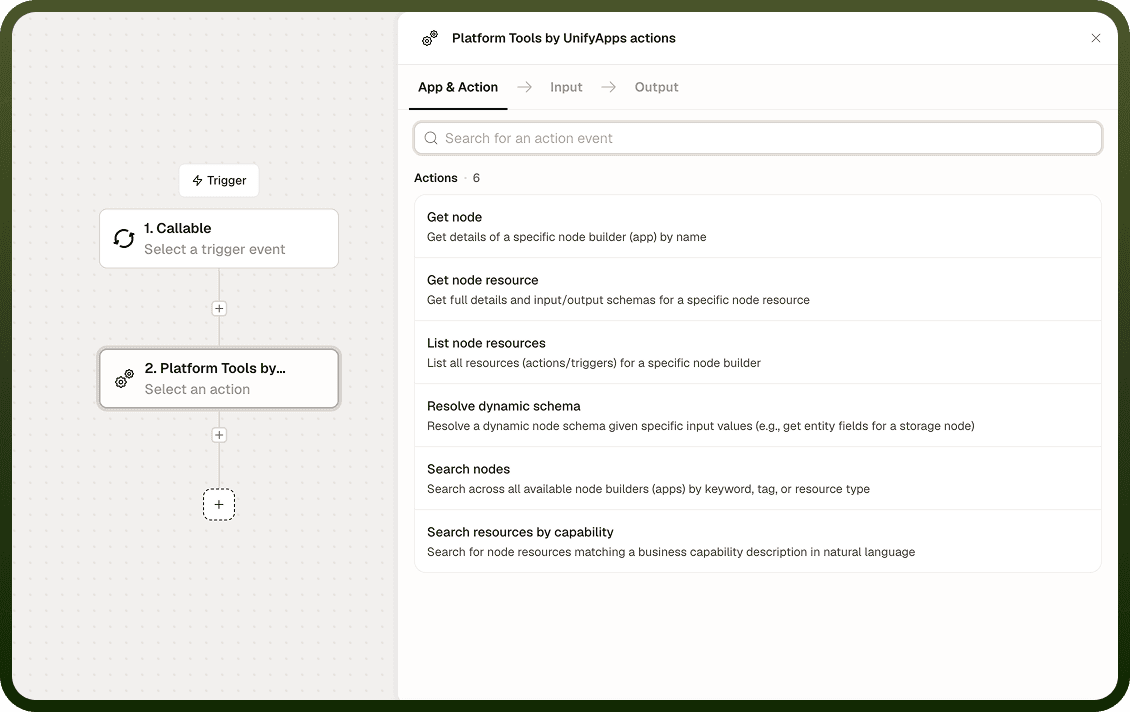
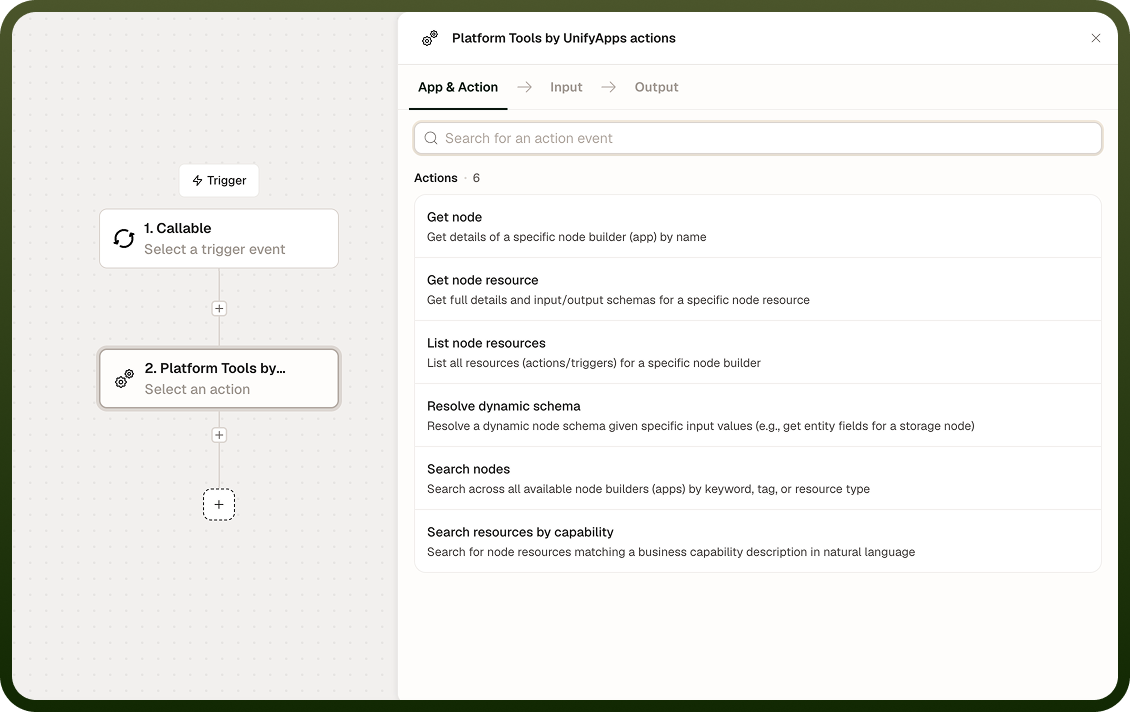
Discovery Operations
Three operations let you find what you need:
Search Nodes — Keyword search across all nodes in the platform catalog. You can optionally include the nodes' operations in the search scope. Returns matching nodes with their metadata: name, description, tags, and whether a connection is required.
Input Field | Description |
|---|---|
Keyword | The search term to match against node names, descriptions, and tags. |
Include operations | When enabled, also searches within each node's individual operations. Optional. |
Output: A list of matching nodes, each with name, description, tags, and a flag indicating whether a connection is required to use it.
Search by Capability — Describe what you want in plain language — for example, "something that sends an email" — and receive nodes and operations that can fulfil that need, without guessing an exact keyword.
Input Field | Description |
|---|---|
Capability description | A natural-language description of the desired capability. |
Output: A list of nodes and operations that match the described capability, with metadata for each.
Get Node / List Operations — Once you know the node you want, pull its full details or enumerate its operations. You can optionally include input and output schemas for each operation.
Input Field | Description |
|---|---|
Node identifier | The name or ID of the node to inspect. |
Include schemas | When enabled, returns the input and output schema for each operation. Optional. |
Output: Node details and, for List Operations, an array of operations with their names, descriptions, and optionally their schemas.
Resolve Dynamic Schema — Some nodes have input or output shapes that depend on their configuration — a storage operation's output fields, for instance, depend on which entity type was selected. Resolve Dynamic Schema computes the actual shape for a given node, operation, connection, and set of inputs, so a builder or agent knows the real fields before running anything.
This is the mechanism behind context-aware field pickers and agents that need to wire one node's output into the next node's input correctly.
Input Field | Description |
|---|---|
Node identifier | The node whose schema to resolve. |
Operation | The specific operation within the node. |
Connection | The connection context for the node, if the node requires one. |
Inputs | The configuration values that influence the schema (for example, a selected entity type). |
Schema type | Whether to resolve the input schema or the output schema. |
Output: The resolved schema object describing the actual fields for the given configuration.
Notes
Search results may include operations that require a connection. You still need to supply that connection to actually invoke those operations in an automation.
The catalog reflects the platform's currently available nodes; newly added nodes appear automatically.
Resolve Dynamic Schema is a read-only inspection call — it does not execute the node or consume any quota associated with the target node.
Platform Tools is most valuable in AI-agent and dynamic-builder patterns where the set of available operations cannot be determined at design time.