


Use the Granola connector to capture and summarize meeting notes with AI.
Integrating your application with Granola lets you use these operations in an automation. It exposes 3 actions, listed below. Add the connector from the Connections area, authenticate, then select its operations in the automation builder. Capabilities: actions, knowledge (RAG).
Authentication
Before you begin, make sure you have the following information:
Connection Name: Choose a meaningful name for your connection. This name helps you identify the connection within your application or integration settings.
Authentication Type: The authentication method for this connector is defined in the connection setup. Select the connector in the Connections area to see the fields it requires.
Actions
Action Name | Description |
|---|---|
Get note | Retrieves a single Granola meeting note by ID. |
List folders | Lists accessible folders in Granola with pagination. |
List notes | Lists accessible meeting notes in Granola. |
Overview
The Granola API provides programmatic access to your workspace's meeting notes and related data through a RESTful interface, enabling integration with existing tools and custom workflows.
API Key Access Scopes
API keys support two access scopes:
Scope | Access |
|---|---|
Personal notes | Notes you own, notes directly shared with you, notes in private folders shared with you |
Public notes | Notes visible to everyone in the workspace, notes in the Team space |
Obtaining an API Key
Open the Granola desktop app
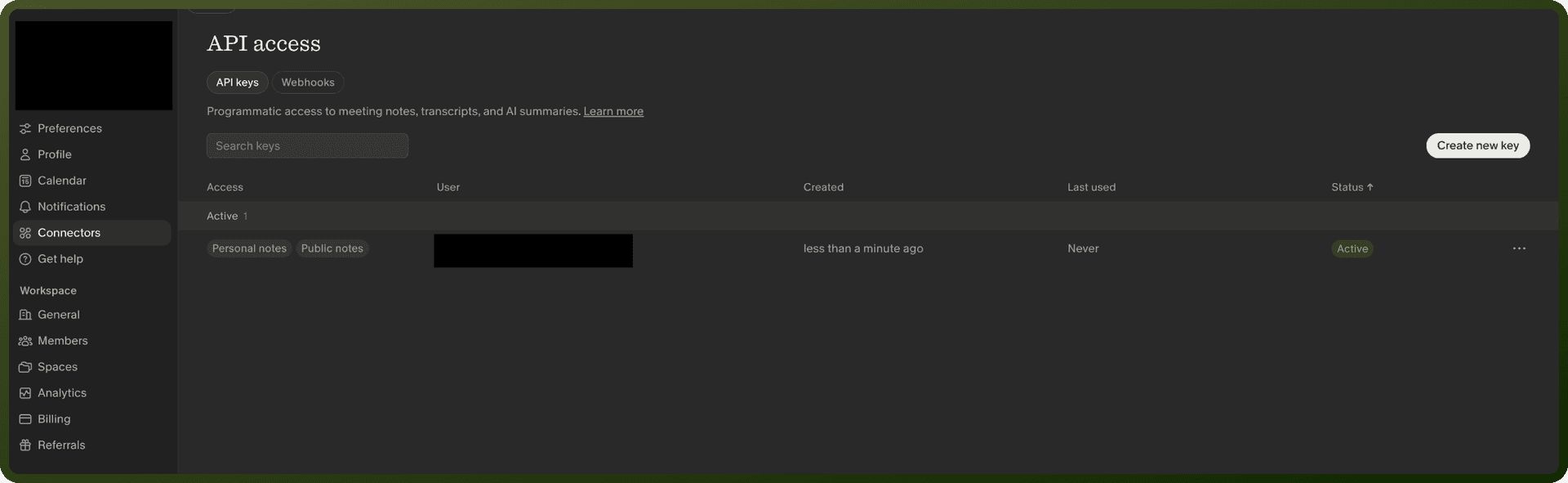
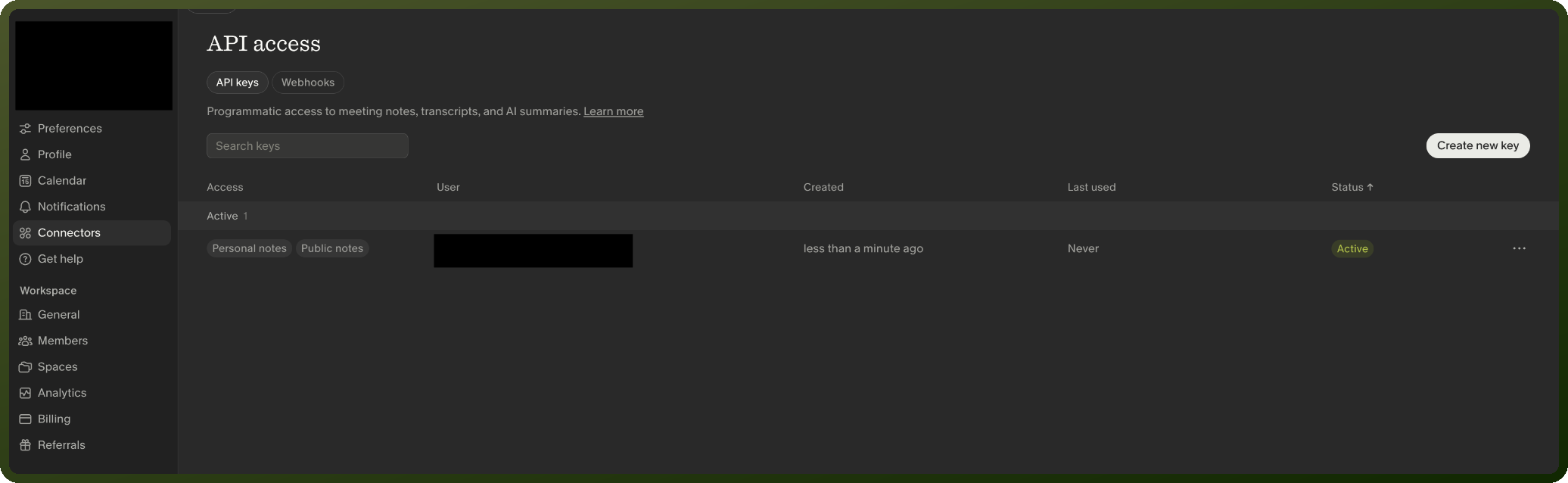
Navigate to Settings → Connectors → API keys
Click Create new key
Select the note access scopes for the key
Click Generate API Key
On Enterprise plans, workspace admins must enable API key access scopes in Settings → Workspace → General → API access for members.
Revoking an API Key
Go to Settings → Connectors → API keys
Find the key and click Revoke
Confirm in the dialog
Once revoked, the key is permanently disabled and cannot be restored.
Updating an API Key
Go to Settings → Connectors → API keys
Find the key and click Edit
Select the desired note access scopes
Click Save changes
Quick Start
List notes created in the past week:
curl "https://public-api.granola.ai/v1/notes?created_after=$(date -u -v-7d +%Y-%m-%dT%H:%M:%SZ)" \ -H "Authorization: Bearer grn_YOUR_API_KEY"
Retrieve a specific note with its transcript:
curl "https://public-api.granola.ai/v1/notes/not_1d3tmYTlCICgjy?include=transcript" \ -H "Authorization: Bearer grn_YOUR_API_KEY"
Transcript Format
macOS transcripts include speaker.source as either "microphone" or "speaker".
iOS transcripts return speaker.source = "microphone" with optional diarization_label values (Speaker A/B/etc).
The API only returns notes with generated AI summaries and transcripts. Processing notes return 404.
Rate Limits
Metric | Limit |
|---|---|
Burst capacity | 25 requests in 5 seconds |
Sustained rate | 5 requests/second (300/minute) |
Exceeding limits returns a 429 Too Many Requests response.