


Use the FedEx connector to manage shipping and parcel tracking.
Integrating your application with FedEx lets you use these operations in an automation. It exposes 15 actions, listed below. Add the connector from the Connections area, authenticate, then select its operations in the automation builder. Capabilities: actions.
Authentication
Before you begin, make sure you have the following information:
Connection Name: Choose a meaningful name for your connection. This name helps you identify the connection within your application or integration settings.
Authentication Type: FedEx supports API token authentication.
Obtaining Your API Key and Secret Key
Go to the FedEx Developer Portal at developer.fedex.com and sign up for a developer account, or log in if you already have one.
From the menu, select My Projects, then select Create an organization and enter your company details.
Select the APIs tab, then click + Create API Project.
Select the FedEx APIs you need, name the project, choose the countries it applies to, and accept the terms and conditions to finish creating it.
From My Projects, open your project by clicking its name.
On the API keys tab, under Test Key, copy your test API Key (Client ID) and Secret Key (Client Secret) for development.
When you're ready to go live, open the Production key tab, copy your production API Key and Secret Key, and store both securely — you'll need them for authentication.
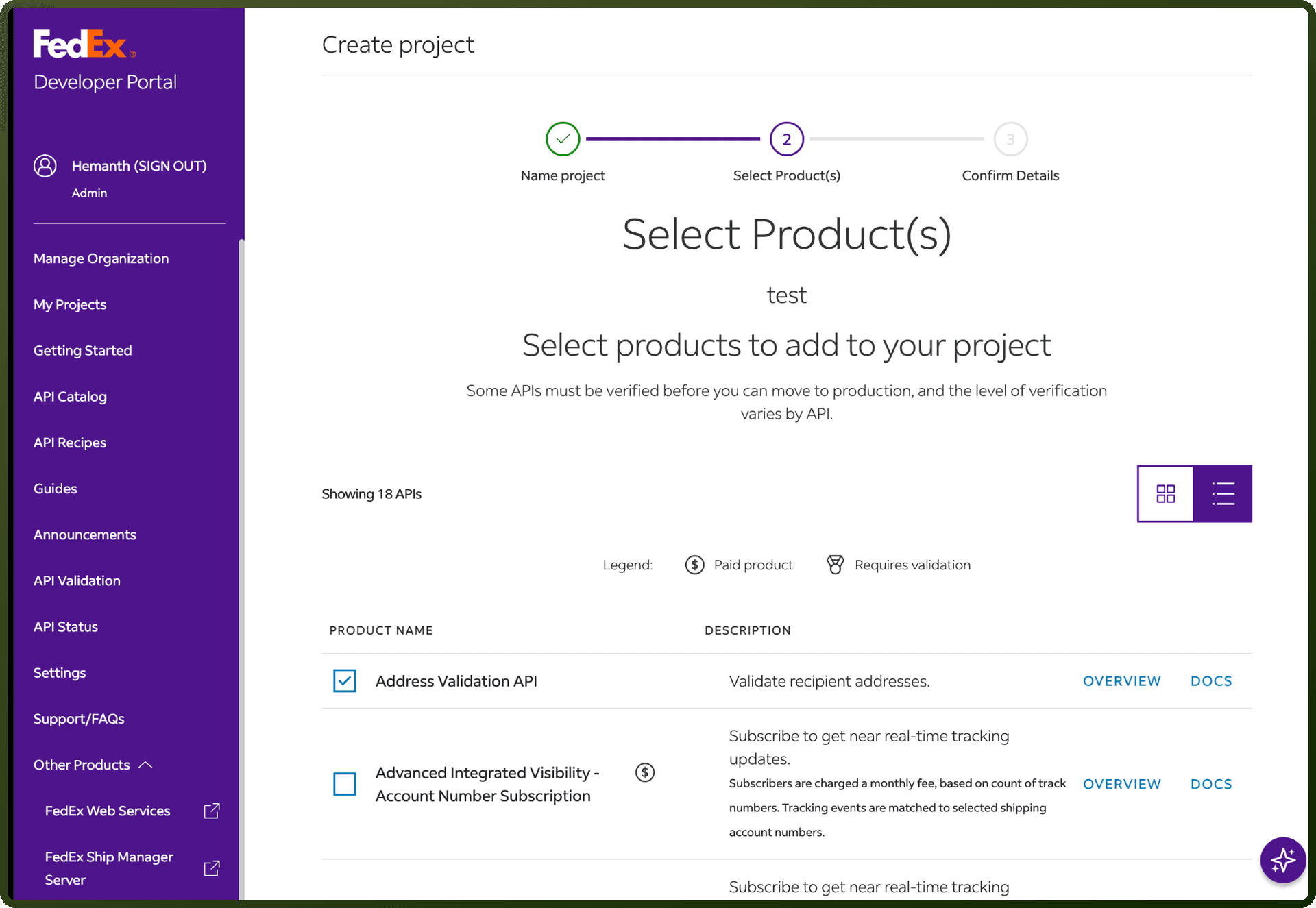
Authentication & setup
FedEx APIs use OAuth 2.0 bearer token authentication. Tokens expire after 60 minutes and must be regenerated for each API transaction.
Getting Credentials: Credentials are generated through the FedEx Developer Portal when creating a project:
Client ID (API Key) – Created automatically with project
Client Secret (Secret Key) – Displayed on confirmation page; regeneratable via Project Overview
Additional credentials for specific customer types:
Child Key & Child Secret – Required for Internal, Compatible, Proprietary Parent Child, and Integrator customers
Authorization Flow: Submit a POST request to /oauth/token with:
grant_type:client_credentialsclient_id: Your API Keyclient_secret: Your Secret Key
Response Returns:
access_token– Encrypted OAuth token for API transactionstoken_type– "bearer"expires_in– 3600 seconds (1 hour)scope– Authorization scope
Special customer types use alternate grant types (csp_credentials or client_pc_credentials) with additional child credentials.
Actions
Action Name | Description |
|---|---|
Cancel pickup | Cancels the already scheduled pickup request in FedEx |
Cancel shipment | Cancels unsubmitted FedEx express and ground shipments in FedEx |
Cancel tag | Cancels return labels and schedule pickups for FedEx express and ground shipments in FedEx |
Create notification | Creates and sends notification in FedEx |
Create pickup | Creates a pickup request for a package in FedEx |
Create shipment | Creates shipment requests in FedEx |
Create tag | Creates return labels and schedule pickups for FedEx express and ground shipments in FedEx |
Get async ship | Retrieves confirmed shipments to process asynchronously in FedEx |
Get delivery proof | Retrieves the proof of delivery in FedEx |
Get multiple piece shipment | Retrieves information for multiple piece shipments in FedEx |
Get pickup availability | Checks and retrieves the pickup availability in FedEx |
Get track information | Retrieves tracking information by customer reference in FedEx |
Get tracking control | Retrieves tracking information by tracking control number in FedEx |
Get tracking for customers package | Retrieves tracking for customers package in FedEx |
Update address | Verifies and updates address in FedEx |
About the API
FedEx provides APIs for shipping and logistics operations. Please refer to the official documentation for specific endpoint details.
Official documentation
https://developer.fedex.com/api/en-us/catalog/authorization/docs.html