


Use the JigsawStack connector to suite of small AI APIs for developer tasks.
Integrating your application with JigsawStack lets you use these operations in an automation. It exposes 9 actions, listed below. Add the connector from the Connections area, authenticate, then select its operations in the automation builder. Capabilities: actions.
Authentication
Before you begin, make sure you have the following information:
Connection Name: Choose a meaningful name for your connection. This name helps you identify the connection within your application or integration settings.
Authentication Type: The authentication method for this connector is defined in the connection setup. Select the connector in the Connections area to see the fields it requires.
Obtaining Your API Key
Log in to your JigsawStack dashboard.
Navigate to the Keys tab.
Click + Create new key.
Copy the generated API key right away — JigsawStack only shows it once — and store it securely, such as in your environment variables.
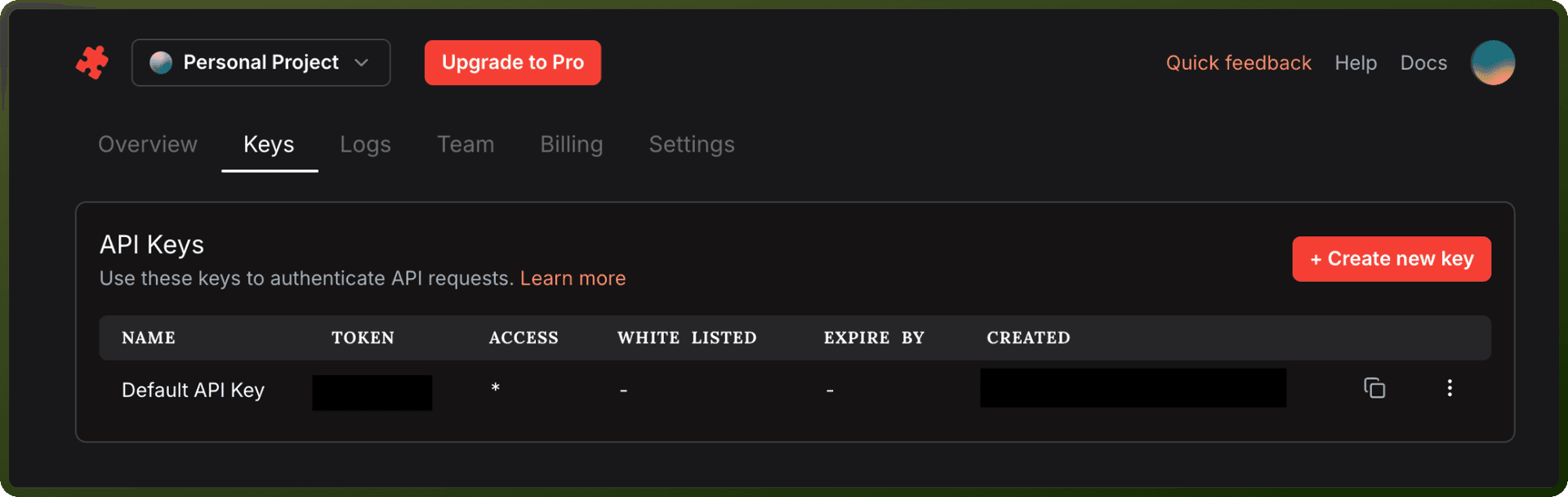
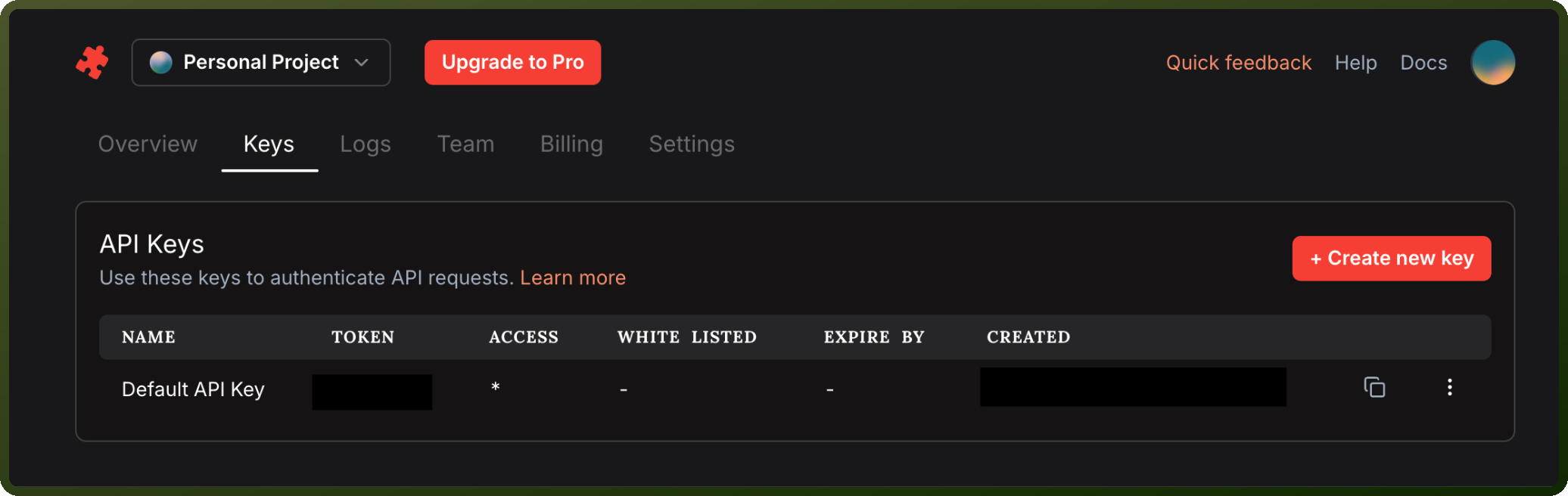
Authentication & setup
JigsawStack has two types of API keys: secret and public. Secret API keys are great for backend services and can access all APIs without any restrictions. Your secret API key should never be public, shared or exposed in a github repository. Public API keys are ideal for frontend applications, allowing direct API calls from the client side, though it's important to set public key restrictions for added security.
To create an API key: Log into the JigsawStack dashboard, navigate to the Keys tab, click on + Create new key button, copy the API key and securely store it in your environment variables. Never embed secret keys directly in applications; instead, read them from environment variables to keep them secure. Store secret keys in secure key management systems (KMS) with encryption and access controls.
Actions
Action Name | Description |
|---|---|
Extract text from image | Extracts text from images in JigsawStack |
Generate summary | Generates a summary in JigsawStack |
NSFW check | Detects NSFW content in JigsawStack |
Object detection | Detects objects in an image in JigsawStack |
Profanity check | Checks text for profanity in JigsawStack |
Sentiment analysis | Analyzes sentiment in text in JigsawStack |
Spam check | Checks text for spam in JigsawStack |
Speech to text | Converts speech to text in JigsawStack |
Text translate | Translates text in JigsawStack |
About the API
JigsawStack provides AI-powered functionality and data processing services. The API base URL is https://api.jigsawstack.com (HTTPS only). Authentication can be done via SDK (setting environment variables), HTTP headers (x-api-key), or query parameters (for public keys). The platform supports domain whitelisting for public keys and API-level access restrictions.