


Use the Apify connector to extract and automate web data.
Integrating your application with Apify lets you use these operations in an automation. It exposes 7 actions and 2 triggers, listed below. Add the connector from the Connections area, authenticate, then select its operations in the automation builder. Capabilities: actions.
Authentication
Before you begin, make sure you have the following information:
Connection Name: Choose a meaningful name for your connection. This name helps you identify the connection within your application or integration settings.
Authentication Type: The authentication method for this connector is defined in the connection setup. Select the connector in the Connections area to see the fields it requires.
Authentication & setup
Apify uses Bearer token authentication for all API requests.
Getting Credentials
Log into Apify Console
Navigate to Settings > API & Integrations
Copy your secret API token
Important: Use the token in the Authorization header, not as a URL parameter, for security
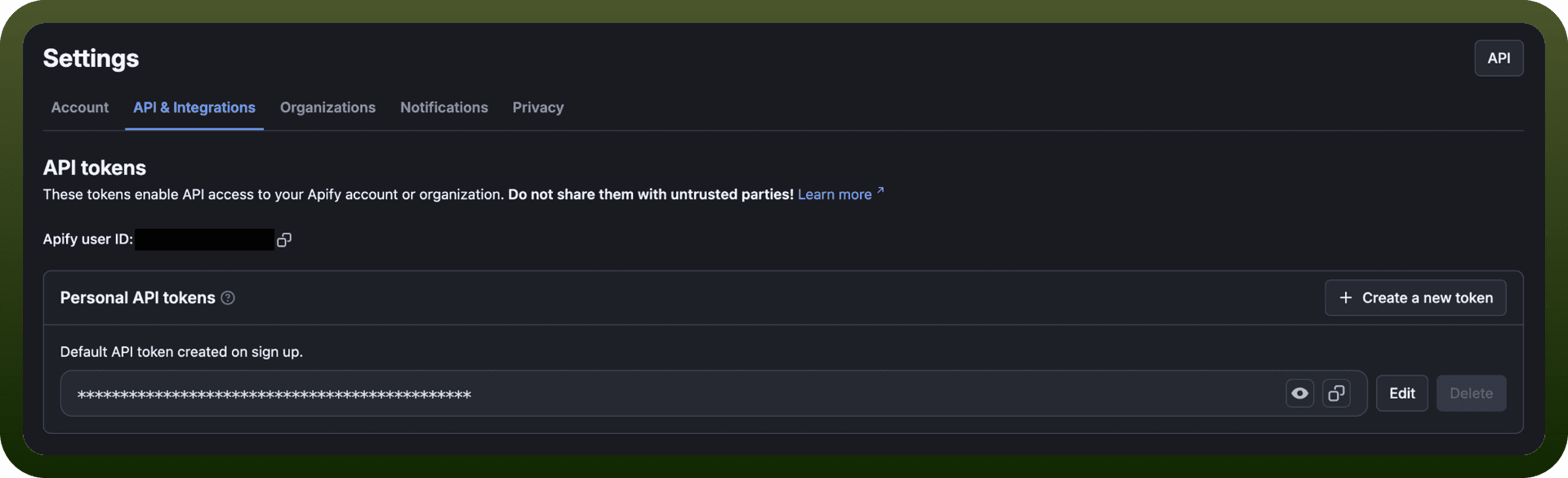
Authentication Method
All requests must include the API token in the Authorization header:
Authorization: Bearer YOUR_API_TOKEN
Verify credentials via: GET https://api.apify.com/v2/users/me
Security Best Practices
Never expose your API token in frontend code
Use the Authorization header instead of URL parameters (headers are more secure)
Consider limiting token permissions to only what your application needs
Tokens can be revoked and regenerated anytime
Actions
Action Name | Description |
|---|---|
Fetch dataset items | Get list of dataset items in Apify |
Find last actor run | Finds the most recent actor run in Apify |
Find_last_task_run | Finds the most recent actor's task run in Apify |
Get key value store record | Gets a record from key-value store in Apify |
Run tasks | Runs actor task in Apify |
Scrape single url | Runs a scraper for the website and returns its content as text, markdown and html. This action is made for getting content of a single page, for example, to use in large language models (LLM) flows in Apify |
Set key value store record | Create a new or updates an existing record in a key-value store in Apify |
Triggers
Trigger Name | Description |
|---|---|
New actor run | This trigger will be invoked when a new actor run is finished in Apify |
New task run | This trigger will be invoked when a new actor's task run is finished in Apify |
About the API
Apify provides "programmatic access to the Apify platform" through RESTful HTTP endpoints. Core capabilities include:
Actor Execution: Run actors synchronously (immediate results) or asynchronously (long-running operations)
Data Storage: Two storage systems—Datasets for structured/tabular data and Key-Value Stores for flexible data types
Data Retrieval: Fetch results in multiple formats (JSON, CSV, XML, HTML, XLSX, RSS)
Monitoring: Track run status and access execution logs
Custom Storage: Write your own data to Datasets or Key-Value Stores