


Use the Azure Document Intelligence connector to extract and analyze document data using AI.
Integrating your application with Azure Document Intelligence lets you use these operations in an automation. It exposes 2 actions, listed below. Add the connector from the Connections area, authenticate, then select its operations in the automation builder. Capabilities: actions.
Authentication
Before you begin, make sure you have the following information:
Connection Name: Choose a meaningful name for your connection. This name helps you identify the connection within your application or integration settings.
Authentication Type: The authentication method for this connector is defined in the connection setup. Select the connector in the Connections area to see the fields it requires.
Obtaining Your API Key and Endpoint
Sign in to the Azure portal.
Click Create a resource, then search for and select Document Intelligence.
Click Create, then fill in the Subscription, Resource group, Region, Name, and Pricing tier fields for the resource.
Click Review + create, wait for validation to pass, then click Create again to deploy the resource.
Once deployment completes, click Go to resource.
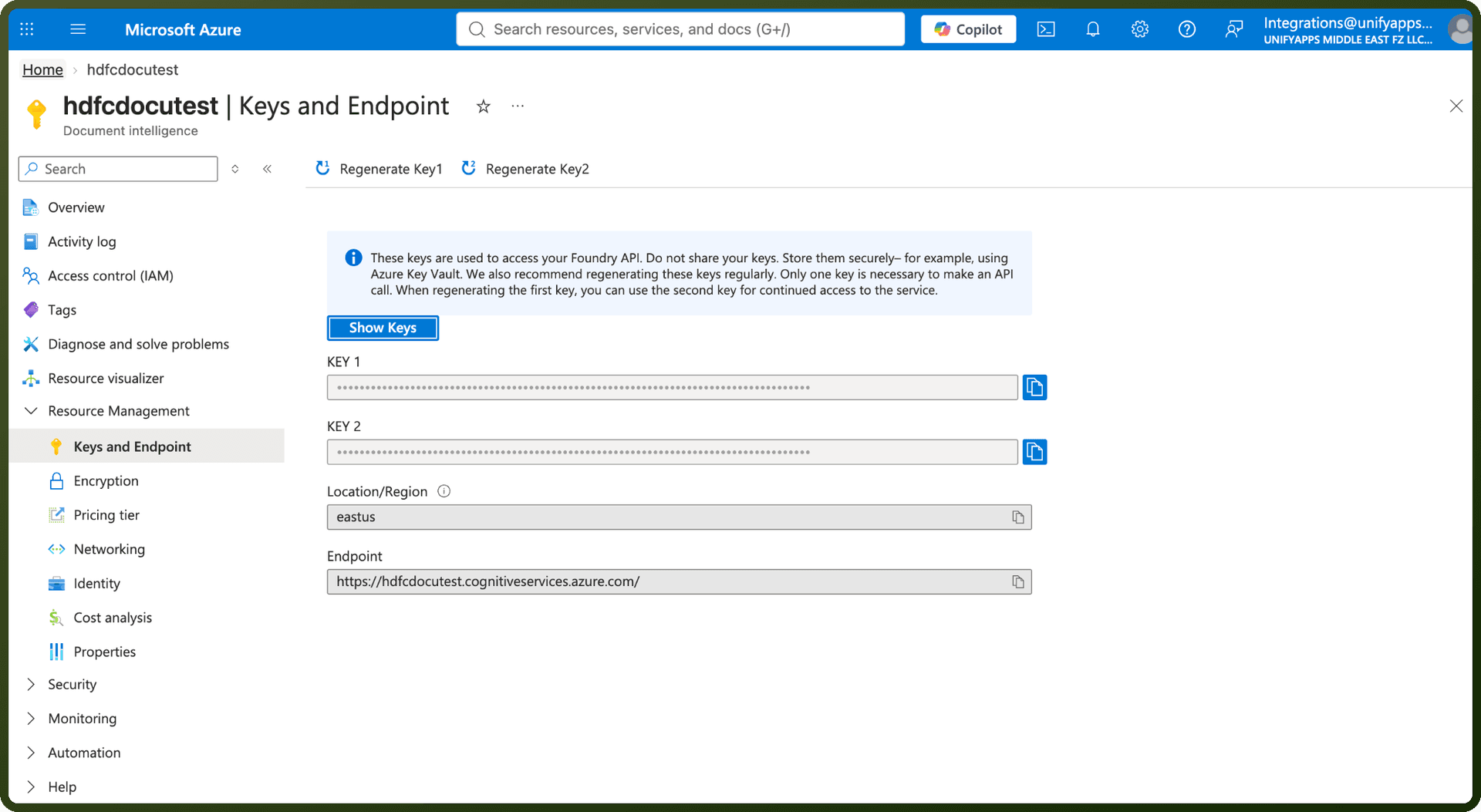
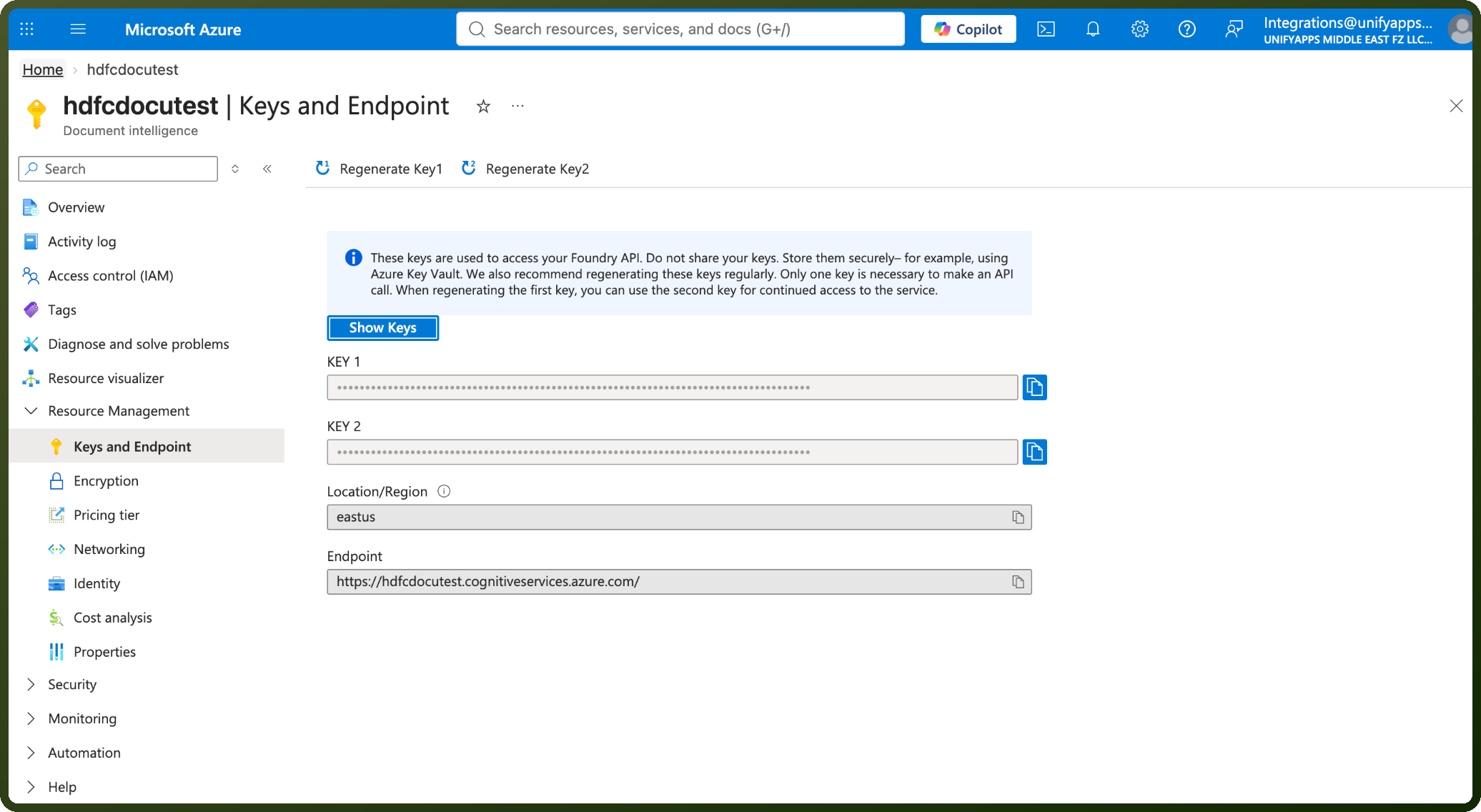
In the left-hand pane of the resource, click Keys and Endpoint.
Copy Key 1 (or Key 2) and the Endpoint URL, and store them securely — both are required to authenticate.
Authentication & setup
Microsoft Entra ID (Recommended)
Register Azure Entra application and create service principal
Assign Cognitive Services User role to service principal
Set environment variables:
AZURE_CLIENT_ID,AZURE_TENANT_ID,AZURE_CLIENT_SECRET
API Key Authentication
Create Document Intelligence resource in Azure portal
Use primary or secondary key from resource dashboard
Suitable for development; store keys securely in Key Vault for production
Managed Identities
Eliminate credential management for Azure-hosted applications
Safer than API keys; no credentials in code
Automatic token management
Actions
Action Name | Description |
|---|---|
Analyze document | Analyze document |
Get analyze result | Get analyze result |
About the API
Azure Document Intelligence uses machine-learning models to extract structured data from documents. The service analyzes documents and returns JSON with extracted text, key-value pairs, tables, and field relationships. Models support forms, invoices, receipts, business cards, identity documents, and custom documents. The API handles layout detection, table recognition, and field mapping automatically.
Official documentation
https://learn.microsoft.com/en-us/azure/ai-services/document-intelligence/