


Confluence is a team collaboration tool by Atlassian that enables users to create, share, and organize documents in one centralized workspace. It streamlines project management and fosters transparency with customizable pages, real-time editing, and integrations.
Integrating your application with Confluence revolutionizes team collaboration, offering centralized knowledge sharing, document management, and workflow streamlining.
Authentication
Ensure you have the following information ready for a seamless integration process:
Connection Name: Select a descriptive name for your connection, like "MyAppConfluenceIntegration". This helps in easily identifying the connection within your application or integration settings.Authentication Type: Select the type of authentication for connecting to your Confluence account: OAuth, OAuth with Client Credentials, API token, Personal Access token, Basic, or Client Credentials.Connection type: Select Cloud for Confluence Cloud or Server for Confluence Server or Data Center. For Server, you can also turn Verify SSL Certificates off if your instance uses a self-signed or private-CA certificate.Confluence subdomain: For Cloud, enter only the part of your URL before .atlassian.net. If your URL is https://cname.atlassian.net, enter cname. For Server, enter the host of your on-premise URL, for example cname.example.com.
API token
How to get API Token:
Create the API token by going to https://id.atlassian.com/manage/api-tokens.
In the API token section, click on "
Create API token." Ensure to keep this key secure as it grants access to Confluence's services and is billed based on usage.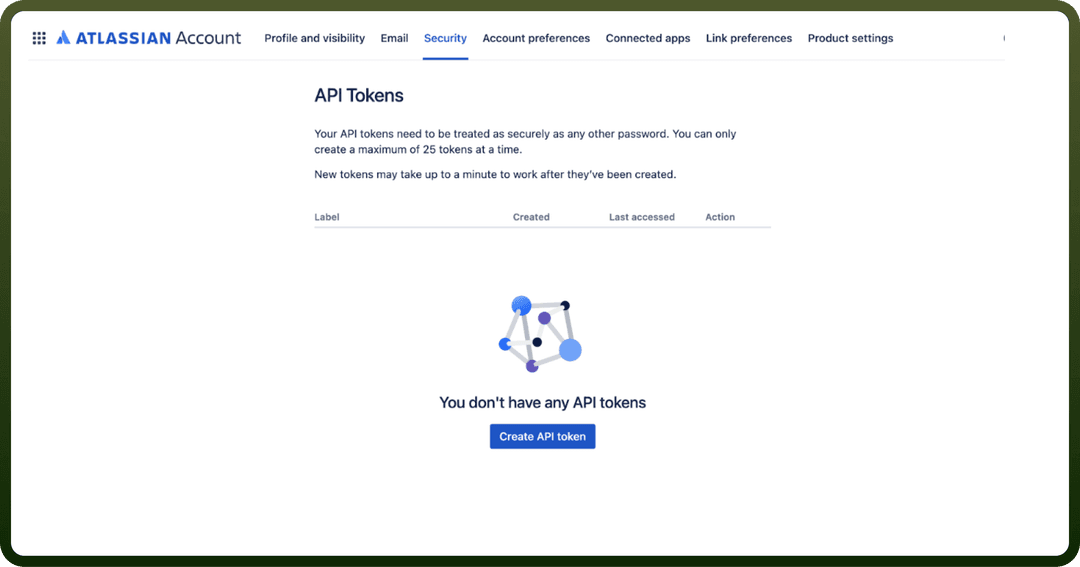
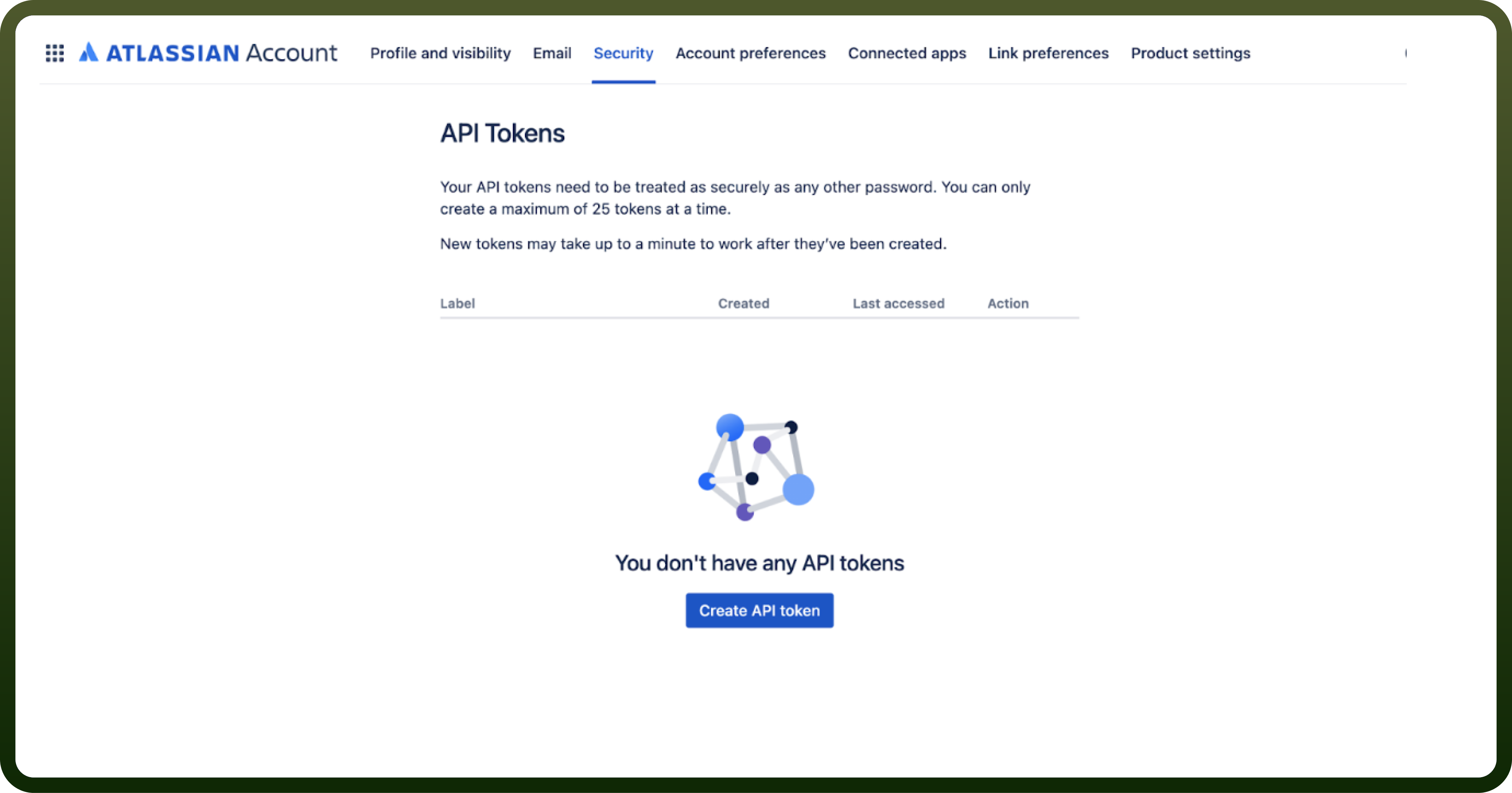
In the connection form, enter the Email of your Atlassian account and paste the token into API token.
OAuth with Client Credentials
Client ID: Enter your Client ID. To learn how to create a client ID and client secret, follow the official Confluence documentation.Client Secret: Enter your Client Secret, located below the Client ID.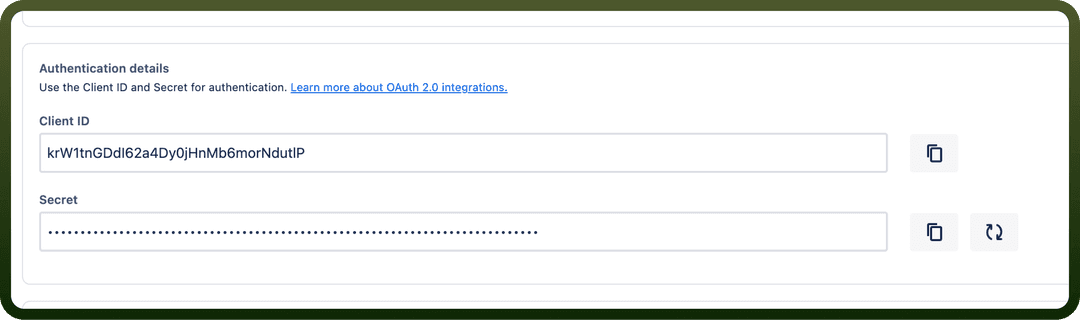
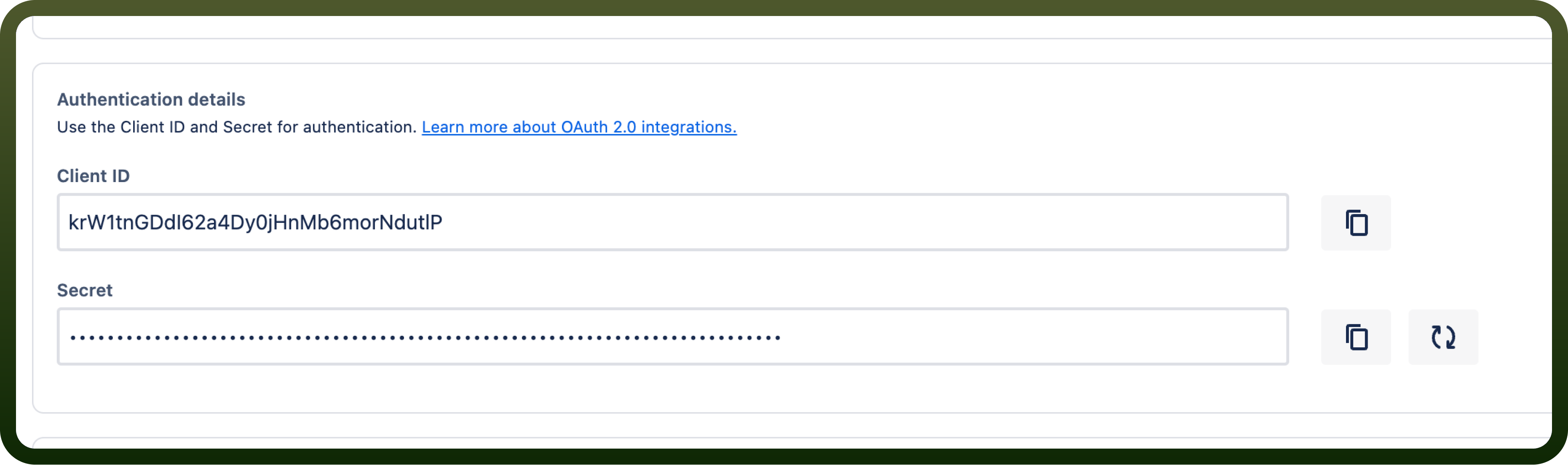
Callback URL: Copy the Callback URL shown in the connection form and add it to your Atlassian app as the callback URL.Scopes: Optionally select the OAuth scopes your Atlassian app is configured to support. Leave it empty to request the default scope set. Include offline_access to enable token refresh.
Other authentication types
OAuth: Optionally select Scopes, then sign in to your Atlassian account when prompted.
Personal Access token: Paste a Confluence personal access token into API token.
Basic: Enter your Confluence Username and Password.
Client Credentials: Enter the Client ID, Client secret and Token URL (the OAuth 2.0 token endpoint) of your OAuth app.
Actions
Actions | Description |
|---|---|
| Check if a user has a specific permission for a content |
| Creates a blog post in Confluence. Deprecated: use |
| Creates a blog post in Confluence |
| Creates a comment on a page or blog post in Confluence |
| Create a page in Confluence. Deprecated: use |
| Creates a page in Confluence |
| Create a space in Confluence. Deprecated: use |
| Creates a space in Confluence |
| Creates task in an existing page in Confluence |
| Creates task in a new page in Confluence |
| Downloads an attachment using its link (only for Confluence Data Center) |
| Gets all groups in Confluence |
| Gets attachment details by ID from Confluence |
| Gets audit records from Confluence |
| Gets blog post details from a Confluence space |
| Gets any content by ID from Confluence (page, blog post, comment, or attachment) |
| Get all user and group restrictions for a Confluence page/blog |
| Get all user and group restrictions pagination for a Confluence content item |
| Get current user details |
| Gets footer comment details from a Confluence |
| Gets group members |
| Gets all attachments in a page |
| Gets page details from a Confluence space |
| Get the view restrictions that are relevant to the user for a Confluence page/blog |
| Gets space by ID |
| Gets space by key using query parameters |
| Get all permissions granted in a Confluence space |
| Get user details by account ID |
| Get groups for a Confluence Data Center user by username |
| Retrieves total number of distinct viewers a piece has from confluence |
| Retrieves total number of views a piece has from confluence |
| List footer comments in a blog |
| Lists blog posts in Confluence |
| List blogs for a label |
| List pages for a label |
| List footer comments in a page |
| Lists pages in Confluence |
| Lists spaces |
| Get a list of groups that a user belongs to |
| Returns a paginated list of Confluence users. |
| List webhooks registered on the Confluence instance (Cloud or Server / Data Center) |
| Search for blogs in Confluence |
| Search for pages in Confluence |
| Searches content using CQL query in Confluence |
| Updates a blog in Confluence |
| Updates a page in Confluence |
| Updates a page in Confluence |
Triggers
Triggers | Description |
|---|---|
| Triggers when a new blog post is created in a Confluence space |
| Triggers when a new page is created in a Confluence space |
| Triggers when a new record is created in a Confluence |
| Triggers when one of the selected events occurs in Confluence (Cloud or Server/Data Center) |