

ElevenLabs is an advanced AI voice generation platform that enables applications to convert text into highly realistic speech. It provides powerful APIs for text-to-speech (TTS), voice cloning, and audio generation. By integrating the ElevenLabs connector, applications can automate voice generation, create dynamic audio content, and enhance user experiences with natural-sounding speech.
Authentication
Integrating your application with ElevenLabs enables seamless AI-powered voice generation. Before starting, ensure you have the following information ready:
Connection Name: Choose a descriptive name for your connection. This helps you easily identify the connection within your application or integration settings, such as "MyAppElevenLabsIntegration".
Authentication Type: ElevenLabs supports API Key Authentication method:
API Key Authentication:
Log in to your ElevenLabs account.
Click on your profile icon (top-right corner).
Navigate to Profile Settings or Account Settings.
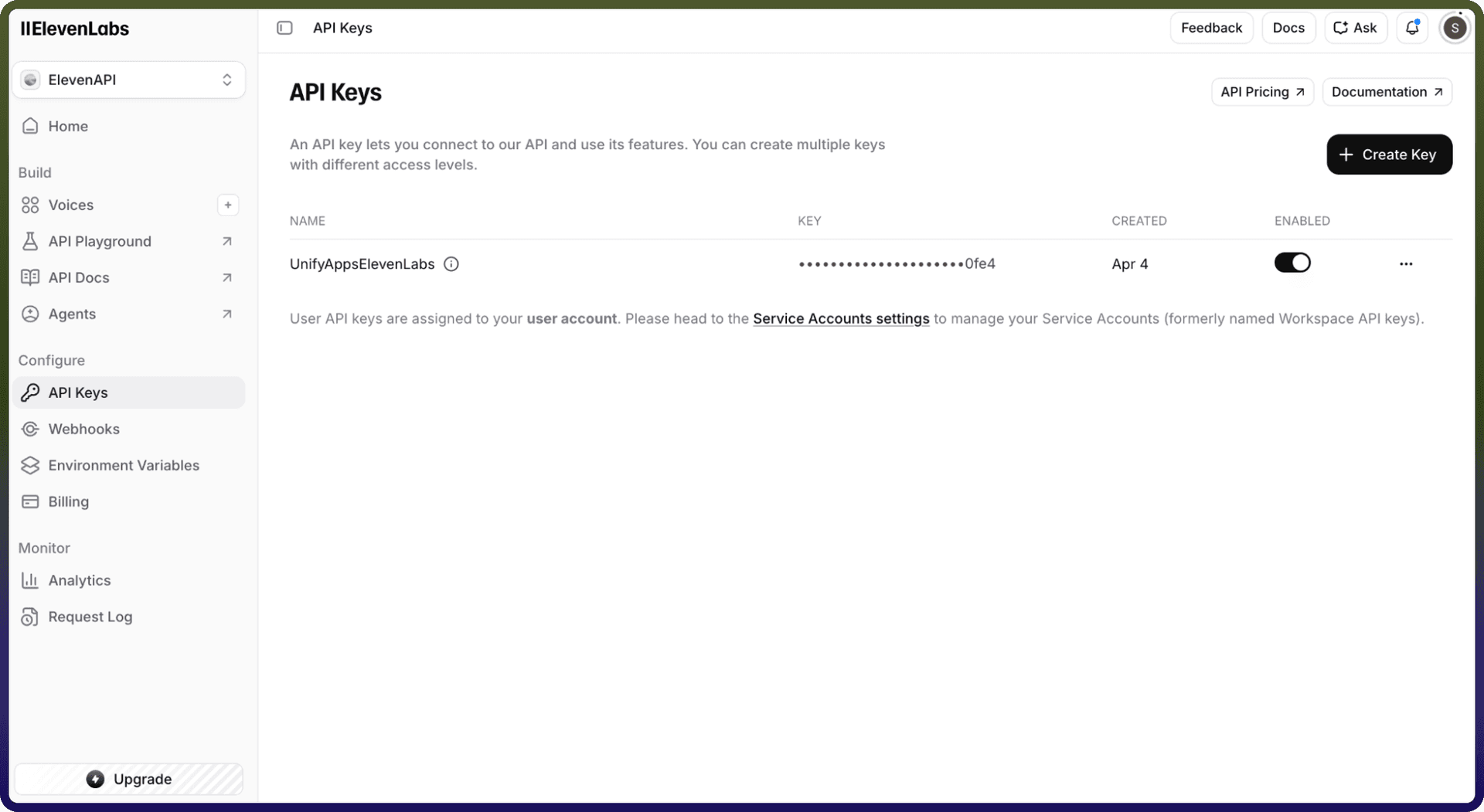
Go to the API Key section.
Copy your API Key.
Paste the API Key into the connector configuration field.
Actions
Action Name | Description |
| Creates a new agent in ElevenLabs |
| Create mcp server |
| Creates speech with timing in ElevenLabs |
| Deletes an existing agent in ElevenLabs |
| Delete a specific conversation |
| Fetch the audio recording of a specific conversation |
| Fetch the details of a specific conversation |
| Get mcp server |
| Get signed url in ElevenLabs |
| Lists existing agents in ElevenLabs |
| Get all conversations of agents that user owns |
| List all the available MCP servers |
| Retrieve all phone numbers |
| Make an outbound call via Twilio |
| Converts speech to text in ElevenLabs |
| Converts text to speech in ElevenLabs |
| Converts text to speech in realtime in ElevenLabs |
| Sends text to speech in realtime in ElevenLabs |
| Updates an existing agent in ElevenLabs |