


Use the AssemblyAI connector to convert speech to text and analyze audio.
Integrating your application with AssemblyAI lets you use these operations in an automation. It exposes 8 actions, listed below. Add the connector from the Connections area, authenticate, then select its operations in the automation builder. Capabilities: actions.
Authentication
Before you begin, make sure you have the following information:
Connection Name: Choose a meaningful name for your connection. This name helps you identify the connection within your application or integration settings.
Authentication Type: The authentication method for this connector is defined in the connection setup. Select the connector in the Connections area to see the fields it requires.
Authentication & setup
AssemblyAI uses API keys for authentication to all REST API endpoints.
Getting Credentials
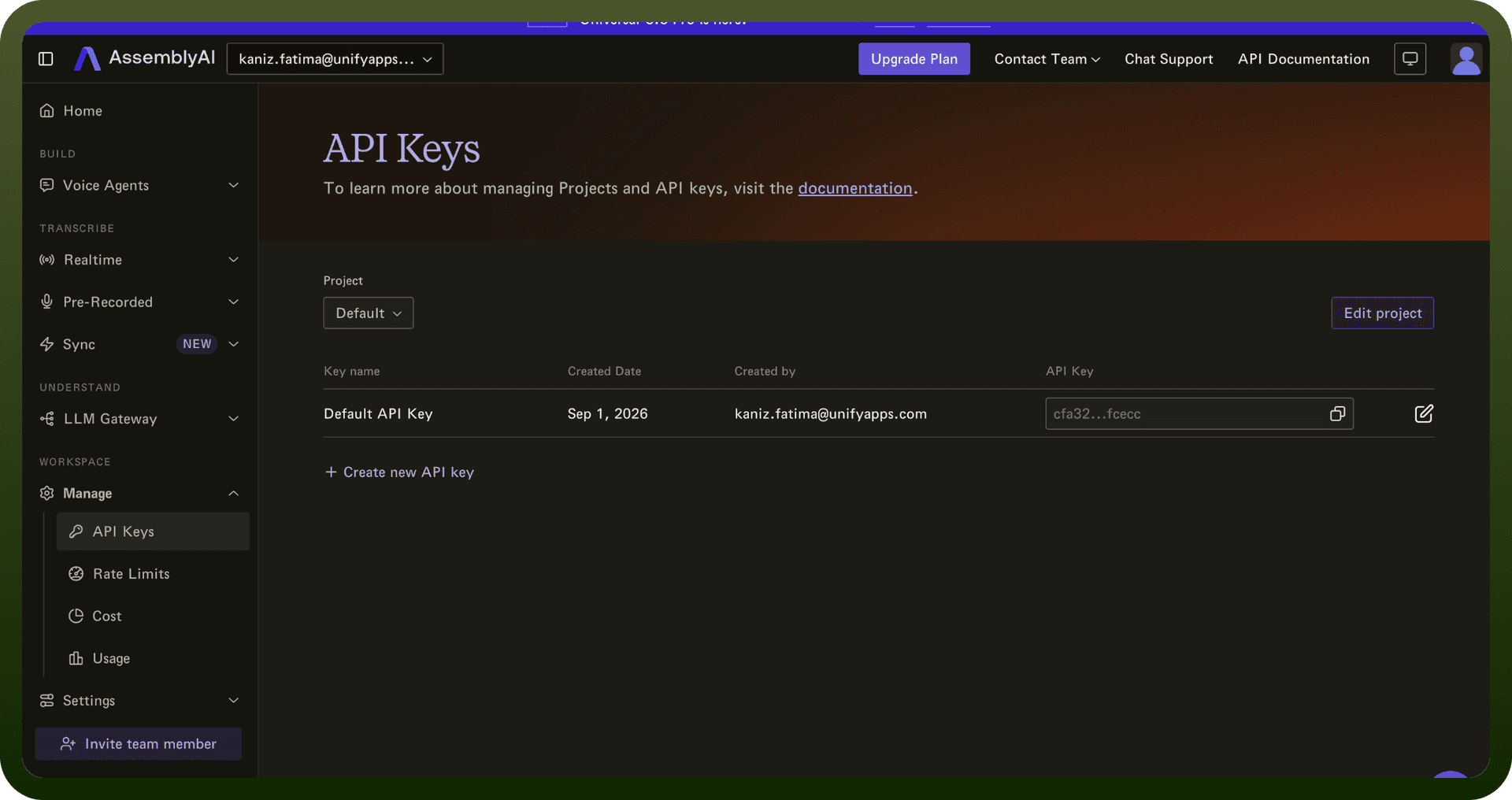
Log into the AssemblyAI Dashboard
Navigate to the API Keys section
Click Create New API Key
Provide a descriptive name for your key
Confirm creation
Authentication Method
All API requests to https://api.assemblyai.com must include your API key in the Authorization header:
Authorization: YOUR_API_KEY
Error Handling: Status 401 is returned when the Authorization header is missing or the API key is invalid.
Key Scope
Each API key is associated with a specific project
Keys ensure scoped access to project-specific resources
Keys can be revoked and regenerated anytime
Actions
Action Name | Description |
|---|---|
Delete a transcript | Deletes a transcript by its ID in AssemblyAI |
Get a transcript | Gets a transcription for an audio file by its ID in AssemblyAI |
Get paragraphs in transcript | Gets a paragraphs in a transcript by its ID in AssemblyAI |
Get sentences in transcript | Gets a sentences in a transcript by its ID in AssemblyAI |
Get subtitles for transcript | Gets a subtitles for transcript by its ID in AssemblyAI |
List transcripts | Lists transcripts in AssemblyAI |
Search words in transcript | Search for words in a transcript by its ID in AssemblyAI |
Transcribe an audio file | Creates a new transcription job for an audio file in AssemblyAI |
About the API
AssemblyAI provides a comprehensive speech-to-text and AI processing platform with the following capabilities:
Speech-to-Text Transcription: High-accuracy audio transcription
Streaming Sessions: Real-time processing of audio data
LLM Gateway: Routing to models like Claude 3.5 Sonnet
File Upload: /upload endpoint for audio/media processing
Project-Based Organization: Isolated data per project
Usage Reporting: Comprehensive reporting for usage tracking and cost analysis
The platform supports different deployment tiers (Free, PAYG, Contracted, Enterprise) with varying usage limits.