


Use the GoTo connector to manage online meetings, messaging, and remote support.
Integrating your application with GoTo lets you use these operations in an automation. It exposes 5 actions, listed below. Add the connector from the Connections area, authenticate, then select its operations in the automation builder. Capabilities: actions, knowledge (RAG).
Authentication
Before you begin, make sure you have the following information:
Connection Name: Choose a meaningful name for your connection. This name helps you identify the connection within your application or integration settings.
Authentication Type: GoTo supports OAuth authentication.
Authentication & setup
GoTo APIs use OAuth 2.0 for authentication. An OAuth client connects your developer account with the GoTo products you specify.
To authenticate:
Create a GoTo developer account at https://developer.goto.com/
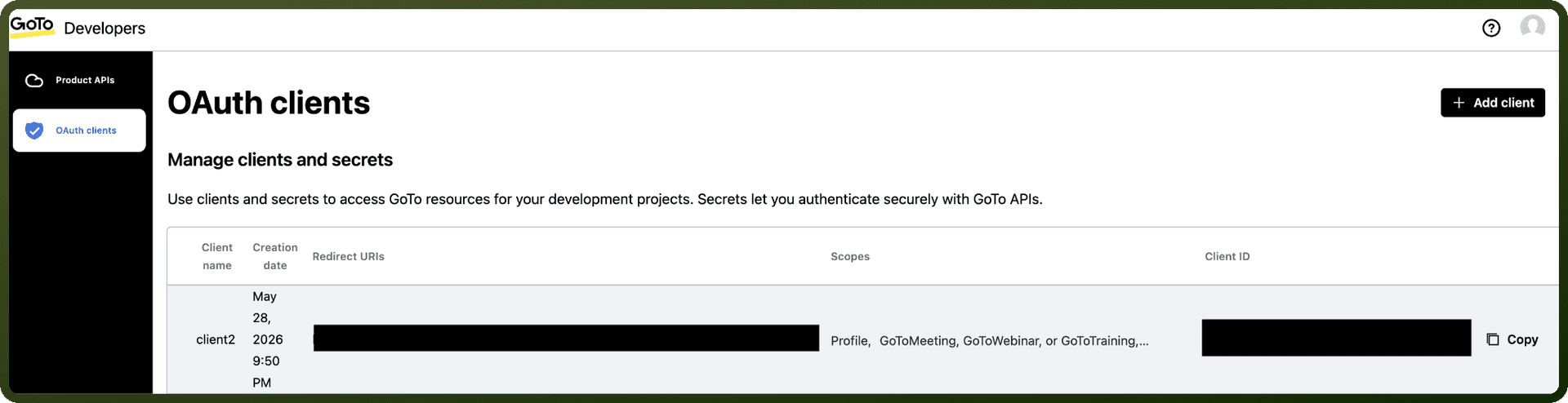
Create an OAuth client:
Choose OAuth Clients from the portal menu
On the Details page, enter a Client name and optional Description
Specify at least one Redirect URI
Receive your Client ID and Client Secret
Use these credentials to implement the OAuth flow
Scopes control what permissions your integration receives. A scope is an authorization from the end user to let your integration act on their behalf with a specified product. Scopes are independent of the permissions the user has in their GoTo account.
Actions
Action Name | Description |
|---|---|
Get account | Gets account details in GoTo |
List attendees | Lists attendees of a meeting in GoTo |
List historical meetings | Lists historical meetings of an organizer in GoTo |
List organizers | Lists organizers in GoTo |
List upcoming meetings | Lists upcoming meetings of an organizer in GoTo |
About the API
GoTo provides APIs for multiple products including:
GoTo Connect: Communication and collaboration platform
GoTo Meeting: Web conferencing service
GoTo Webinar: Webinar and event hosting
GoTo Assist: Remote support and assistance
Admin API: Account and organization management