


Use the Freedcamp connector to manage projects, tasks, and collaboration.
Integrating your application with Freedcamp lets you use these operations in an automation. It exposes 5 actions and 2 triggers, listed below. Add the connector from the Connections area, authenticate, then select its operations in the automation builder. Capabilities: actions, triggers.
Authentication
Before you begin, make sure you have the following information:
Connection Name: Choose a meaningful name for your connection. This name helps you identify the connection within your application or integration settings.
Authentication Type: The authentication method for this connector is defined in the connection setup. Select the connector in the Connections area to see the fields it requires.
Obtaining Your API Key
Log in to your Freedcamp account.
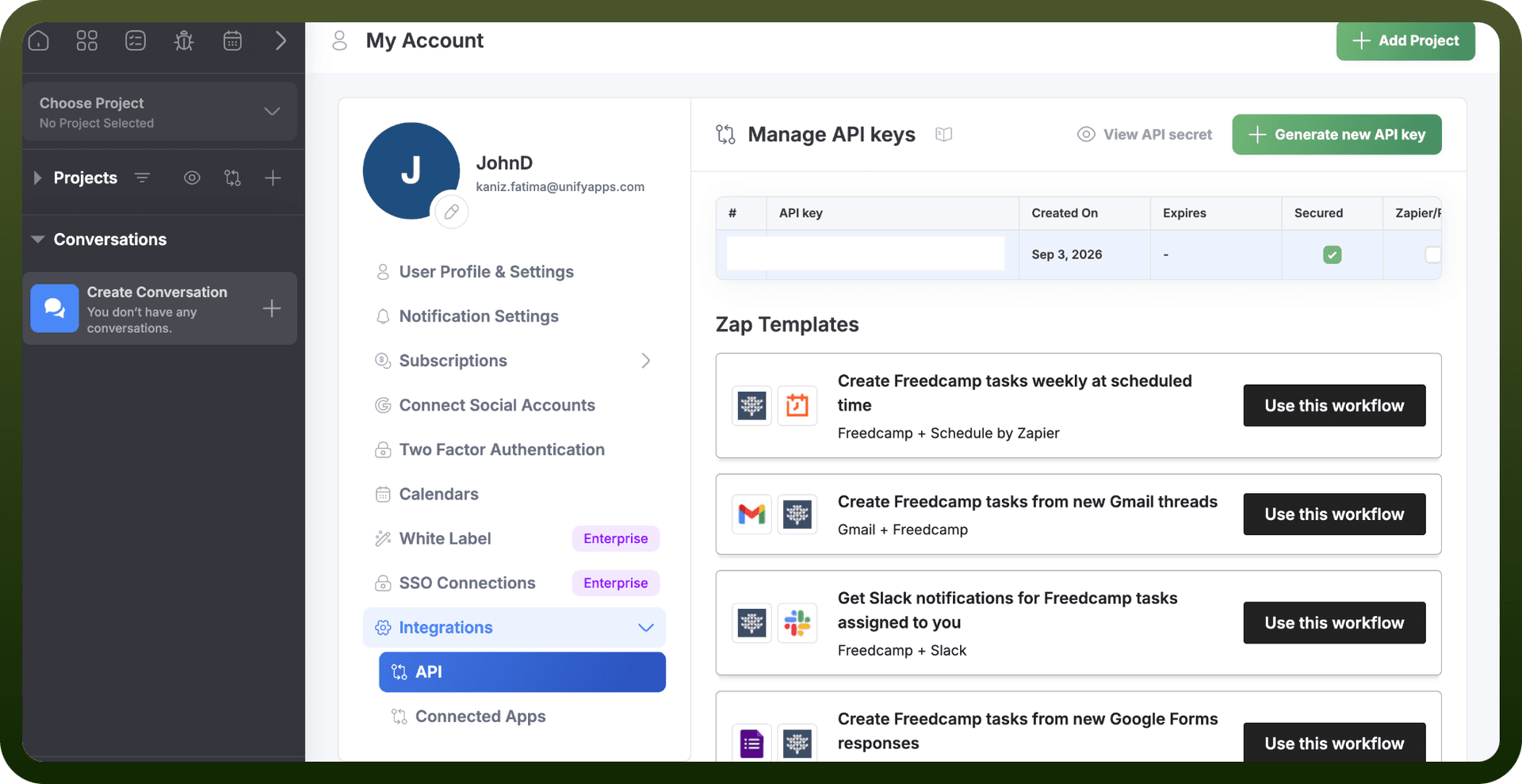
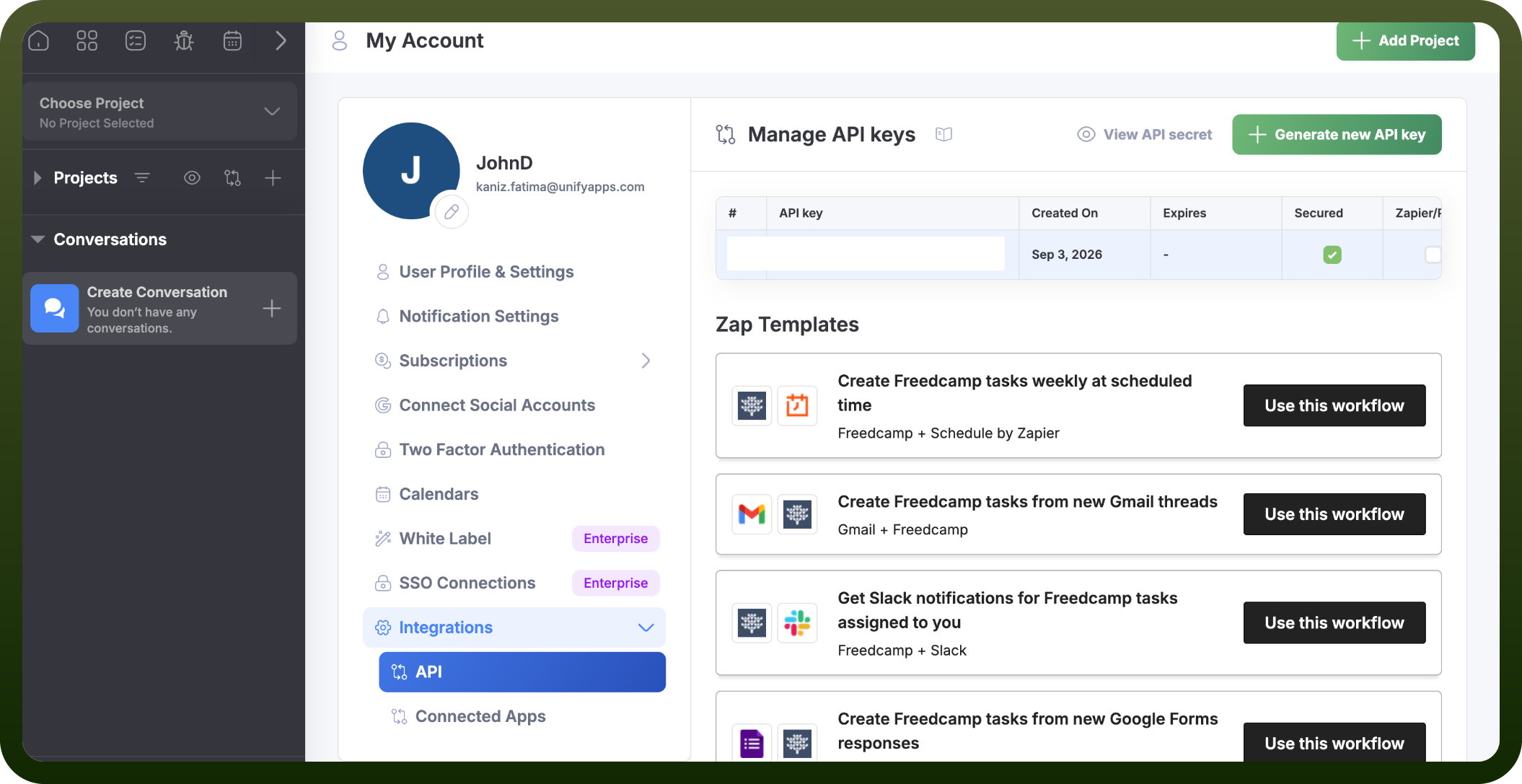
Click your avatar in the top-right corner and select My Account.
Click Integrations, then open the API tab.
Choose Unsecured or Secured for the key type. Secured also issues an API secret and requires you to re-enter your password to reveal it.
Generate the API key.
Copy the API key (and API secret, if you generated a Secured key) and store them securely for authentication purposes.
Authentication & setup
API Keys
Freedcamp offers multiple authentication methods:
Unsecured API Keys:
Pass the key as a GET or POST parameter: https://freedcamp.com/api/v1/sessions/current?api_key=api_key
Expires after one week
Anyone with access can perform most API actions
Secured API Keys:
Requires key, timestamp, and HMAC-SHA1 hash
Hash calculation: hash_hmac('sha1', $api_key . $timestamp, $api_secret)
More secure for production use
Header-Based Authentication:
Pass the API key via X-API-KEY header instead of URL parameters
Getting Credentials
Generate API keys at My Account → Integrations → API on freedcamp.com. You can select between secured (requires API secret) or unsecured options.
OAuth Authentication
Freedcamp Connected Apps allow OAuth integration with partner websites and apps using the standard OAuth protocol.
Actions
Action Name | Description |
|---|---|
Add comment | Adds a new comment to task in Freedcamp |
Create project | Creates a new project in Freedcamp |
Create task | Creates a new task in Freedcamp |
Get project | Fetches project by ID in Freedcamp |
Get task | Fetches task by ID in Freedcamp |
Triggers
Trigger Name | Description |
|---|---|
On task assigned to you | Triggers when a task is assigned to you in Freedcamp |
On task completed | Triggers when a task is completed in Freedcamp |
About the API
Freedcamp API (base endpoint: https://freedcamp.com/api/v1/) provides comprehensive project and collaboration management capabilities.
Core Features:
Project management (create/manage projects, groups, memberships)
Task management with full CRUD operations, subtasks, and recurring rules
Milestones and time tracking
Discussions and wiki for collaboration
Issue/bug tracking with priority and status tracking
CRM tools (contacts, leads, calls, campaigns)
Calendar and events with iCalendar format support
File management and attachments
Comments and notification tracking
User management and team assignments
All responses return JSON with standardized fields: http_code, msg, error_id, and data.
Official documentation
https://freedcamp.com/Mobile_7Yh/iOS_application_6zp/wiki/wiki_public/view/DFaab