


Use the Transifex connector to manage software localization and translations.
Integrating your application with Transifex lets you use these operations in an automation. It exposes 12 actions, listed below. Add the connector from the Connections area, authenticate, then select its operations in the automation builder. Capabilities: actions.
Authentication
Before you begin, make sure you have the following information:
Connection Name: Choose a meaningful name for your connection. This name helps you identify the connection within your application or integration settings.
Authentication Type: The authentication method for this connector is defined in the connection setup. Select the connector in the Connections area to see the fields it requires.
Authentication & setup
Token-Based Authentication
Transifex uses Bearer Token authentication for all API requests.
Obtaining Your API Token
Log in to your Transifex account
Click your profile image in the top right corner
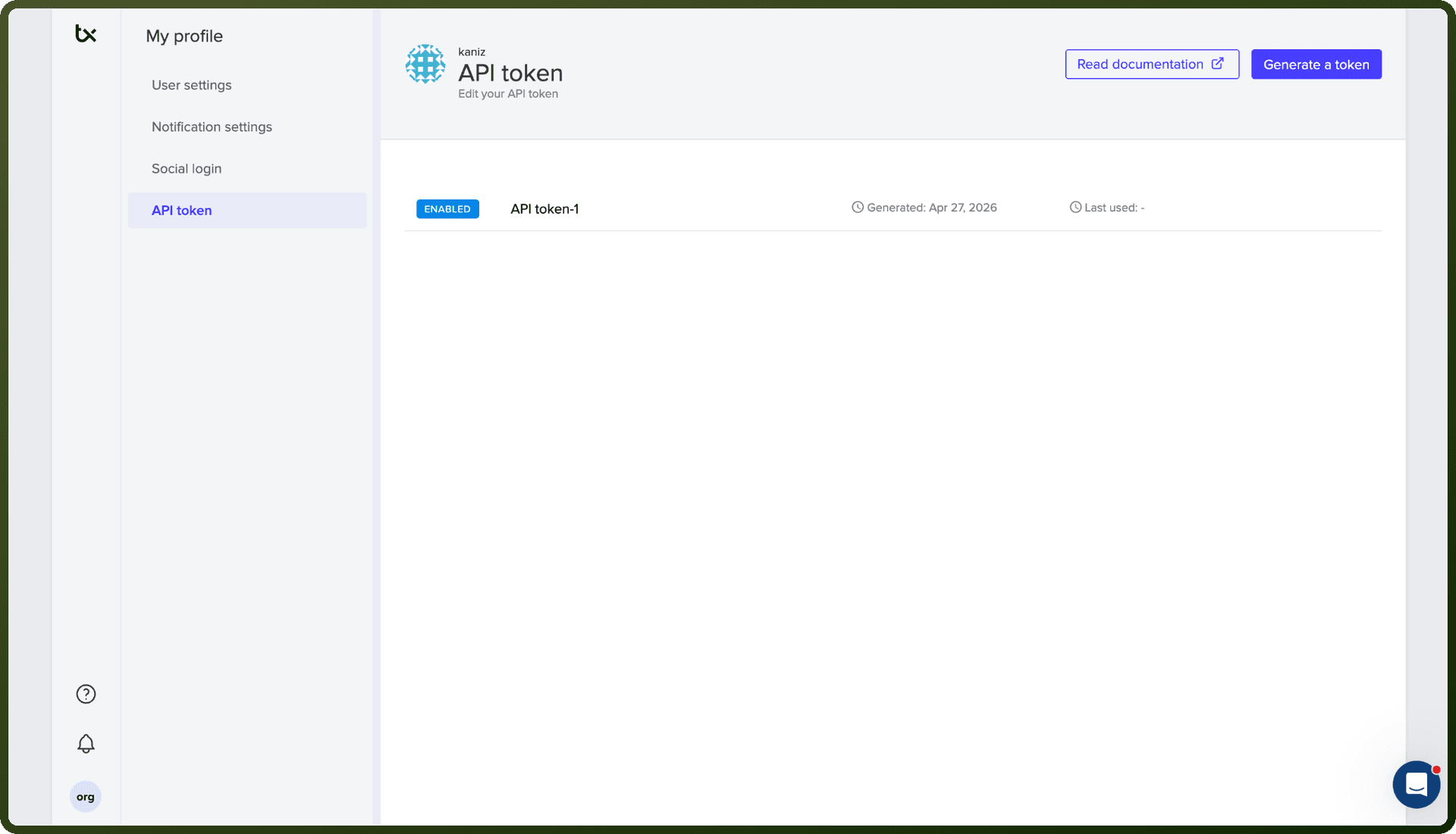
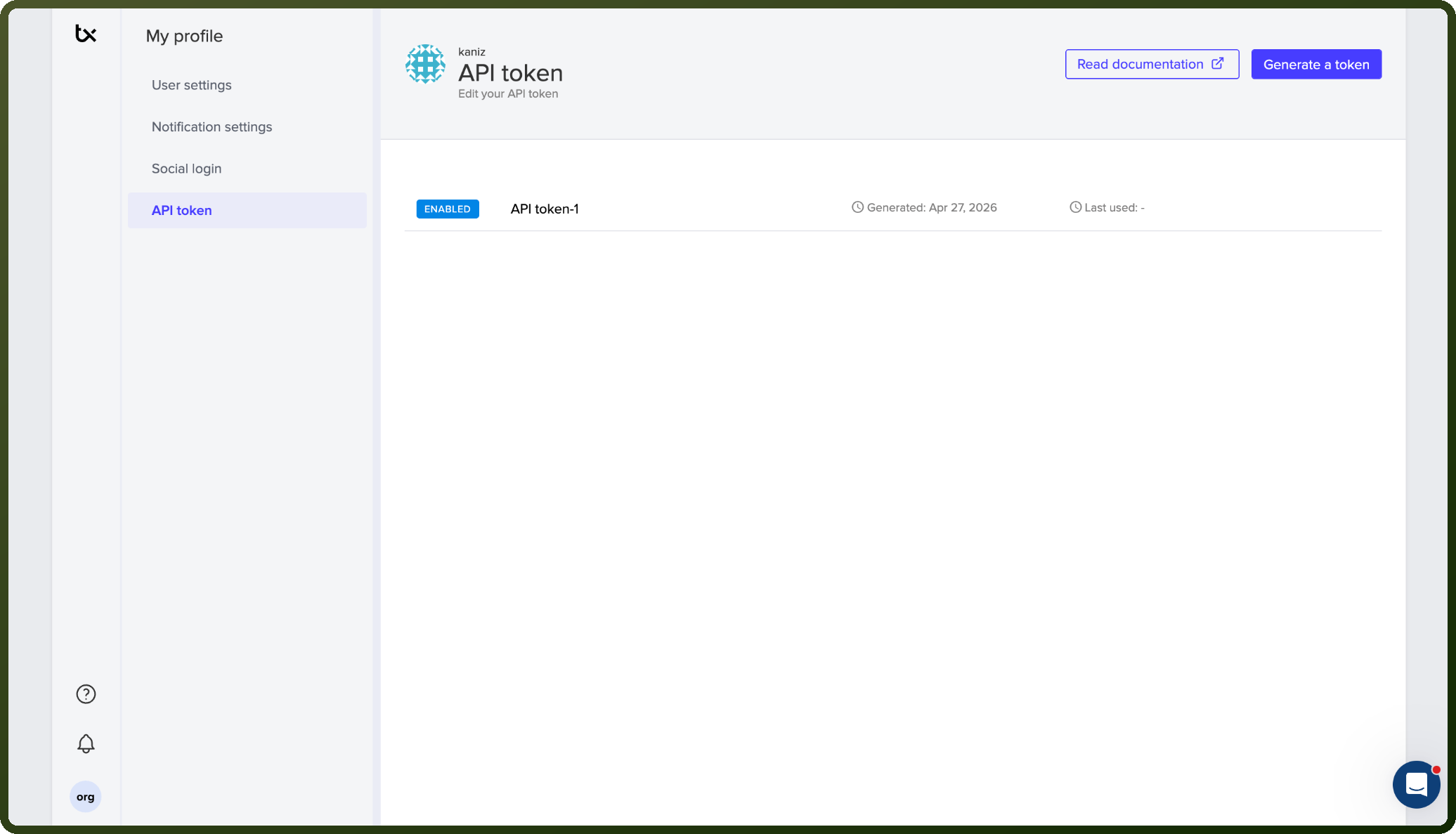
Select API token from the left menu
Click Generate a token
Copy and save your token securely
Important: Your API token is shown only once during generation. Save it immediately in a secure location.
Using Your API Token
Include the token in the Authorization header of your API requests:
Authorization: Bearer YOUR_API_TOKEN
Example with token 1/0b4e75552e481aeae813aebad53f3de3fcc67ccd:
Authorization: Bearer 1/0b4e75552e481aeae813aebad53f3de3fcc67ccd
Security Best Practices
Keep your API token private and secure
Never commit tokens to version control
If you lose your token, regenerate a new one in your account settings
Regularly rotate tokens for enhanced security
Use HTTPS for all API requests
Actions
Action Name | Description |
|---|---|
Create project | Creates a project in Transifex |
Create project language relationship | Adds target language relationships to a project in Transifex |
Get language | Gets the details of a supported language in Transifex |
Get organization | Gets the details of an organization in Transifex |
Get project | Gets the details of a specific project in Transifex |
Get project maintainers | Gets the maintainers of a project in Transifex |
Get user | Gets the details of a user in Transifex |
List languages | Lists supported languages in Transifex |
List organizations | Lists organizations in Transifex |
List project language relationships | Gets the list of language relationships of a project in Transifex |
List project languages | Gets the list of target languages for a specific project in Transifex |
List projects | Gets the list of projects in Transifex for a specific organization |
About the API
Transifex is a localization and translation management platform that provides a comprehensive REST API:
Translation Management
Manage localization projects and workflows
Handle translation strings and content
Organize translations by language and project
Project Operations
Create and configure projects
Manage project members and permissions
Track project status and translation progress
Language Management
Support for multiple language workflows
Language-specific configuration and settings
Content Integration
Push content for translation
Pull translated content back into your systems
Webhook support for event notifications
API Features
Full JSON API specification compliance
Comprehensive endpoint documentation
Token-based security with Bearer authentication
Support for multiple authentication methods including OAuth 2.0
RESTful design for easy integration
Transifex's API enables seamless integration with development workflows, content management systems, and localization pipelines.
Official documentation
https://developers.transifex.com/reference/api-authentication