


Coda streamlines document collaboration and workflow management by combining documents, spreadsheets, and applications into a single platform. This integration allows you to manage docs, tables, rows, and automations efficiently with real-time updates. For a smooth integration process, ensure you have the following information ready:
Authentication:
Connecting your application to Coda enables seamless document management, collaboration, and automation.
Before starting, ensure you have the following information:
Connection Name: Choose a meaningful name for your connection. This name helps you identify the connection within your application or integration settings. It could be something descriptive like "MyAppCodaIntegration".Authentication Type: Coda supports API token-based authentication.
Token Based:
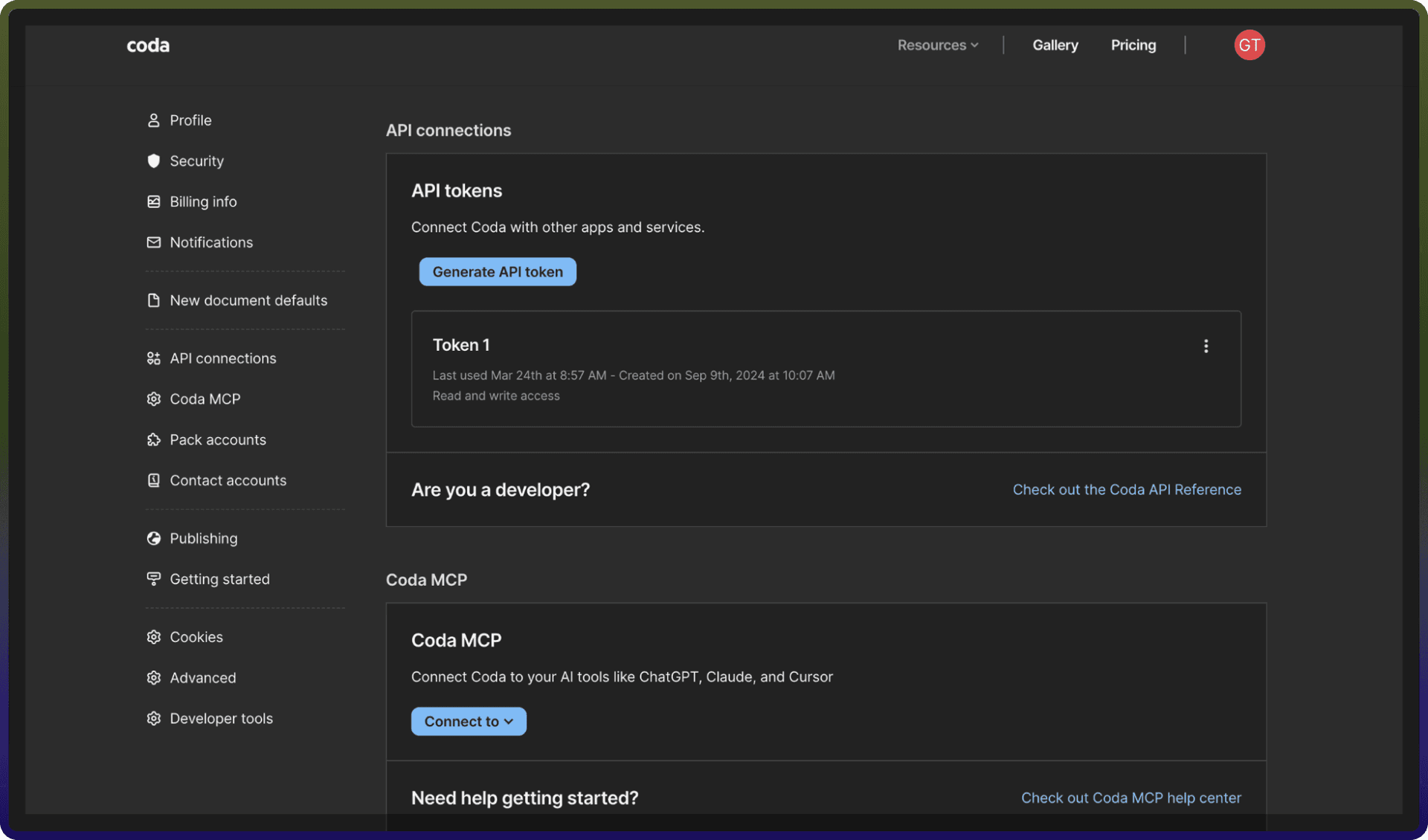
Go to https://coda.io/account.
Navigate to API connections.
Add restrictions if necessary.
Click on generate API token.
Copy the generated token and store it securely.
Actions :
Action Name | Description |
| Adds a new permission to the doc in Coda |
| Creates a new doc in Coda |
| Creates a new page in doc in Coda |
| Delete doc using doc ID in Coda |
| Delete a page in Coda |
| Delete a permission in Coda |
| Get the doc using doc ID in Coda |
| Get a page in Coda |
| Returns a specific table in a doc in Coda |
| Get user info in Coda |
| Returns a list of docs accessible by the user in Coda |
| Returns a list of pages in Coda |
| Returns a list of permissions for the doc in Coda |
| Returns a list of tables in a doc in Coda |
| Update a doc in Coda |
| Update a page in Coda |