


Use the D2L connector to deliver online learning experiences.
Integrating your application with D2L lets you use these operations in an automation. It exposes 26 actions, listed below. Add the connector from the Connections area, authenticate, then select its operations in the automation builder. Capabilities: actions.
Authentication
Before you begin, make sure you have the following information:
Connection Name: Choose a meaningful name for your connection. This name helps you identify the connection within your application or integration settings.
Authentication Type: D2L supports OAuth authentication.
Obtaining Your OAuth Client Credentials
Log in to your Brightspace (D2L) instance as an administrator.
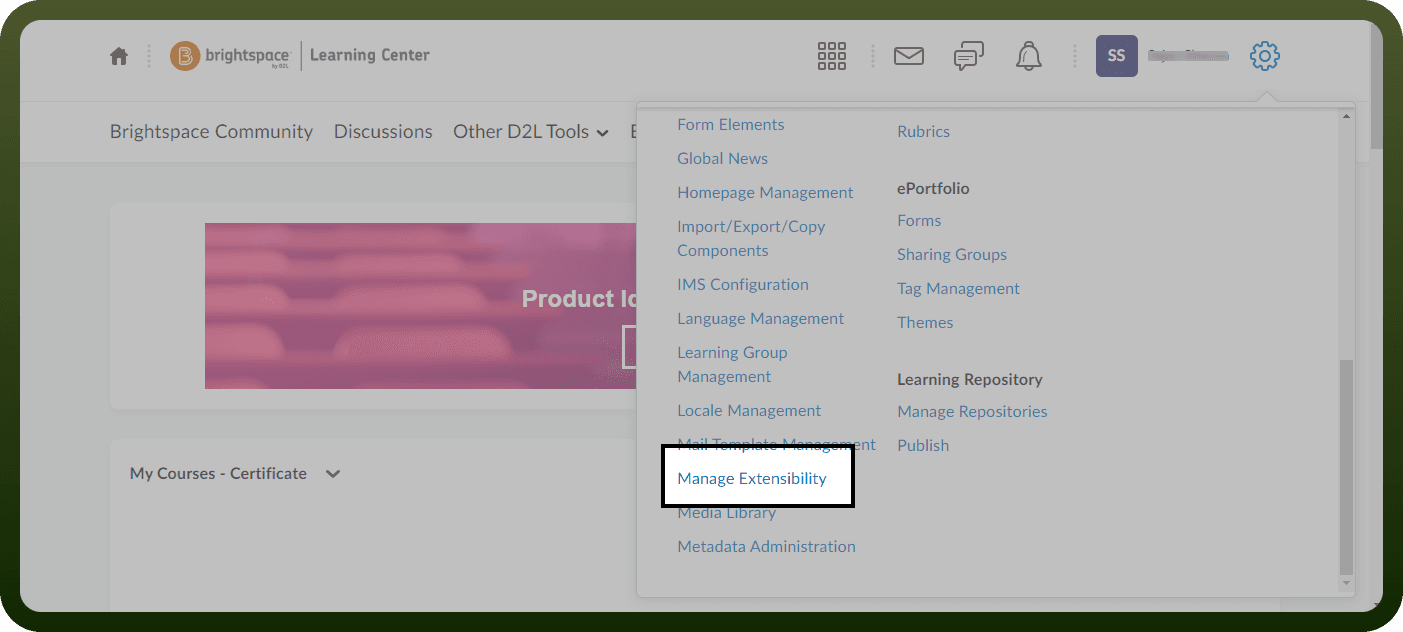
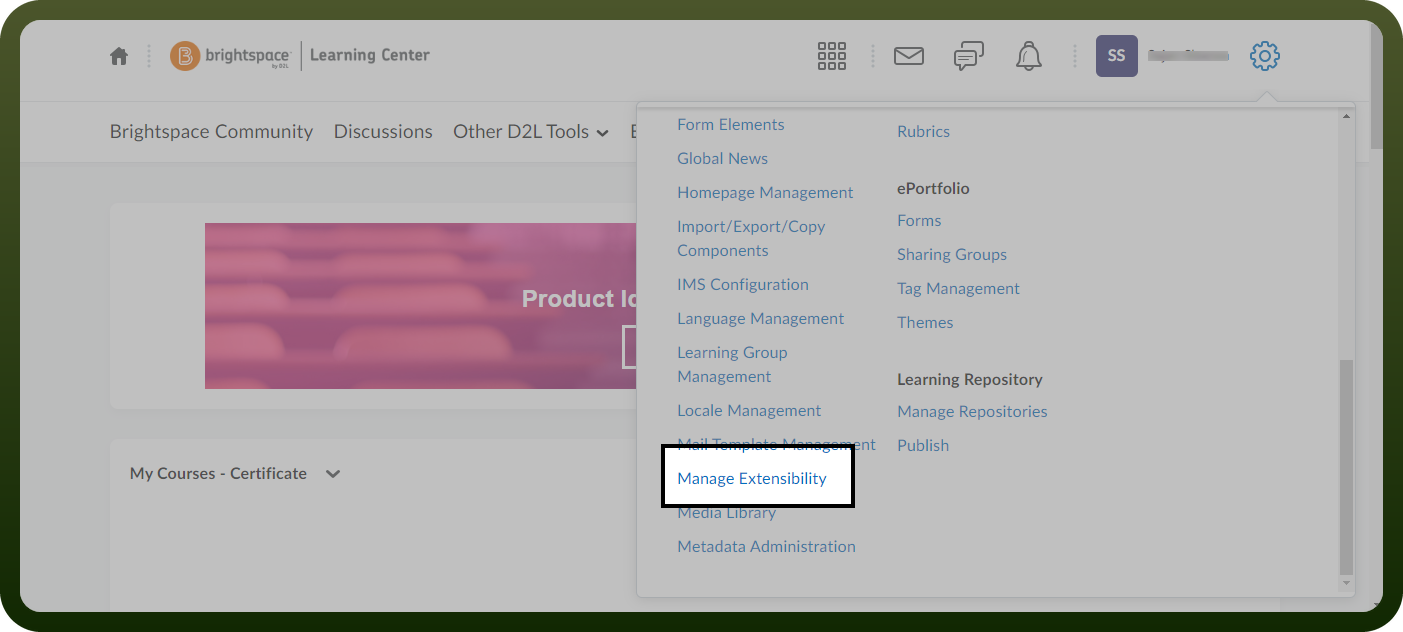
Open the Manage Extensibility admin tool.
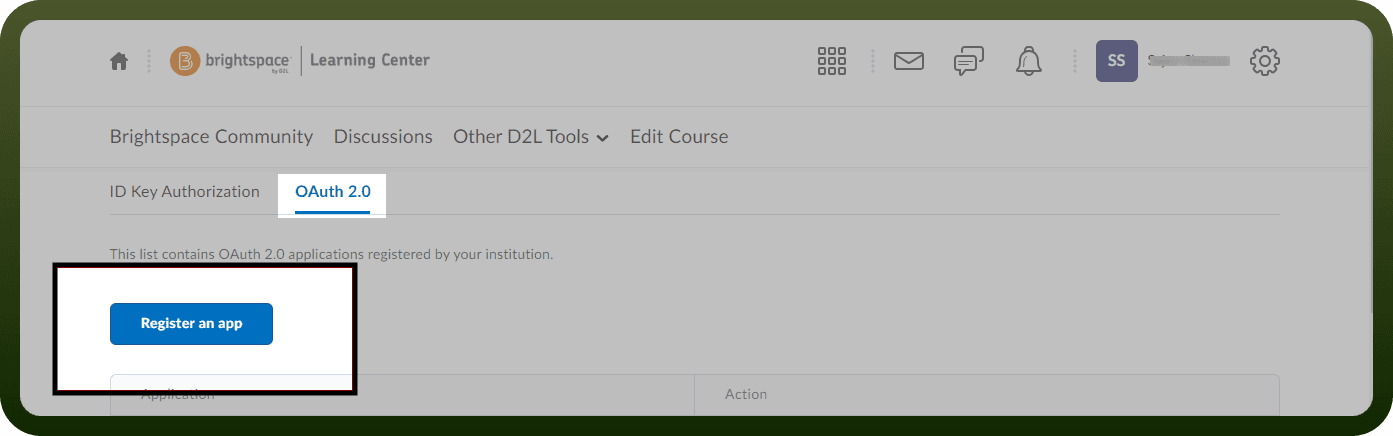
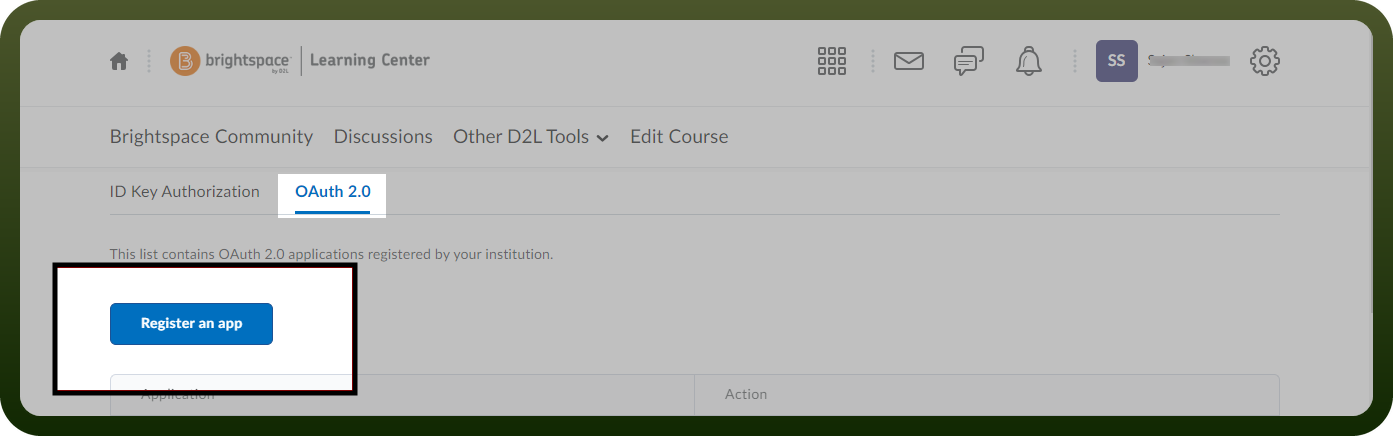
Select OAuth 2.0, then click Register an app.
Choose the OAuth workflow your integration will use (Authorization Code or Client Credentials), and enter a name for the app.
Provide the required Redirect URI (Authorization Code) or JWKS URL (Client Credentials), and list the API scopes the integration needs.
Set a token lifetime, accept the Non-Commercial Developer Agreement, then click Register.
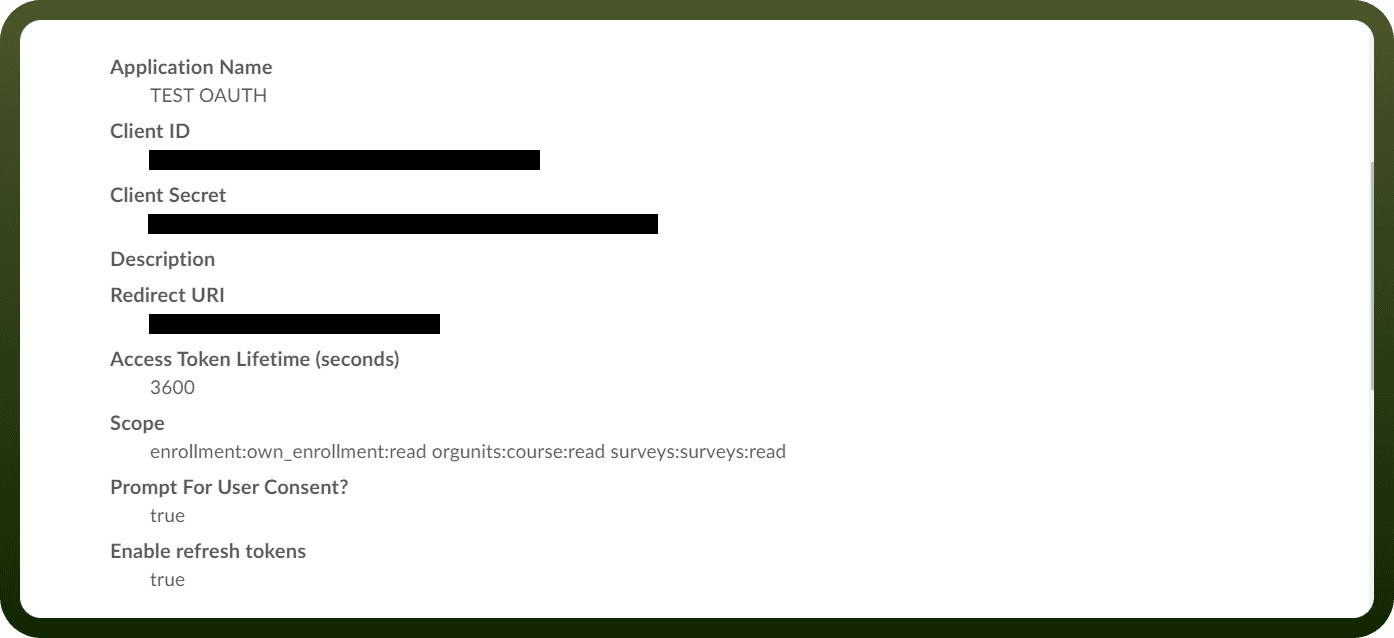
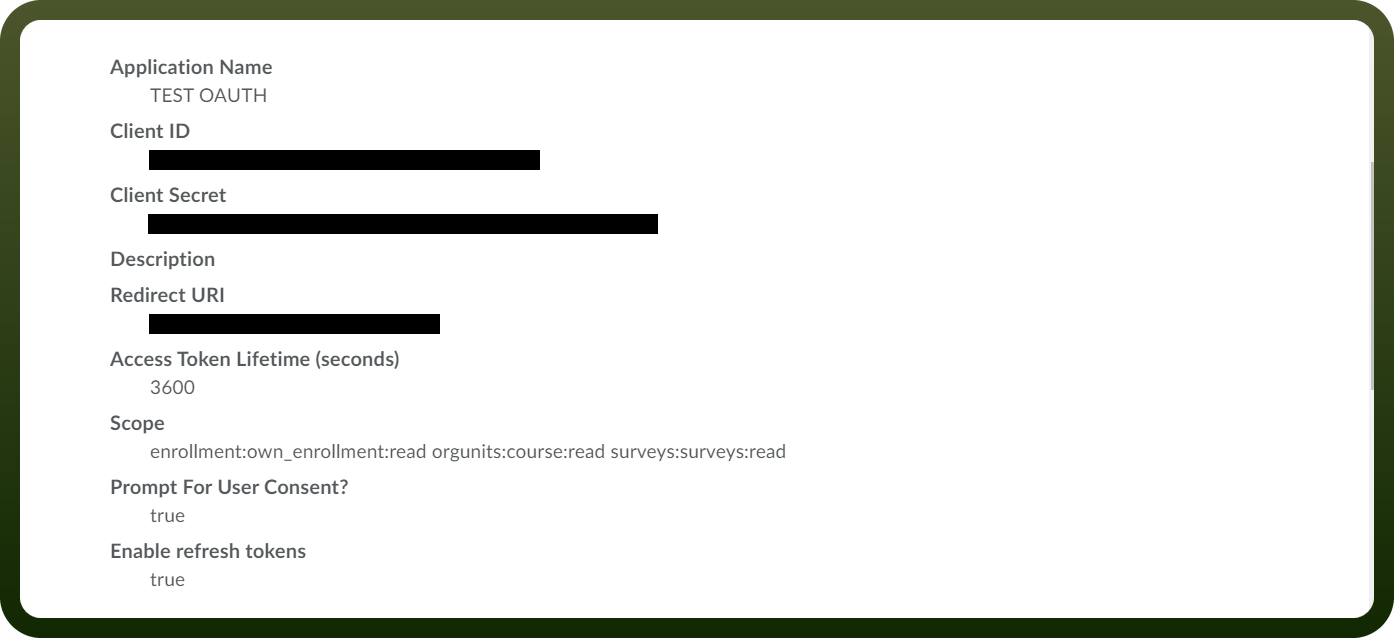
Open the app you just registered under OAuth 2.0 to view its Client ID and Client Secret, and store both securely for authentication.
Actions
Action Name | Description |
|---|---|
Create an announcement | Creates an announcement in D2L |
Create an event | Creates an event in D2L |
Create course | Creates a course in D2L |
Create new grade object | Creates a new grade object in D2L |
Create new user | Creates a new user in D2L |
Create user batch | Creates a user batch in D2L |
Delete announcement | Deletes an announcement in D2L |
Delete calendar event | Deletes a calendar event in D2L |
Delete course | Deletes a course in D2L |
Delete grade object | Deletes a grade object in D2L |
Delete user | Deletes a user in D2L |
Get all announcements | Gets all announcements in D2L |
Get all grade objects | Gets all grade objects in D2L |
Get assessment | Gets an assessment in D2L |
Get calendar event | Gets a calendar event in D2L |
Get specific announcement | Gets a specific announcement in D2L |
Get specific grade object | Gets a specific grade object in D2L |
Get user ID | Gets a user ID in D2L |
Get users access grade object | Gets a users access grade object in D2L |
Read course | Reads a course in D2L |
Retrieve a user data | Retrieves a user data in D2L |
Update announcement | Updates an announcement in D2L |
Update course | Updates a course in D2L |
Update event | Updates an event in D2L |
Update grade object | Updates a grade object in D2L |
Update user data | Updates a user data in D2L |