


Use the Adafruit IO connector to collect and visualize IoT device data.
Integrating your application with Adafruit IO lets you use these operations in an automation. It exposes 10 actions, listed below. Add the connector from the Connections area, authenticate, then select its operations in the automation builder. Capabilities: actions.
Authentication
Before you begin, make sure you have the following information:
Connection Name: Choose a meaningful name for your connection. This name helps you identify the connection within your application or integration settings.
Authentication Type: The authentication method for this connector is defined in the connection setup. Select the connector in the Connections area to see the fields it requires.
Authentication & setup
Adafruit IO requires authentication on every API request using your unique API key. Two methods are supported:
HTTP Header Method (Recommended):
X-AIO-Key: {your_api_key}
Query Parameter Method:
?x-aio-key={your_api_key}
Getting Your API Key
Log in to Adafruit IO at https://io.adafruit.com
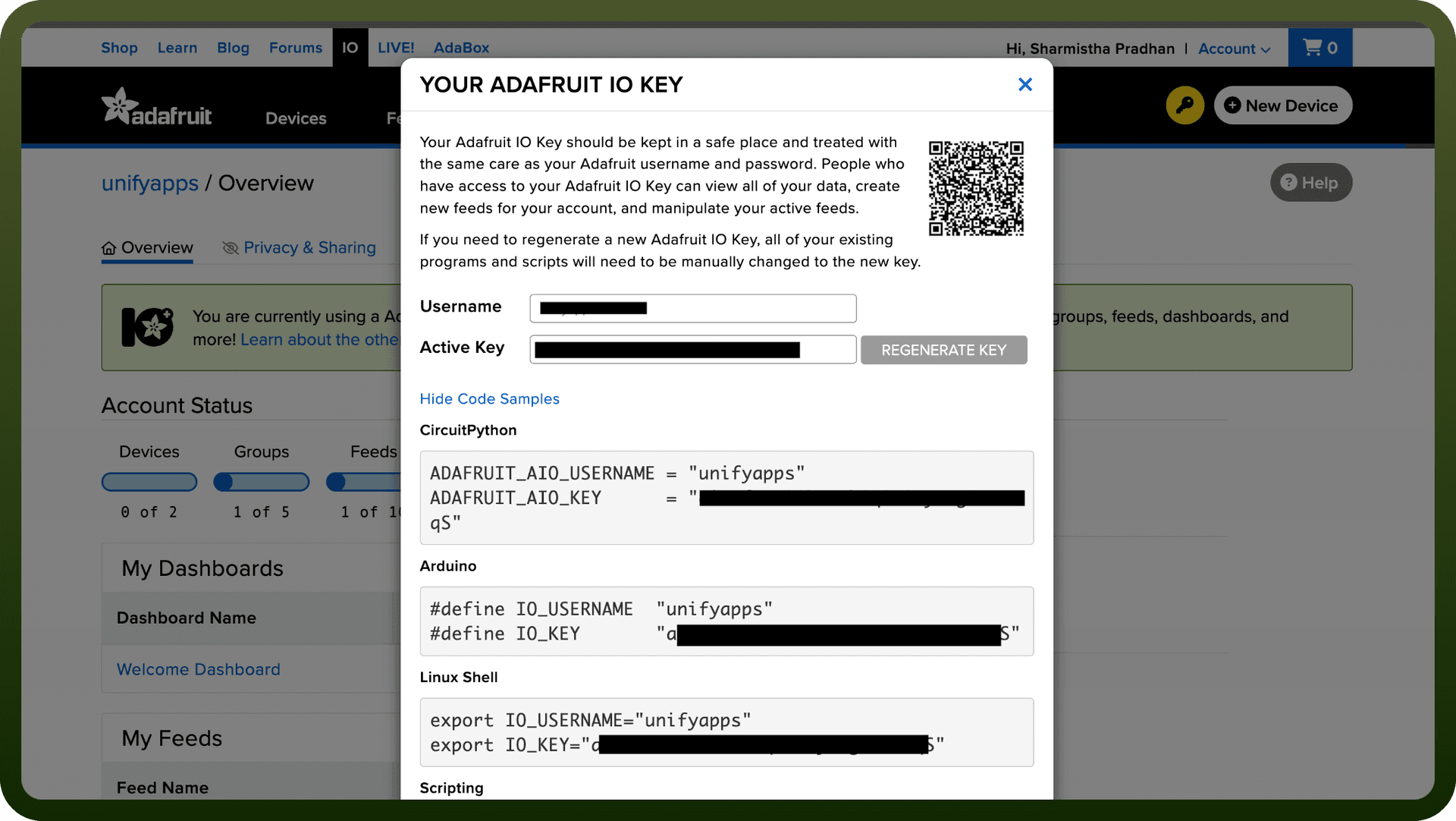
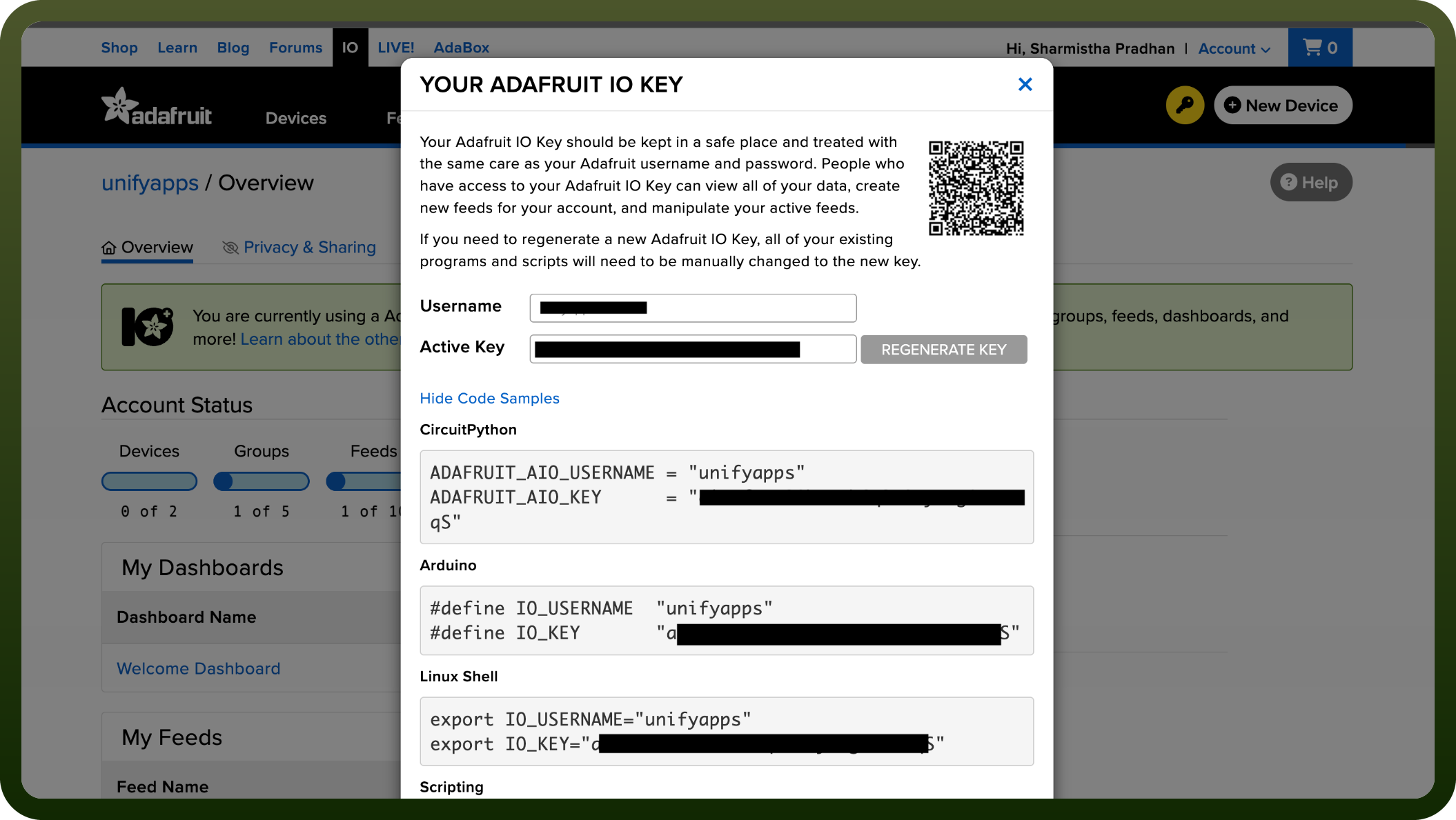
Click the golden key icon on any page or use "View Adafruit IO Key" in the dropdown menu
Copy your key from the modal popup with code samples
Keep your key safe — regenerating it invalidates the old key immediately across all scripts
Actions
Action Name | Description |
|---|---|
Add feed to group | Adds a feed to a group in Adafruit IO |
Create feed | Creates a feed in Adafruit IO |
Create group | Creates a group in Adafruit IO |
Delete a feed | Deletes a feed in Adafruit IO |
Delete a group | Deletes a group in Adafruit IO |
Get feed | Gets a feed in Adafruit IO |
Get group | Gets a group in Adafruit IO |
Get user | Gets a user in Adafruit IO |
List feeds | Lists all feeds in Adafruit IO |
List groups | Lists all groups in Adafruit IO |
About the API
The Adafruit IO API enables IoT and automation workflows with feed management, data organization, and dashboard creation. Key capabilities include:
Feed Management: Create, read, update, and delete data streams for sensors and devices
Data Groups: Organize feeds into logical groups
Dashboard Support: Create and manage visual representations of your data
Location Metadata: Track latitude, longitude, and elevation
Batch Operations: Handle multiple data points in a single request
Rate Limits: Free accounts allow 30 data points/minute; Plus accounts 60 data points/minute
Historical Data: Query and retrieve up to 1,000 data points per request with pagination
Webhooks: Receive data from external services
Automation Actions: Scheduled and reactive automation rules
Audit Log: Track all account activity via Activities API
Adafruit provides official client libraries for Arduino, CircuitPython, Python, and Ruby for simplified integration.