


Use the InFlow Inventory connector to manage inventory and stock levels.
Integrating your application with InFlow Inventory lets you use these operations in an automation. It exposes 7 actions and 6 triggers, listed below. Add the connector from the Connections area, authenticate, then select its operations in the automation builder. Capabilities: triggers, actions.
Authentication
Before you begin, make sure you have the following information:
Connection Name: Choose a meaningful name for your connection. This name helps you identify the connection within your application or integration settings.
Authentication Type: The authentication method for this connector is defined in the connection setup. Select the connector in the Connections area to see the fields it requires.
Obtaining Your API Key
Log in to your inFlow Inventory account.
Go to Settings, then open Integrations.
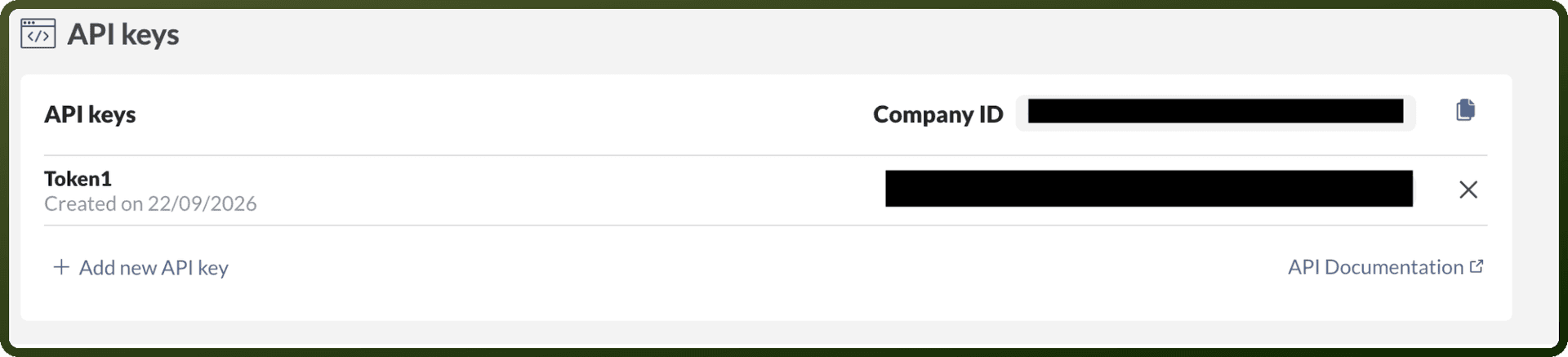
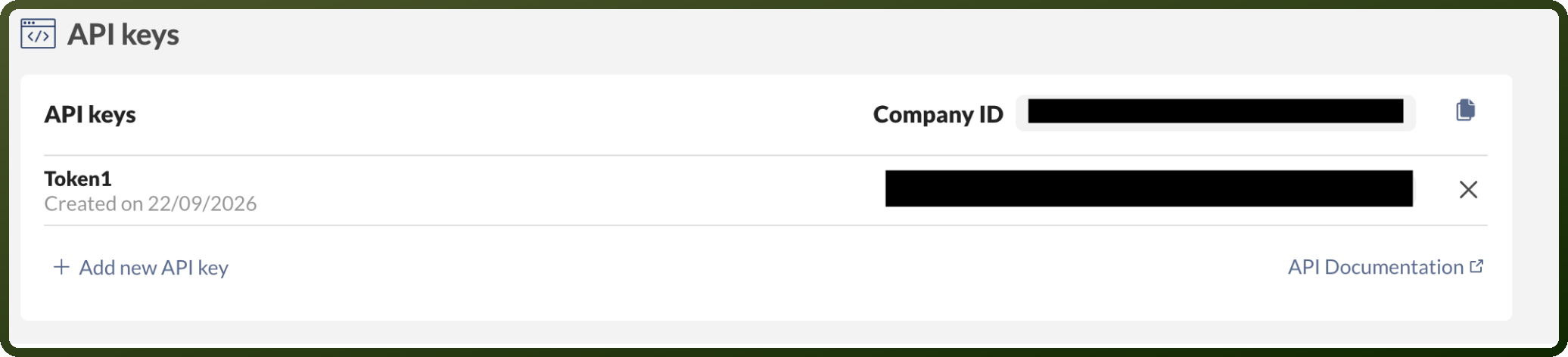
In the API keys section, click Generate API Key.
Copy the generated API key right away and store it securely.
On the same Integrations page, copy your Company ID from the API keys section. You'll need it together with the API key to authenticate.
Actions
Action Name | Description |
|---|---|
Find category | Finds a category using category ID in InFlow Inventory |
Find customer | Finds a customer using customer ID in InFlow Inventory |
Find product | Finds a product using product ID in InFlow Inventory |
Find sales order | Finds a sales order using sales order ID in InFlow Inventory |
List categories | Lists categories in InFlow Inventory |
List customers | Lists customers in InFlow Inventory |
List products | Lists products in InFlow Inventory |
Triggers
Trigger Name | Description |
|---|---|
Customer created or updated | Triggers when a customer is created or updated in InFlow Inventory |
Lapsed customer | Triggers when a customer does not order for certain number of days in InFlow Inventory |
Purchase order created or updated | Triggers when a purchase order is created or updated in InFlow Inventory |
Sales order created or updated | Triggers when a sales order is created or updated in InFlow Inventory |
Sales order due | Triggers when a sales order is not paid for a certain number of days after the due date in InFlow Inventory |
Vendor created or updated | Triggers when a vendor is created or updated in InFlow Inventory |