


Use the Azure OpenAI connector to build AI applications using OpenAI models.
Integrating your application with Azure OpenAI lets you use these operations in an automation. It exposes 13 actions, listed below. Add the connector from the Connections area, authenticate, then select its operations in the automation builder. Capabilities: actions.
Authentication
Before you begin, make sure you have the following information:
Connection Name: Choose a meaningful name for your connection. This name helps you identify the connection within your application or integration settings.
Authentication Type: The authentication method for this connector is defined in the connection setup. Select the connector in the Connections area to see the fields it requires.
Authentication & setup
Azure OpenAI provides two authentication methods: API Keys and Microsoft Entra ID.
API Key Authentication
Getting Credentials:
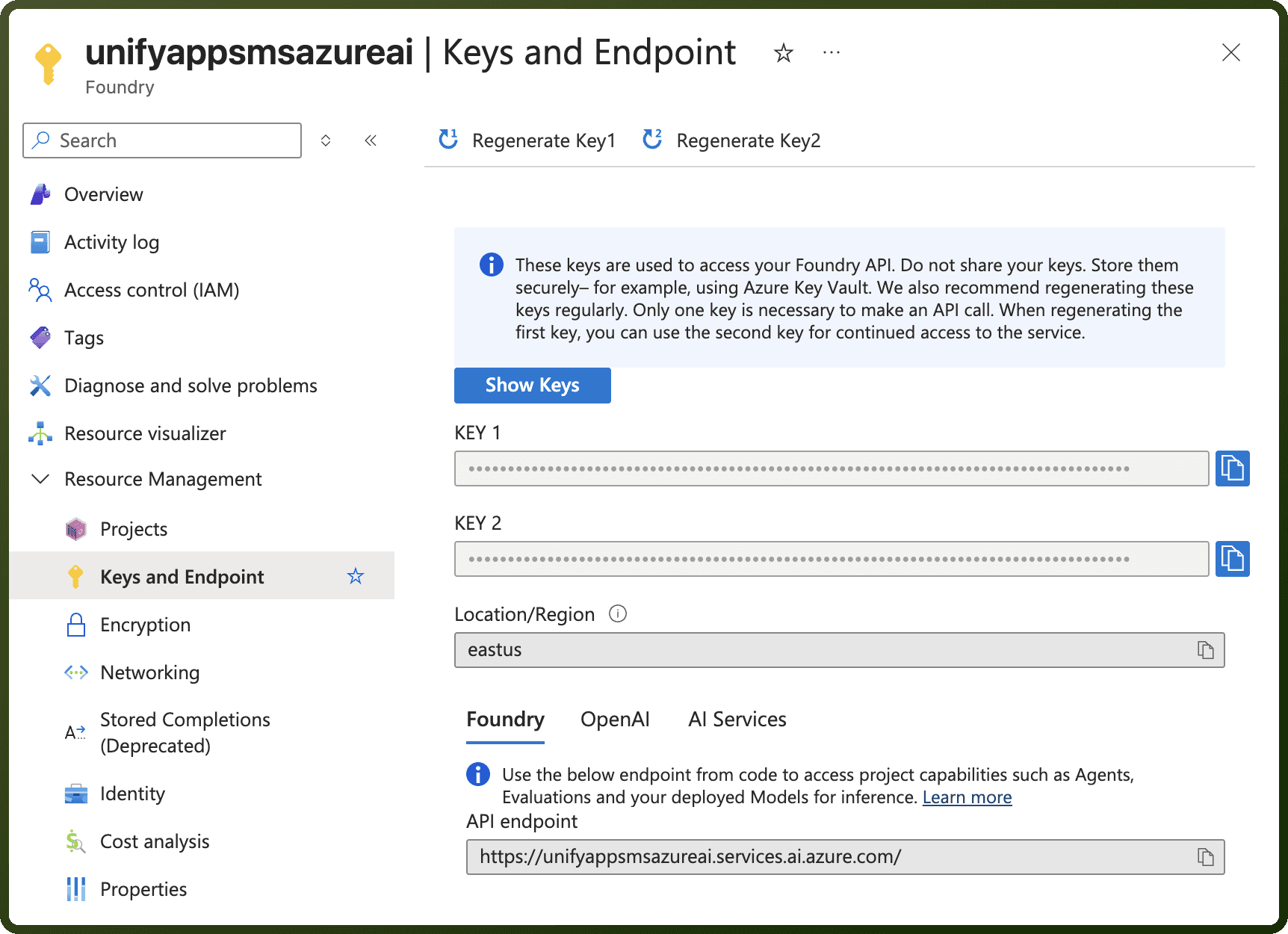
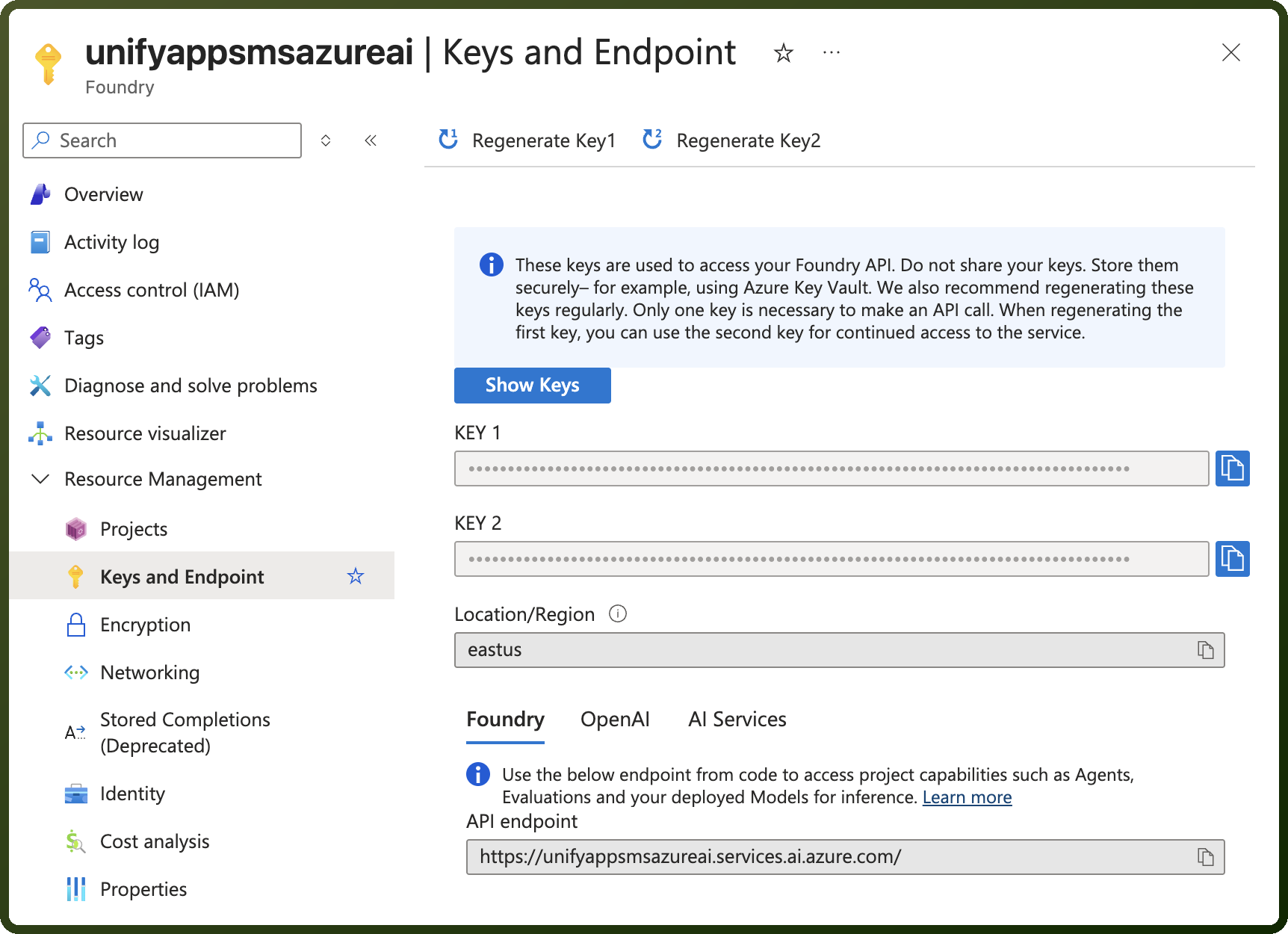
Access the Azure Portal
Navigate to your Azure OpenAI resource
Go to Keys and Endpoint
Copy your API Key (key1 or key2)
Using the Key: Include the API key in the api-key HTTP header:
api-key: YOUR_API_KEY
Microsoft Entra ID Authentication
How It Works:
Authenticate using Microsoft Entra tokens
Tokens included in the
Authorizationheader with Bearer prefix:
Authorization: Bearer YOUR_AZURE_AD_TOKEN
Modern v1 API Approach
The v1 API simplifies authentication by:
Removing the need for api-version parameters
Supporting cross-provider model calls
Enabling automatic token retrieval with
token_providerparameter
Keyless Authentication
Keyless authentication offers improved security benefits:
No need to store API keys or connection strings
Automatic retrieval and refresh of authentication tokens
Enhanced security and easier credential management
Actions
Action Name | Description |
|---|---|
Chat completions | Creates chat completions with Azure OpenAI |
Chat completions (Streaming) | Creates chat completions with Azure OpenAI in streaming fashion |
Create a transcription (v2) | Creates a transcription supporting multilingual audio with automatic language detection in Azure OpenAI |
Create Embeddings | Creates embeddings with Azure OpenAI |
Create message using Claude | Create message using Claude in Azure AI |
Create message using Claude (Streaming) | Create message using Claude in Azure AI with streaming response |
Generate image | Generate image using Azure OpenAI |
Generate response | Generates a response using Azure OpenAI |
Generate response (Generic) | Generates a genric response using Azure OpenAI |
Generate stream response (Generic) | Generates a stream genric response using Azure OpenAI |
Rerank documents | Rerank documents in Azure AI |
Send Message to Azure OpenAI Realtime | Sends a message to Azure OpenAI Realtime |
Start Azure OpenAI Realtime Session | Start a realtime session with Azure OpenAI's Realtime model. |
About the API
Azure OpenAI provides access to OpenAI's models through Azure infrastructure:
Chat Completions: Language model interactions
Embeddings: Vector generation for semantic search
Image Generation: DALL-E image creation
Audio Processing: Speech-to-text and text-to-speech
Fine-tuning: Custom model training
Vision: Image analysis capabilities
All operations run on Azure infrastructure with enterprise security and compliance.