


Use the Gender API connector to determine likely gender from names for data enrichment.
Integrating your application with Gender API lets you use these operations in an automation. It exposes 9 actions, listed below. Add the connector from the Connections area, authenticate, then select its operations in the automation builder. Capabilities: actions.
Authentication
Before you begin, make sure you have the following information:
Connection Name: Choose a meaningful name for your connection. This name helps you identify the connection within your application or integration settings.
Authentication Type: The authentication method for this connector is defined in the connection setup. Select the connector in the Connections area to see the fields it requires.
Obtaining Your API Key
Sign up for a Gender API account at gender-api.com, or log in if you already have one.
Open your Account Overview page.
Scroll to the bottom of the page to find the API key that is generated automatically for you at signup.
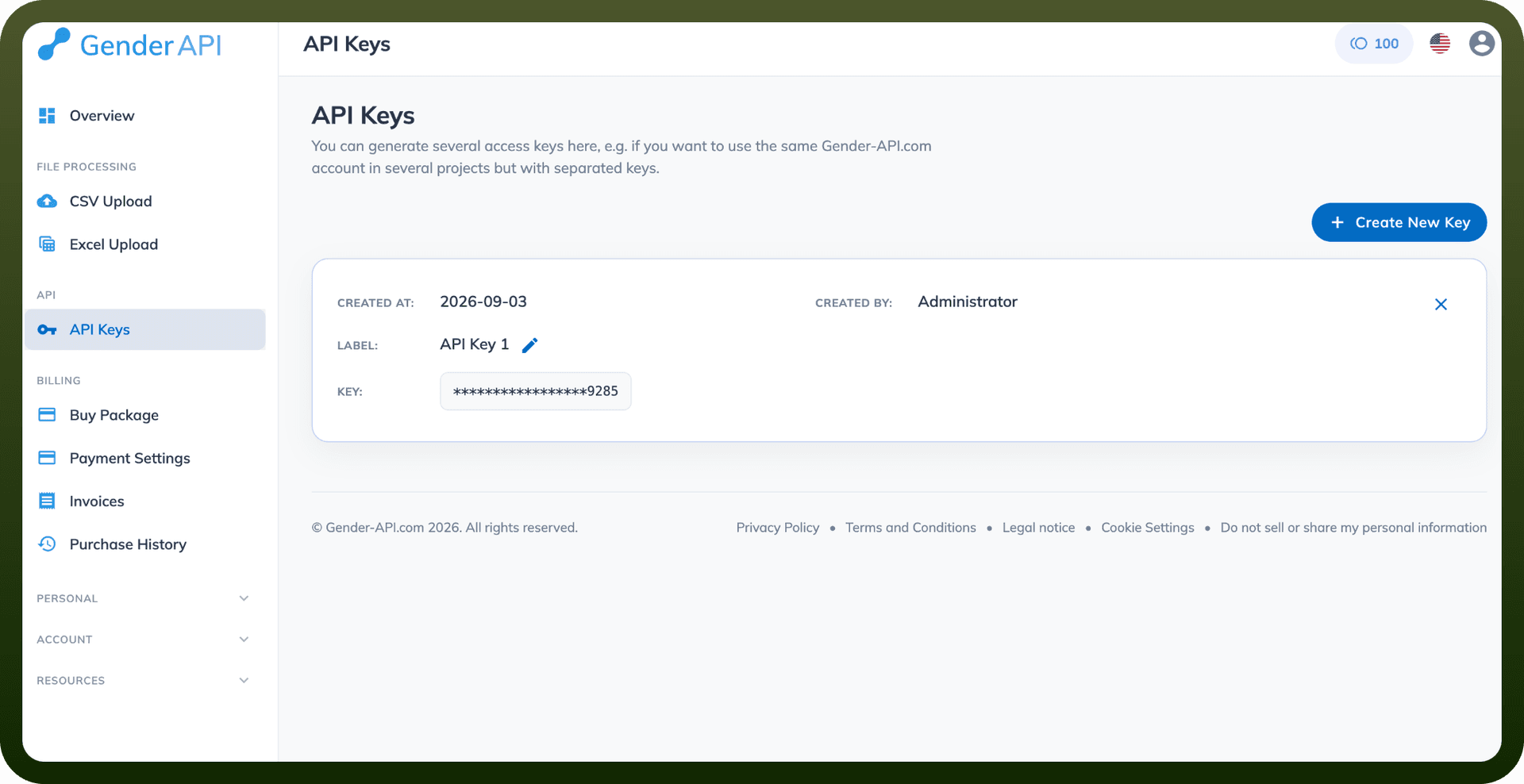
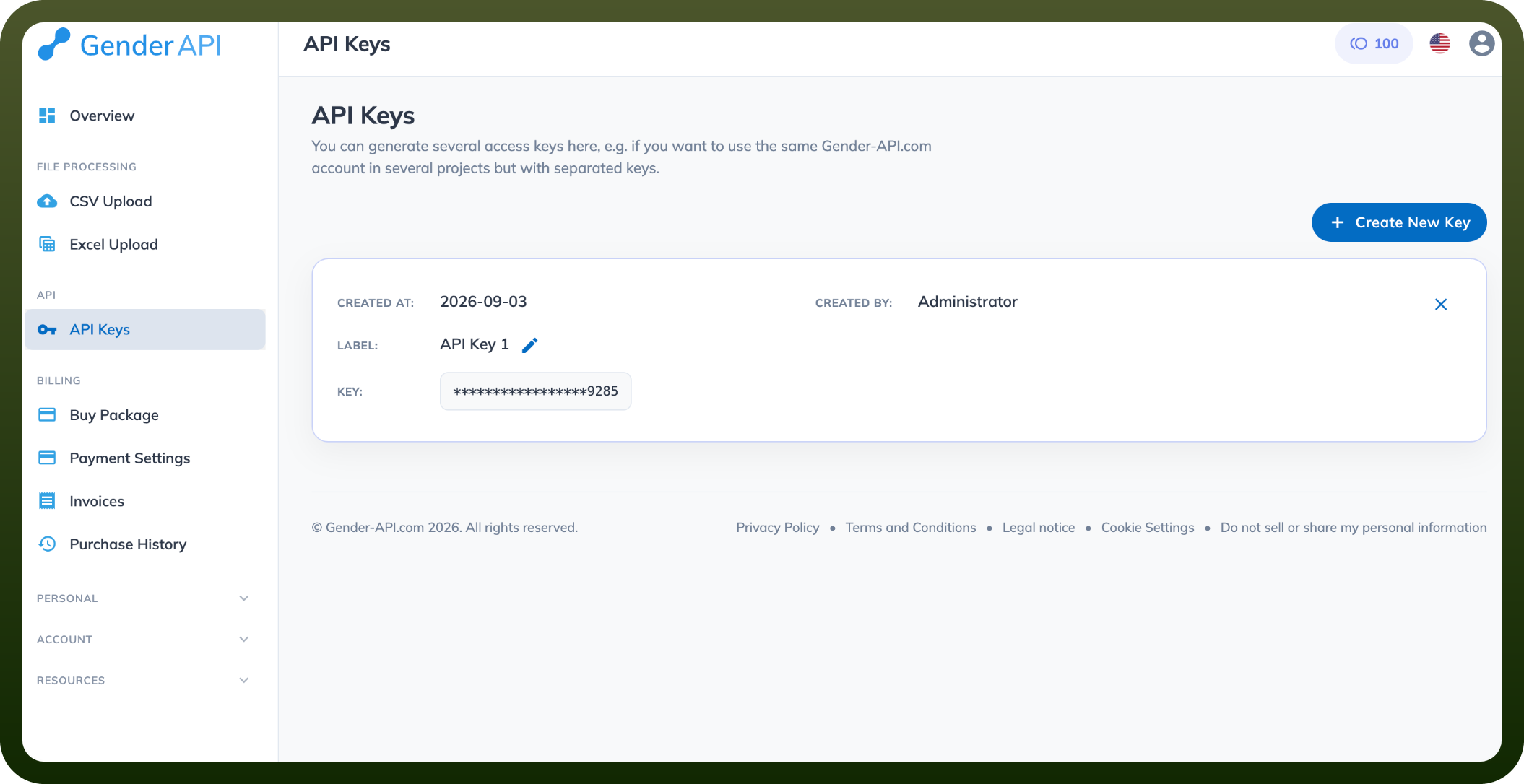
To create a separate key instead, click Settings in the account menu, then click API Keys.
Click Create New Key and give it a name so you can identify where it's used.
Copy the API key and store it securely for further authentication purposes.
Authentication
All API requests require an API key passed via the key parameter.
Example:
GET https://gender-api.com/get?name=Elizabeth&key=YOUR_API_KEY
Actions
Action Name | Description |
|---|---|
Get account statistics | Retrieves account statistics including remaining credits and usage information in Gender API |
Get country of origin | Determines the likely country of origin for a given first name in Gender API |
Get gender by email address | Determines the gender from an email address by extracting and analyzing the first name portion in Gender API |
Get gender by name | Determines the gender of a given first name in Gender API |
Get gender by name and country | Determines the gender of a given first name with localization by country code in Gender API |
Get gender by name and IP | Determines the gender of a given first name with localization by IP address in Gender API |
Get gender by name and locale | Determines the gender of a given first name with localization by browser locale (e.g., en_US, de_DE) in Gender API |
Get gender for multiple names | Determines the gender of multiple names in a single request in Gender API |
Split full name and get gender | Splits a full name into first and last name, then determines the gender in Gender API |
Overview
Gender API is a RESTful service that determines the gender of a first name. The API returns JSON responses and uses a credit-based system where each request consumes credits based on the endpoint used.
Core Endpoints
1. Simple Usage
Purpose: Basic gender determination by first name Method: GET Credits: 1 per request
https://gender-api.com/get?name={name}&key={api_key}
Response Fields:
name - submitted name (lowercase)
name_sanitized - normalized name
gender - "male", "female", or "unknown"
samples - database records matching request
accuracy - reliability percentage (0-100)
duration - server processing time
credits_used - requests consumed
2. Localization by Country Code
Purpose: Improve accuracy using ISO 3166 country codes Credits: 1 per request
https://gender-api.com/get?name={name}&country={ISO_CODE}&key={api_key}
Example: "Andrea" returns male in Italy (IT), female in Germany (DE)
3. Localization by IP Address
Purpose: Automatic country detection via IP Credits: 1 per request
https://gender-api.com/get?name={name}&ip={ip_address}&key={api_key}
4. Localization by Browser Locale
Purpose: Country detection from browser locale Credits: 1 per request
https://gender-api.com/get?name={name}&locale={locale}&key={api_key}
5. Multiple Names Query
Purpose: Query up to 100 names in one request Credits: 1 per name
https://gender-api.com/get?name={name1};{name2}&multi=true&key={api_key}
Optional: Include corresponding country codes separated by semicolons
6. Email Address Query
Purpose: Extract and determine gender from email addresses Credits: 1 per request
https://gender-api.com/get?email={email}&key={api_key}
Additional Response Fields:
email - submitted address
first_name - extracted first name
last_name - extracted last name
mail_provider - email provider name
7. Split First and Last Name
Purpose: Parse full names and determine gender Credits: 1 per request
https://gender-api.com/get?split={full_name}&key={api_key}
Parameters:
strict (optional) - when true, returns empty last_name if not found in database
8. Get Statistics
Purpose: Monitor account usage and credits Credits: 0 (free)
https://gender-api.com/get-stats?key={api_key}
Response Fields:
is_limit_reached - boolean indicating if quota exhausted
remaining_requests - credits available
amount_month_start - initial monthly allocation
amount_month_bought - additional credits purchased
9. Country of Origin
Purpose: Identify likely countries where name originates Credits: 2 per request
https://gender-api.com/get-country-of-origin?name={name}&key={api_key}
Response includes:
country_of_origin - array of top 25 countries with probability scores
country_of_origin_map_url - interactive map (valid 10 minutes)
Error Codes
Code | Message | Meaning |
|---|---|---|
10 | invalid country code | See valid country codes list |
11 | country codes mismatch | Name/country count mismatch |
20 | name not set | No name received |
21 | too many names | Maximum 100 names per request |
30 | limit reached | Query quota exhausted |
40 | invalid or missing key | API key not found |
500 | unknown error | Server error |
Implementation Best Practices
Store API keys securely using environment variables
Implement client-side rate limiting
Cache responses when appropriate
Use HTTPS for all requests
Set appropriate timeout values
Monitor credit usage via statistics endpoint
Alert when credits running low