


Use the Finastra connector to support banking, lending, and financial operations.
Integrating your application with Finastra lets you use these operations in an automation. It exposes 1 action, listed below. Add the connector from the Connections area, authenticate, then select its operations in the automation builder. Capabilities: actions.
Authentication
Before you begin, make sure you have the following information:
Connection Name: Choose a meaningful name for your connection. This name helps you identify the connection within your application or integration settings.
Authentication Type: Finastra supports the following authentication methods:
OAuth
API token
Obtaining Your OAuth Client Credentials
Log in to the FusionFabric.cloud Developer Portal at developer.fusionfabric.cloud.
From your Dashboard, click Register Application to launch the Application Wizard.
On the Application Details step, enter a name, description, and tags for your application, then click Next.
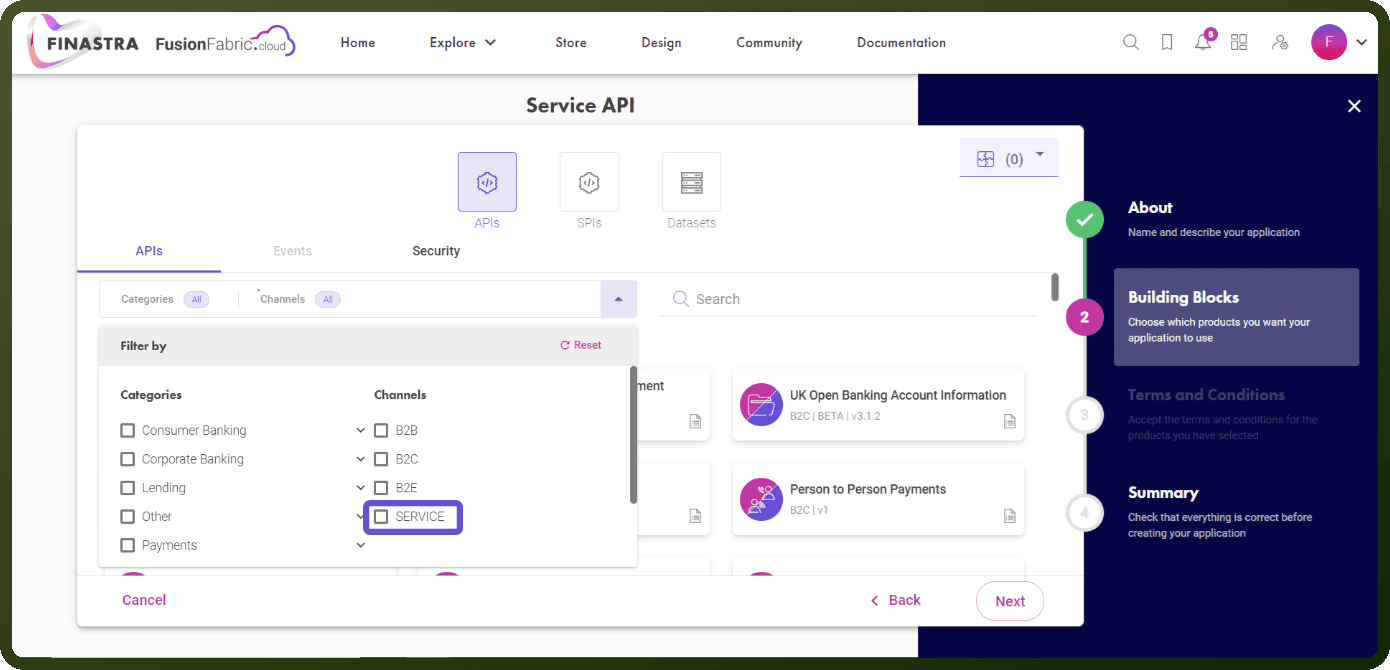
On the Building Blocks step, select the Finastra APIs you want to use, then click Next.
Review and accept the Terms and Conditions, then submit to complete registration. Your application is created with a unique Application ID, which is your Client ID.
Open the application's Application Details page, select the relevant API Channel (B2B, B2E, or B2C), and click Generate.
In the Generate a new key dialog, keep Key Type set to Secret Key, add a description, and click Confirm.
Copy the generated secret value immediately and store it securely, since it is shown only once.
Actions
Action Name | Description |
|---|---|
Fetch Accounts and Balances | Fetches accounts and balances from Finastra |