


Microsoft Sentinel
Microsoft Sentinel is a cloud-native security information and event management (SIEM) and security orchestration, automation, and response (SOAR) solution from Microsoft. It helps organizations collect, detect, investigate, and respond to security threats across their enterprise using intelligent analytics, built-in automation, and deep integration with Azure services. With real-time insights and scalable security monitoring, Microsoft Sentinel enables faster threat detection and improved security operations.
Authentication:
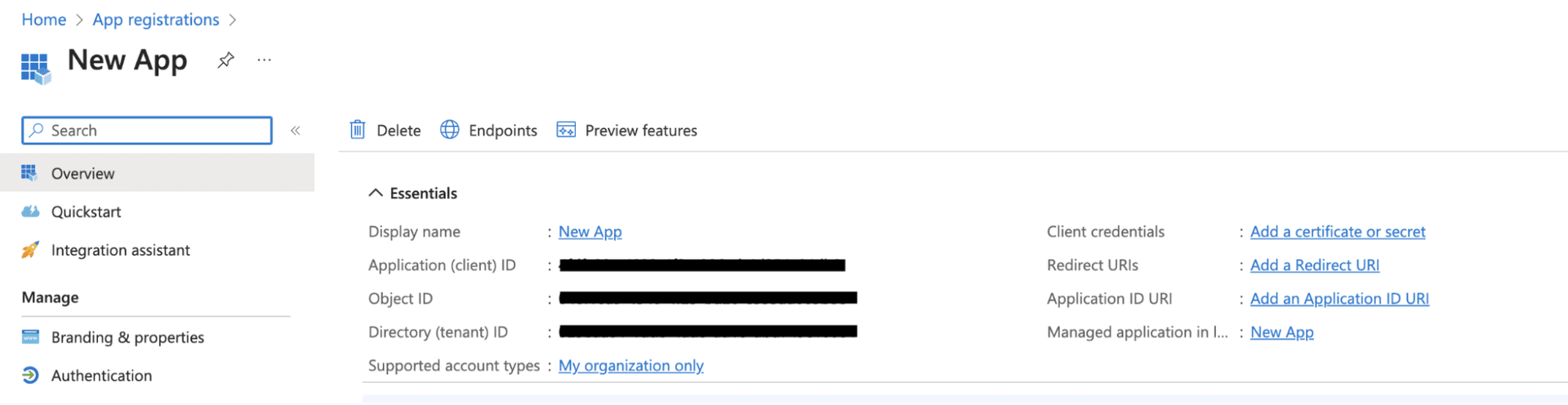
Integrating your application with Microsoft Sentinel enables secure access to security data, incidents, and analytics within Azure, allowing you to build automation and monitoring workflows seamlessly inside your app. Before starting, ensure you have the following information:
Connection Name: Choose a meaningful name for your connection. This helps you identify it within your application or integration settings, such as "MyAppSentinelIntegration".
Client ID: Enter the Azure Active Directory (Azure AD) Application (Client) ID generated from your app registration.Client Secret: Enter the Client Secret created for the Azure AD application. This is used to authenticate your application securely.Tenant ID: Enter the Directory (Tenant) ID of your Azure Active Directory where Microsoft Sentinel is configured.Authentication Type: Microsoft Sentinel supports OAuth based authentication.
OAuth:
Enter your Tenant ID (Directory tenant ID).
Click Authorize.
You will be redirected to the Microsoft login page. Sign in using your Microsoft account and approve the requested permissions.
Once authorization is successful, the connection to Microsoft Sentinel is established and ready for use.
Actions :
Actions | Description |
| Retrieve an incident on Microsoft Sentinel |
| Fetch permissions for Microsoft Sentinel |
| Fetches resource groups for Microsoft Sentinel |
| Fetches workspaces for Microsoft Sentinel |
| Retrieve the incidents on Microsoft Sentinel |