


Amazing Marvin
Amazing Marvin is a powerful productivity and task-management platform that helps individuals and teams organize tasks, plan workflows, and track progress efficiently. With flexible customization and automation-friendly APIs, Amazing Marvin enables seamless integration with external systems to synchronize tasks, projects, and productivity data.
Authentication
Integrating your application with Amazing Marvin enables secure access to task management workflows and productivity data through Amazing Marvin APIs. Before starting, ensure you have the following information:
Connection Name : Choose a meaningful name for your connection. This name helps identify the connection within your application or integration settings, such as MyAppAmazingMarvinIntegration.
Authentication Type: Select the authentication method you want to use. Supported authentication types:
API Token
Full-Access Token
API Token Based:
Log in to your Amazing Marvin account.
Navigate to Settings.
Go to the API / Integrations section.
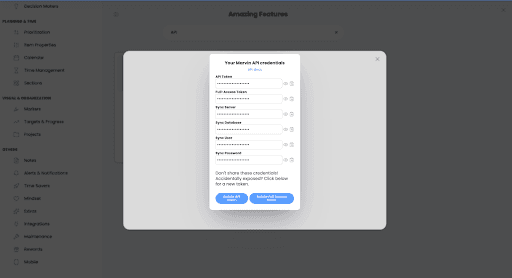
Generate or copy your API Token.
Copy the generated token and use it for further authentication purposes.
Full-Access Token Based:
Log in to your Amazing Marvin account.
Navigate to Settings.
Open the Security / API Access section.
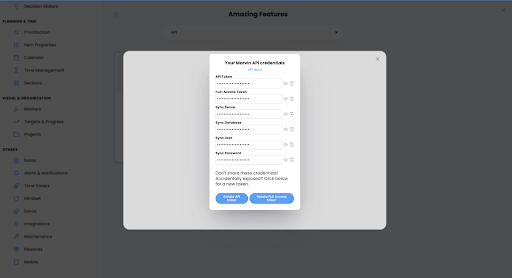
Generate or copy the Full-Access Token.
Paste the copied token into the Access Token field while creating the connection in UnifyApps.
Actions
Action Name | Description |
About Me | Get information about self in Amazing Marvin |
Create Event | Create an event to Amazing Marvin |
Create Project | Create a new project in Amazing Marvin |
Create Task | Create a new task in Amazing Marvin |
Get Child Tasks/Projects | Get child tasks or projects of a category or project from Amazing Marvin |
Kudos Info | Get information about kudos in Amazing Marvin |
List Categories | List all Categories in Amazing Marvin |
List Labels | List all labels in Amazing Marvin |
Mark Task as Done | Mark a task as done in Amazing Marvin |