


Use the Veryfi connector to automate receipt and invoice processing.
Integrating your application with Veryfi lets you use these operations in an automation. It exposes 10 actions, listed below. Add the connector from the Connections area, authenticate, then select its operations in the automation builder. Capabilities: actions.
Authentication
Before you begin, make sure you have the following information:
Connection Name: Choose a meaningful name for your connection. This name helps you identify the connection within your application or integration settings.
Authentication Type: The authentication method for this connector is defined in the connection setup. Select the connector in the Connections area to see the fields it requires.
Authentication & setup
Multi-Layer Authentication
Veryfi uses a three-component authentication approach:
Client Header — Identifies the partner making requests
CLIENT-IDheader with your client ID
Authorization Header — User authentication
Authorization: apikey USERNAME:API_KEYFormat: base64 encoded
username:api_key
Request Security — Optional but recommended signature verification
X-Veryfi-Request-Signature— HMAC-SHA256 of request (valid 30 minutes)X-Veryfi-Request-Timestamp— Unix milliseconds
Getting Credentials
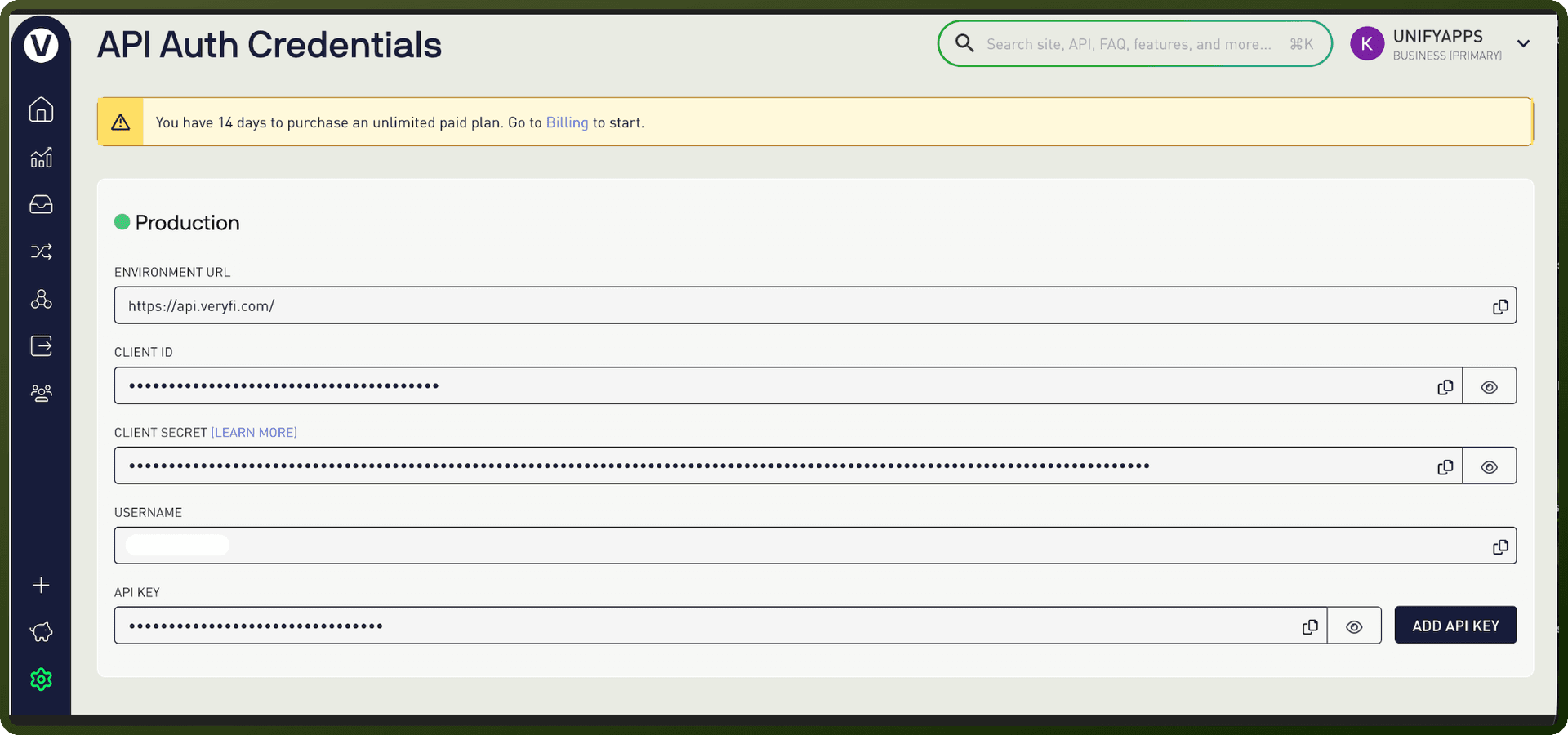
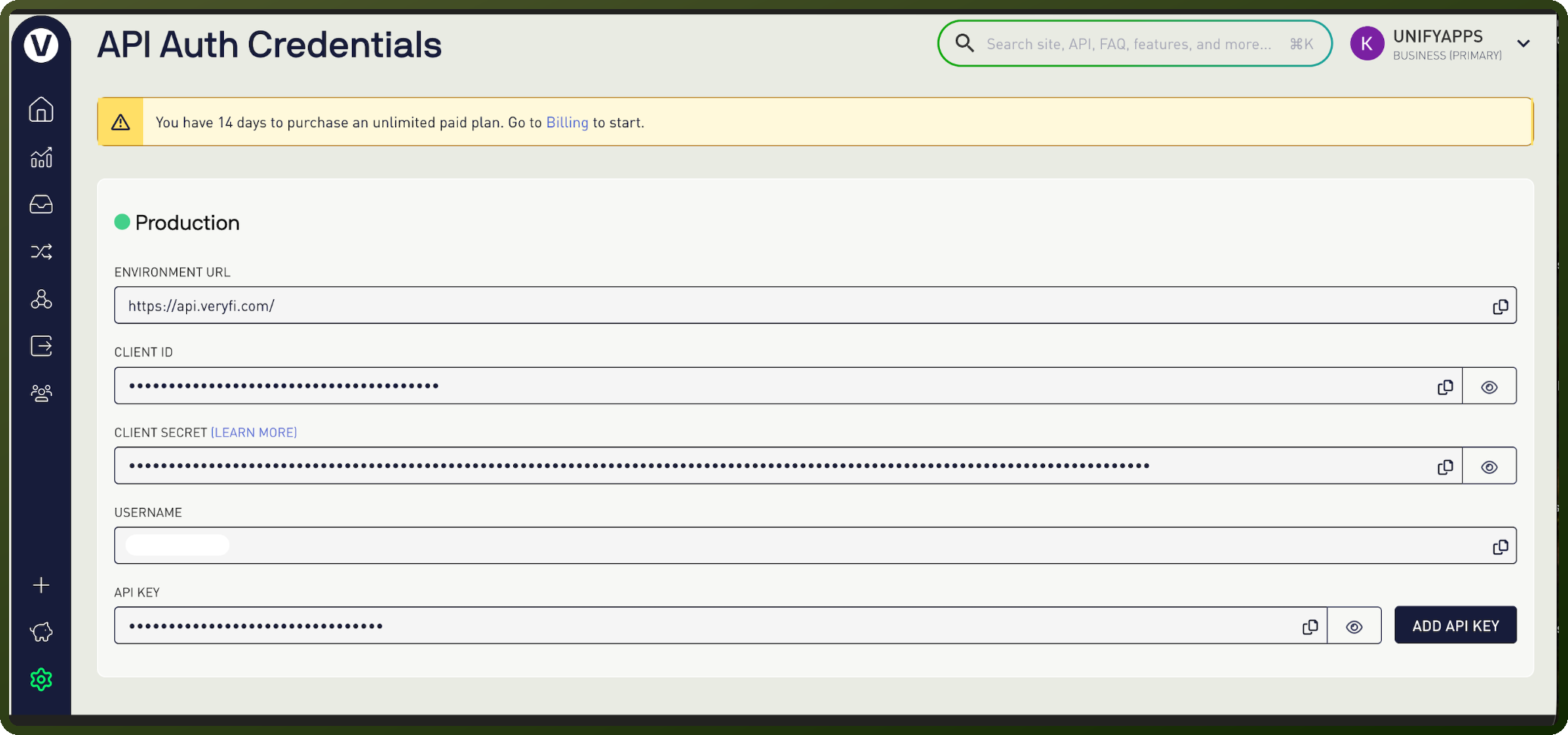
All credentials are obtained from your Veryfi account settings at app.veryfi.com/api/settings/keys/:
CLIENT_IDUSERNAMEAPI_KEYCLIENT_SECRET(for generating signatures)
Note: Only Admin users can grant API Keys to other Admins for security.
Actions
Action Name | Description |
|---|---|
Add tags to a document | Adds existing tags or creates new tags and adds them to a document in Veryfi |
Create a line item | Creates a line item for a document in Veryfi |
Get business card | Retrieves a processed business card from Veryfi |
Get Business Cards | Gets business cards from Veryfi |
Get check | Retrieves a processed check from Veryfi |
Get document | Retrieves a single document by ID from Veryfi |
Get document line items | Retrieves line items for a Veryfi document |
Get document tags | Retrieves tags assigned to a Veryfi document |
Get line item | Retrieves a single line item from a Veryfi document |
Process a business card | Processes a business card in Veryfi. |
About the API
Veryfi provides document data extraction and OCR across multiple document types:
Financial Documents:
Receipts, invoices, checks, bank statements
Comprehensive line-item extraction
Tax Forms:
W-2s, W-8BEN-E, W-9s
Multi-page processing
Business Documents:
Business cards (contact extraction)
Contracts (key term identification)
Additional Capabilities:
Document classification
Fraud detection
Markdown conversion
Barcode/QR code extraction
Processing Modes:
Synchronous (blocking) for immediate results
Asynchronous (background) for large batches