


Use the Synchroteam connector to manage field service operations and scheduling.
Integrating your application with Synchroteam lets you use these operations in an automation. It exposes 9 actions, listed below. Add the connector from the Connections area, authenticate, then select its operations in the automation builder. Capabilities: actions.
Authentication
Before you begin, make sure you have the following information:
Connection Name: Choose a meaningful name for your connection. This name helps you identify the connection within your application or integration settings.
Authentication Type: The authentication method for this connector is defined in the connection setup. Select the connector in the Connections area to see the fields it requires.
Obtaining Your API Key
Log in to your Synchroteam account at your company subdomain, for example
https://mycompany.synchroteam.com.Note your domain identifier — the subdomain segment before
.synchroteam.comin that URL. You'll need it alongside the API key.Go to Configuration.
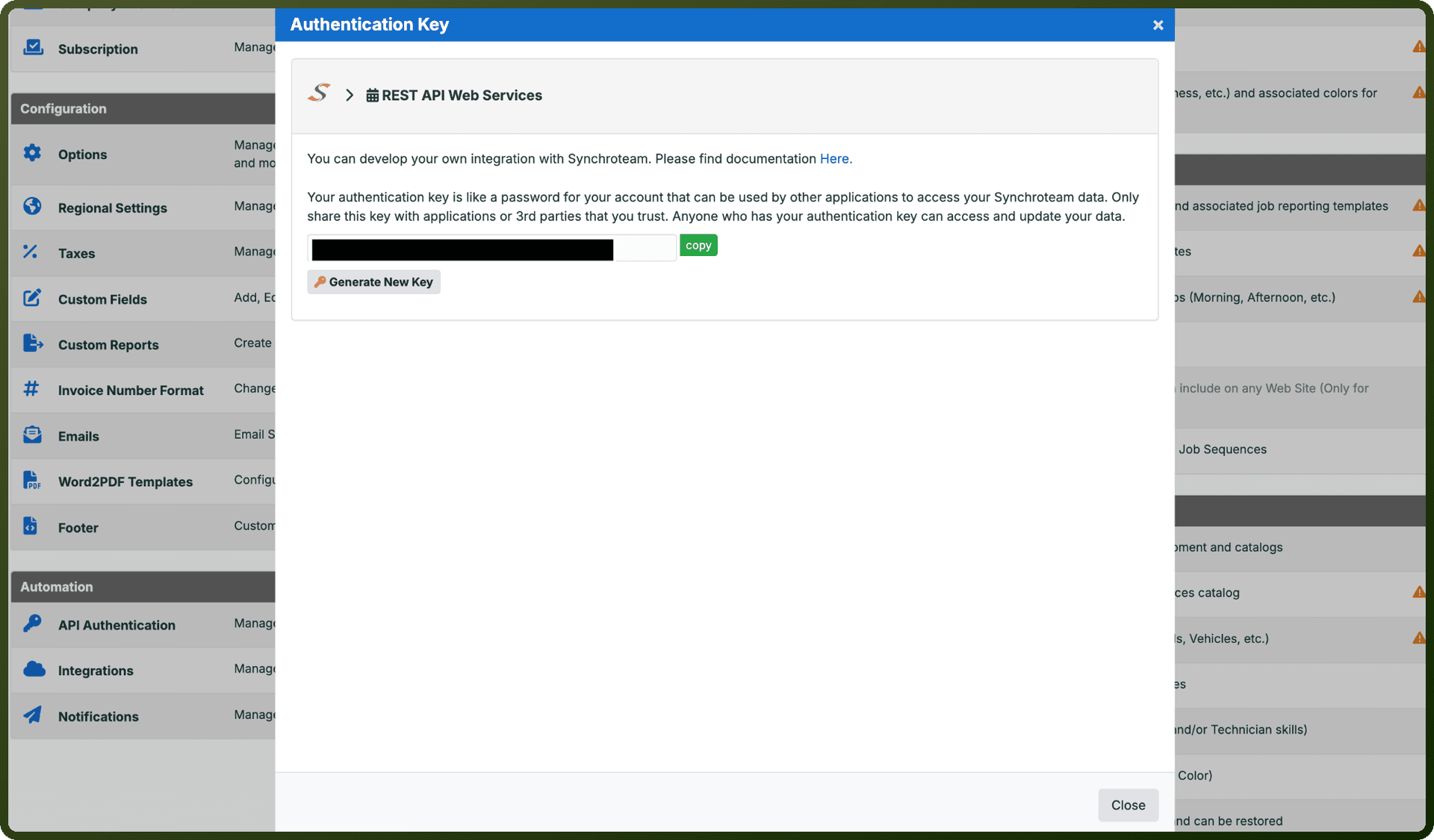
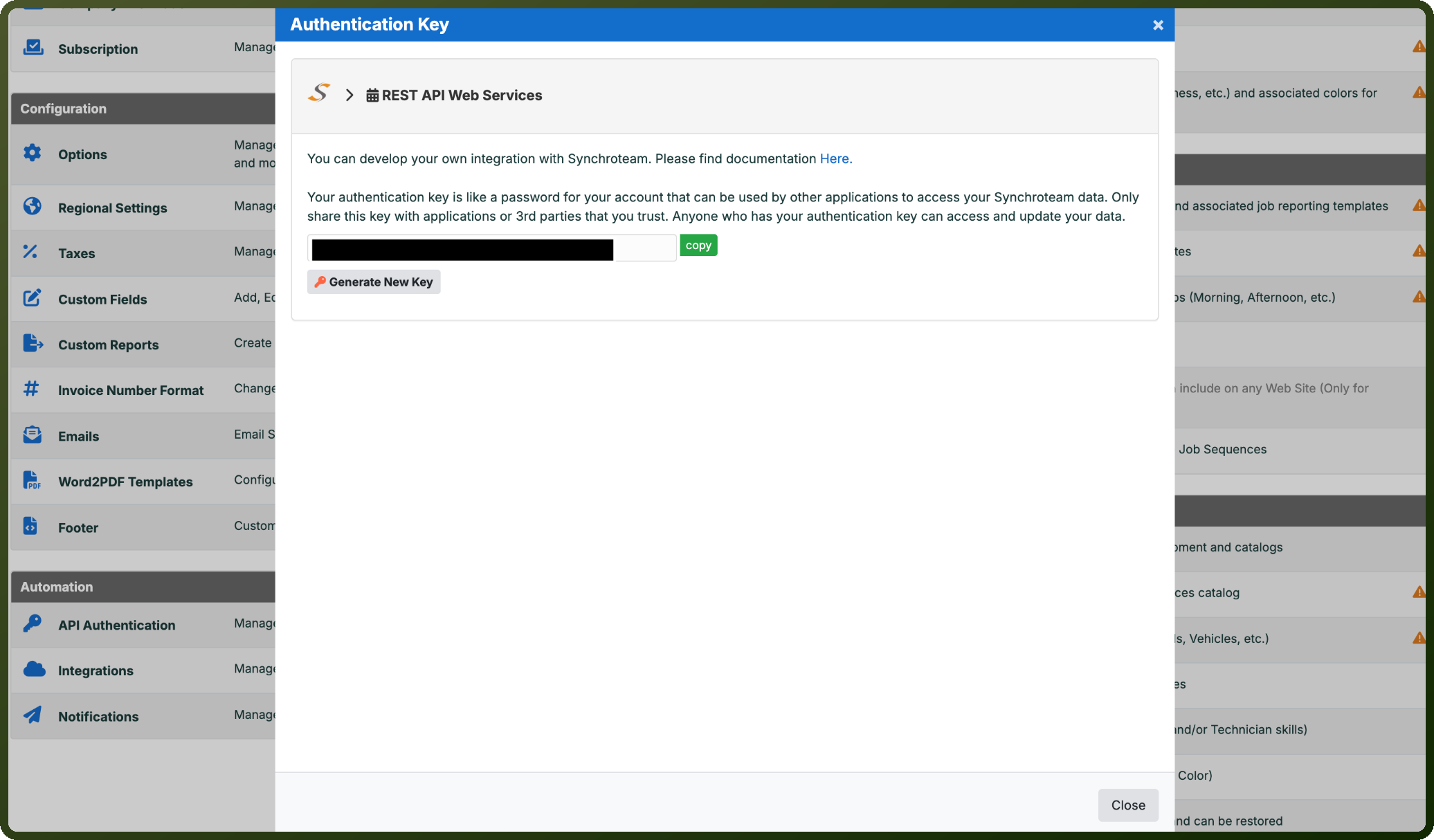
Open Authentication Key.
Copy the API key shown on this page and store it securely together with your domain identifier for authentication.
Authentication & setup
Synchroteam uses HTTP Basic Authentication with two credentials.
Getting Credentials:
Domain identifier: Your personalized domain (e.g., "mycompany" from
https://mycompany.synchroteam.com)API Key: Found in the web interface under Configuration > Authentication Key
Implementation: Base64 encode credentials in format domain:api-key and include in the Authorization header:
Authorization: Basic [base64-encoded-credentials]
Example: Authorization: Basic bXljb21wYW55OmZmOGU1YjYzLTBlNzQtNDEwMi1iYTkzLWM4MjlhY2ZiNThmMw==
Actions
Action Name | Description |
|---|---|
Create a customer | Creates a customer in Synchroteam |
Create a job | Creates a job in Synchroteam |
Create a site | Creates a site in Synchroteam |
List customers | Lists customers in Synchroteam |
List jobs | Lists jobs in Synchroteam |
List sites | Lists sites in Synchroteam |
Retrieve a customer | Retrieves a customer in Synchroteam |
Retrieve a job | Retrieves a job in Synchroteam |
Retrieve a site | Retrieves a site in Synchroteam |
About the API
Synchroteam API v3 provides comprehensive field service management capabilities through a RESTful JSON interface.
API Base URL: https://ws.synchroteam.com/Api/v3/
Protocol Requirements: HTTPS with TLS 1.2+
Core Capabilities:
Activities: Track unavailabilities, work activities, travel, and time clock operations
Customers & Sites: Create and manage customer accounts and service locations
Equipment: Inventory and asset tracking
Jobs: Job creation, scheduling, status updates, and completion management
Invoices & Quotations: Billing and estimate operations
Parts Management: Inventory control and part tracking
Users & Teams: Team and technician management
Custom Fields: Extensible metadata for jobs, customers, sites, equipment, and users
Reports: Job reporting and template generation
Rate Limits:
Per minute: 1,000 requests
Per day: 15,000 requests (default, configurable)
Rate info provided in response headers (
X-RateLimit-*,X-Quota-*)