


Use the Google AdMob connector to monetize mobile apps with ads.
Integrating your application with Google AdMob lets you use these operations in an automation. It exposes 4 actions, listed below. Add the connector from the Connections area, authenticate, then select its operations in the automation builder. Capabilities: actions.
Authentication
Before you begin, make sure you have the following information:
Connection Name: Choose a meaningful name for your connection. This name helps you identify the connection within your application or integration settings.
Authentication Type: Google AdMob supports OAuth authentication.
Obtaining Your OAuth Client Credentials
Sign in to the Google Cloud Console and create, or select, a project to use for AdMob API access.
Go to APIs & Services, then Library, search for "AdMob API", and click Enable.
Go to APIs & Services, then OAuth consent screen, set User Type to External, fill in the required app details, and add the admob.readonly and admob.report scopes.
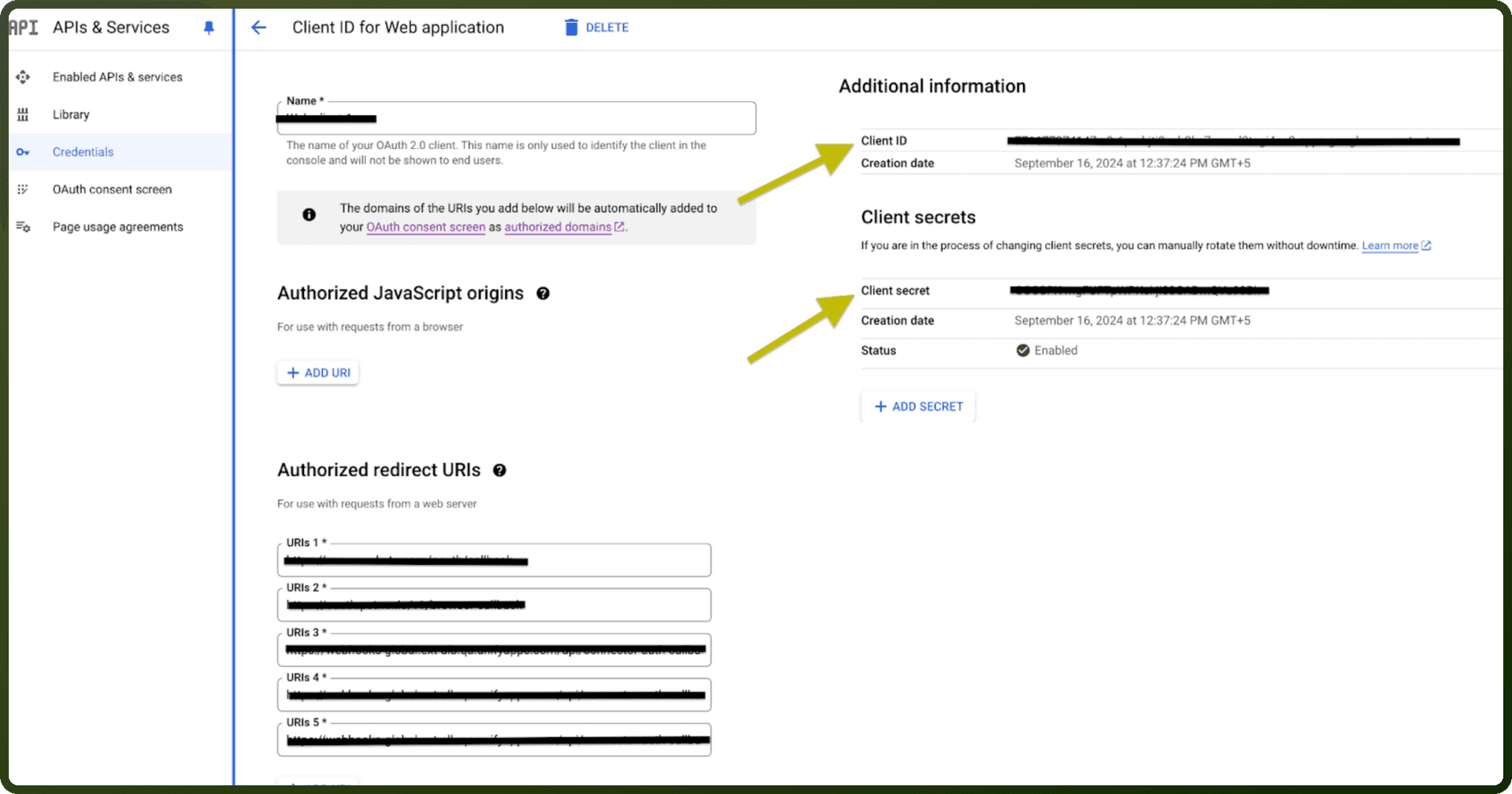
Go to APIs & Services, then Credentials, and click Create Credentials, then OAuth client ID.
Select Web application as the application type, give it a name, add UnifyApps' redirect URI under Authorized redirect URIs, and click Create.
Copy the generated Client ID and Client Secret and store them securely to authenticate the connection in UnifyApps.
Actions
Action Name | Description |
|---|---|
Get Publisher Account | Gets a publisher account in Google AdMob |
List Adunits | Lists adunits of publisher account in Google AdMob |
List Apps | Lists apps under the specified AdMob account from Google AdMob |
List Publisher Account | Lists publisher accounts in Google AdMob |