


Use the Voiceflow connector to build and manage AI chatbots and conversational experiences.
Integrating your application with Voiceflow lets you use these operations in an automation. It exposes 19 actions, listed below. Add the connector from the Connections area, authenticate, then select its operations in the automation builder. Capabilities: actions.
Authentication
Before you begin, make sure you have the following information:
Connection Name: Choose a meaningful name for your connection. This name helps you identify the connection within your application or integration settings.
Authentication Type: The authentication method for this connector is defined in the connection setup. Select the connector in the Connections area to see the fields it requires.
Authentication & setup
API Key Authentication
All Voiceflow API requests require three components:
API Key — Project-specific key in the
Authorizationheader
Format:
Authorization: VF.DM.your_api_keyAll keys start with the
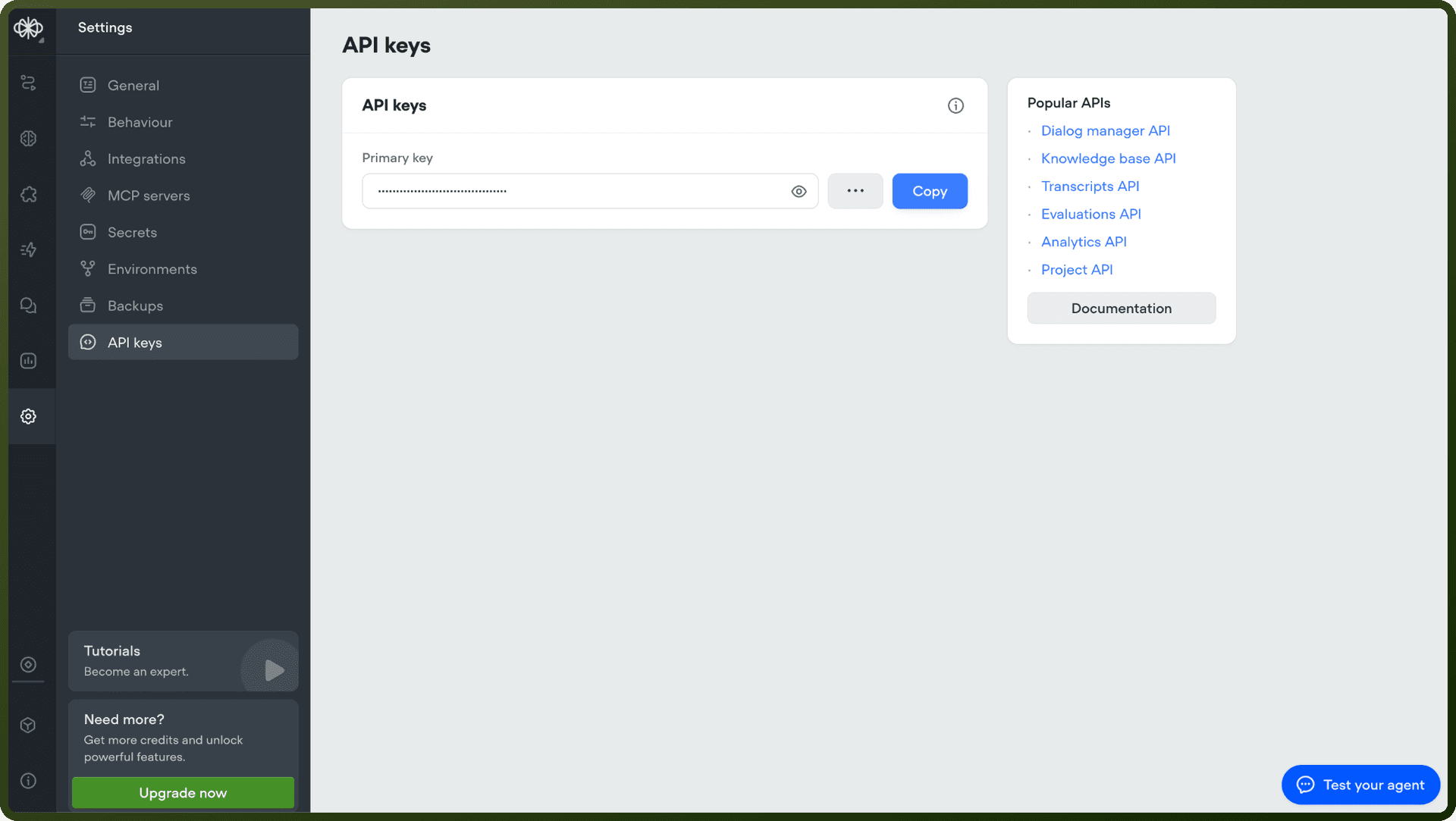
VF.DM.prefixLocated in your project Settings → API keys
Project ID — Found in Settings → General under Metadata section
Environment Alias — URL-safe identifier for targeting environments
Default:
mainStatic aliases persist even when environments are renamed
Automatically targets the currently live version
Getting Credentials
Sign in to Voiceflow and open your project
Navigate to Settings → API keys
You can maintain a primary and secondary key simultaneously for zero-downtime key rotation
Copy your API key and project ID from the interface
Actions
Action Name | Description |
|---|---|
Create a transcript property | Create a transcript property in Voiceflow |
Create interact | Sends a request to advance the conversation session with your Voiceflow project |
Delete document | Deletes a specific Voiceflow knowledge base document by documentID in Voiceflow |
Document chunk retrieval | Get a knowledge base document and its chunks in Voiceflow |
Document list | Get a list of knowledge base documents in Voiceflow |
Fetch project | Fetch a Voiceflow project export by version ID in Voiceflow |
Fetch state | Fetch the user's current state in Voiceflow |
Get all project transcript properties | Get all transcript properties for a Voiceflow project |
Get all project transcripts | Get all transcripts for a Voiceflow project |
Get transcript property | Get a transcript property by propertyID from Voiceflow |
Get transcript with logs | Get transcript with logs from Voiceflow |
Knowledge Base Query | Query the voiceflow knowledge base in Voiceflow. |
Query usage for a project | Query usage for a project from Voiceflow |
Session event | Send an event to a session in Voiceflow |
Update state | Update the current conversation state for a user in Voiceflow |
Update variables | Update a user's state variables in Voiceflow |
Upload knowledge base document from file | Uploads a document file (non-url) in Voiceflow. |
Upload knowledge base document from URL | Uploads a document of type "url" to the Voiceflow Knowledge Base |
Upload table data | Uploads new table data to the Voiceflow Knowledge Base |
About the API
Voiceflow provides an LLM-focused API for creating and managing conversational agents:
Key Features:
Environment management — Static URL-safe aliases ensure integrations remain unbroken across environment renames
Key rotation — Maintain primary and secondary keys in parallel for seamless updates
Version control — Environment aliases automatically target the currently live published version
Backward compatibility — Legacy projects support development, staging, and production aliases
API Capabilities:
Agent creation and configuration
Dialog management and execution
Custom step integration
State and variable handling