


Use the Billsby connector to manage subscription billing and payments.
Integrating your application with Billsby lets you use these operations in an automation. It exposes 13 actions, listed below. Add the connector from the Connections area, authenticate, then select its operations in the automation builder. Capabilities: actions.
Authentication
Before you begin, make sure you have the following information:
Connection Name: Choose a meaningful name for your connection. This name helps you identify the connection within your application or integration settings.
Authentication Type: The authentication method for this connector is defined in the connection setup. Select the connector in the Connections area to see the fields it requires.
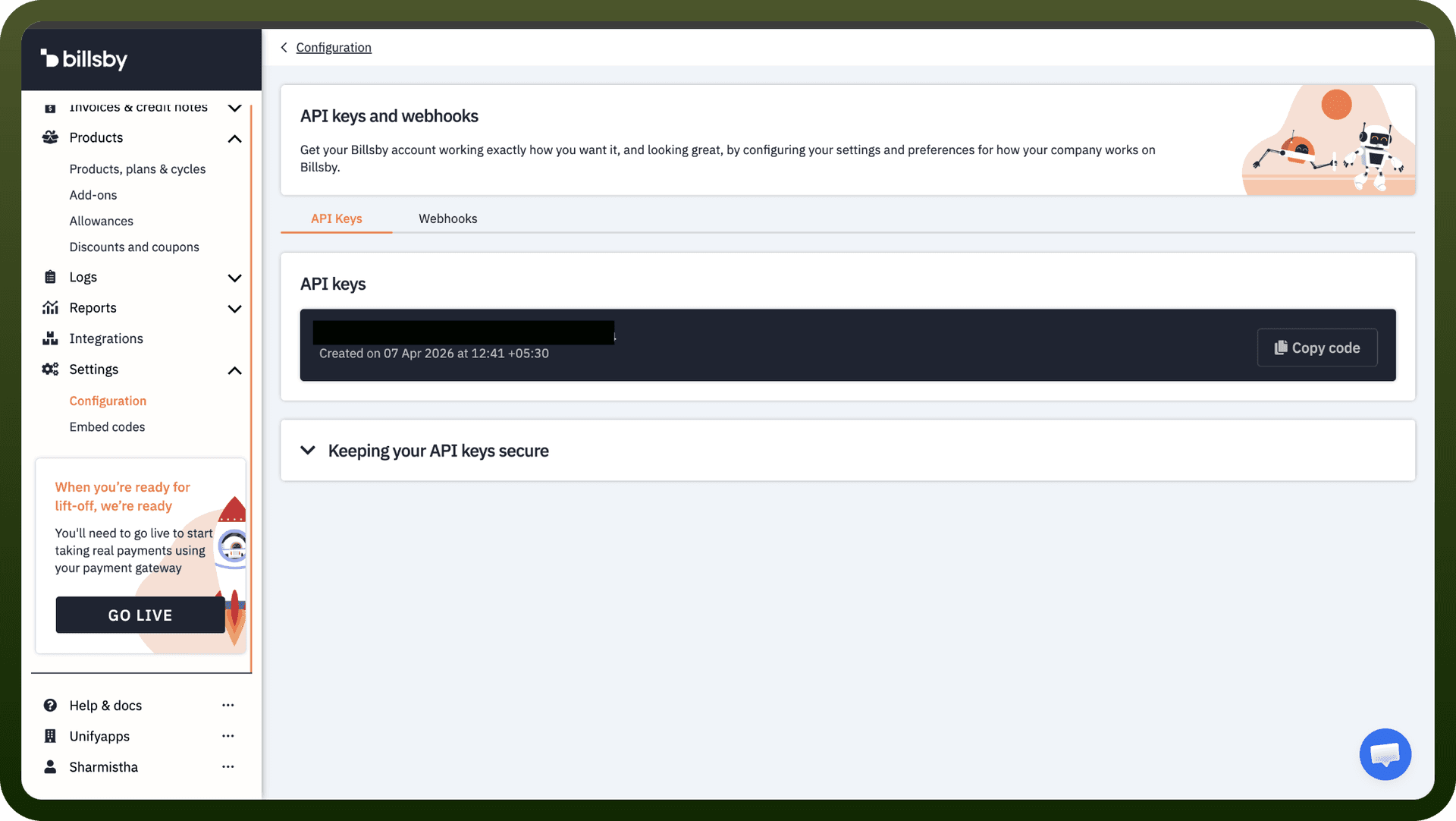
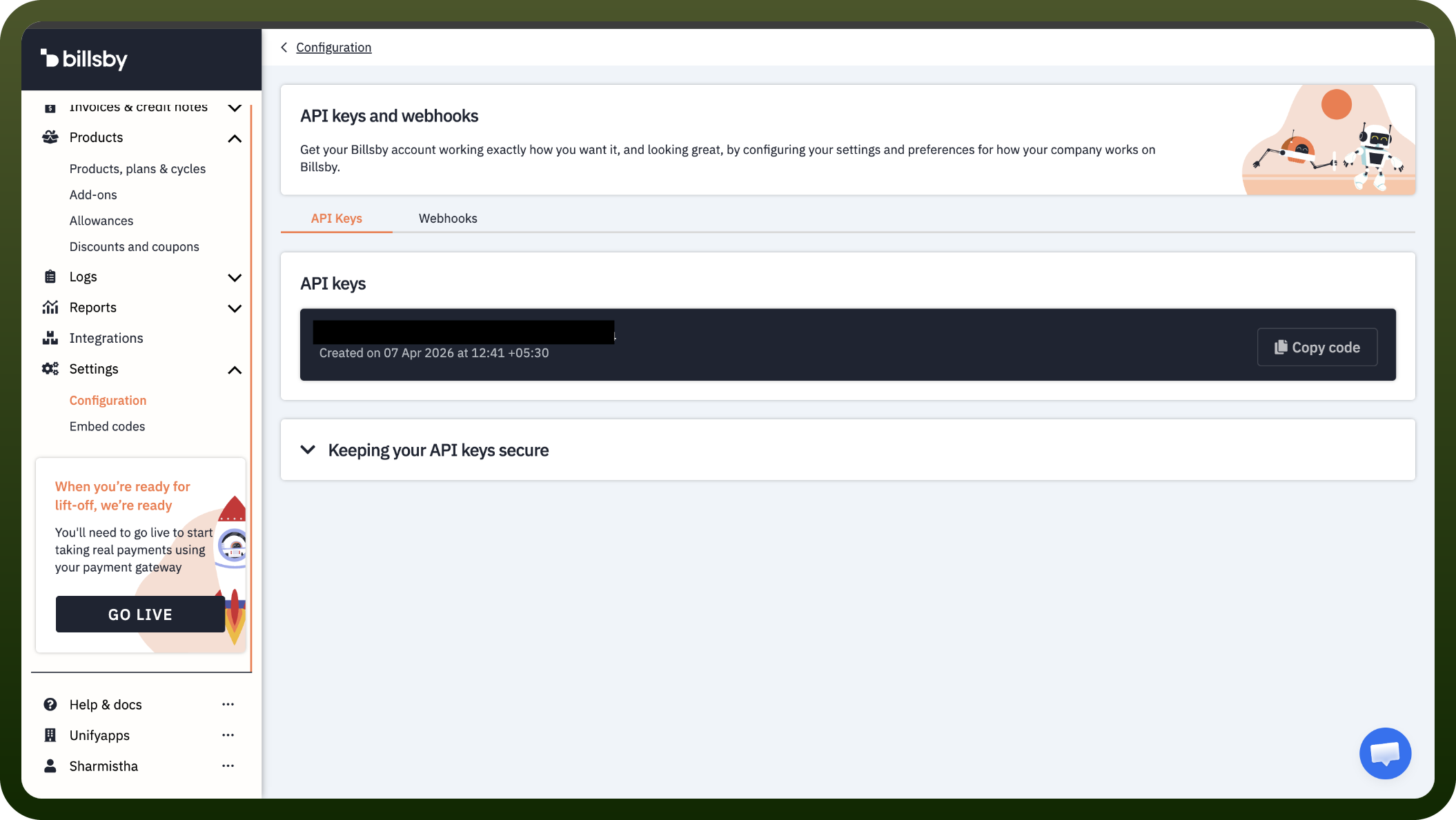
Obtaining Your API Key
Log in to your Billsby account.
Click Settings, then select Configuration from the submenu.
Click API keys and webhooks.
Copy the API key shown on the page and store it securely for authentication purposes.
Authentication & setup
API Key Authentication
Obtain API key from your Billsby account: Settings > Configuration > API keys and webhooks
Add API key to request headers for all API calls
Keep keys secure; rotate periodically for best practices
Actions
Action Name | Description |
|---|---|
Create customer | Creates customer in Billsby |
Create cycle | Creates a cycle for a specific plan in Billsby |
Create plan | Creates a plan for a specific product in Billsby |
Create product | Creates product in Billsby |
Get customer details | Gets customer details in Billsby |
Get product details | Gets product details in Billsby |
List customers | Lists customers in Billsby |
List plans | Lists plans in Billsby |
List products | Lists products in Billsby |
Update customer | Updates customer in Billsby |
Update plan and cycle | Updates plan and cycle in Billsby |
Update plan order | Updates plan order in Billsby |
Update product | Updates product in Billsby |
About the API
Billsby provides a comprehensive REST API for subscription management and billing automation. Key capabilities include customer management (create, update, delete profiles; manage payment details), subscription operations (create, cancel, change plans), invoice management (retrieve, refund, retry payments), product and plan management, and webhook notifications for real-time events. The API follows REST conventions with standard HTTP methods (GET, POST, PUT, DELETE) for resource management.