


Use the Awork connector to plan projects and manage team workloads.
Integrating your application with Awork lets you use these operations in an automation. It exposes 9 actions and 6 triggers, listed below. Add the connector from the Connections area, authenticate, then select its operations in the automation builder. Capabilities: actions, triggers, knowledge (RAG).
Authentication
Before you begin, make sure you have the following information:
Connection Name: Choose a meaningful name for your connection. This name helps you identify the connection within your application or integration settings.
Authentication Type: The authentication method for this connector is defined in the connection setup. Select the connector in the Connections area to see the fields it requires.
Authentication & setup
awork supports two authentication approaches for API access.
API Key Authentication
Long-lived API keys for background integrations with admin-level access.
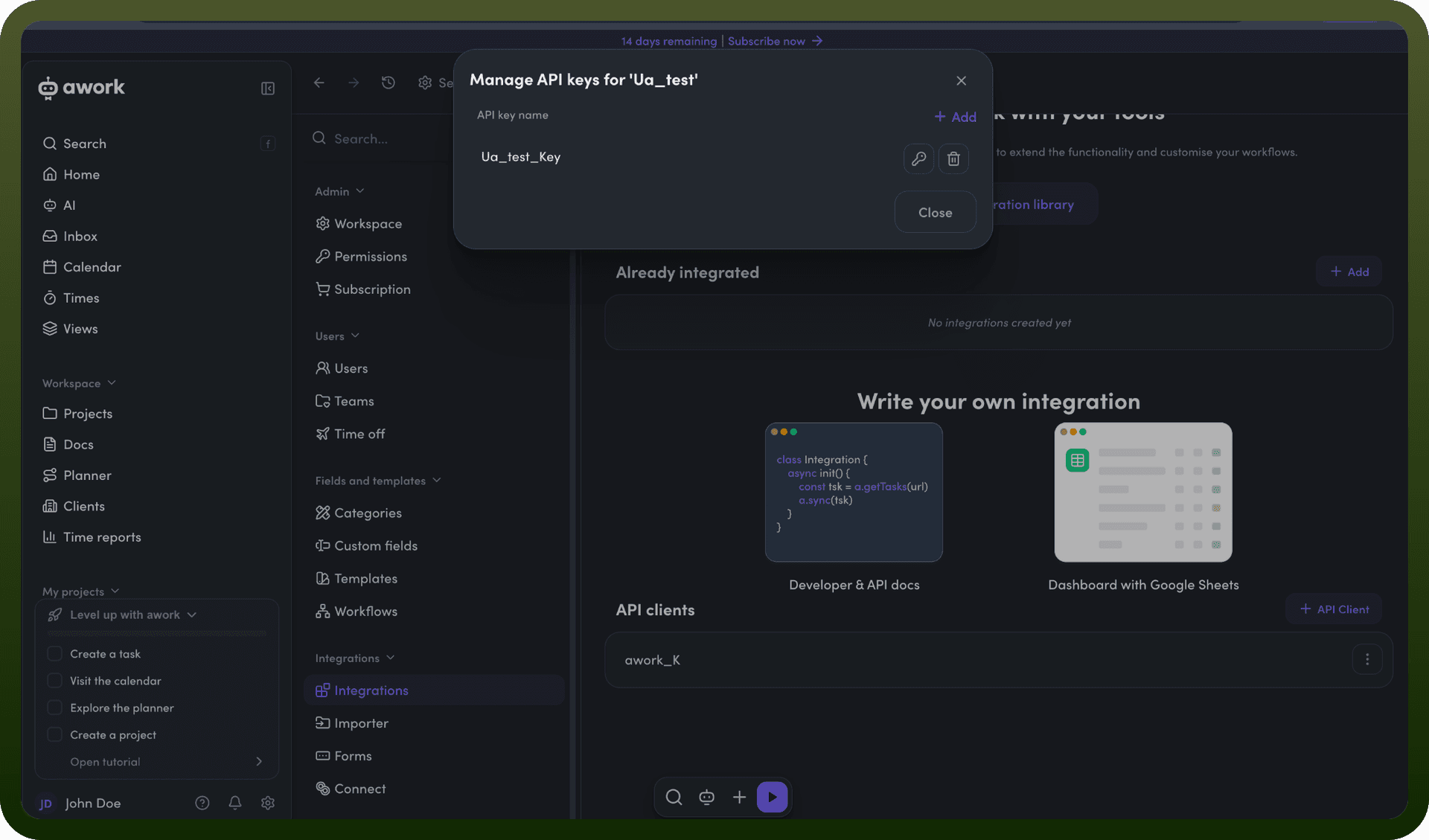
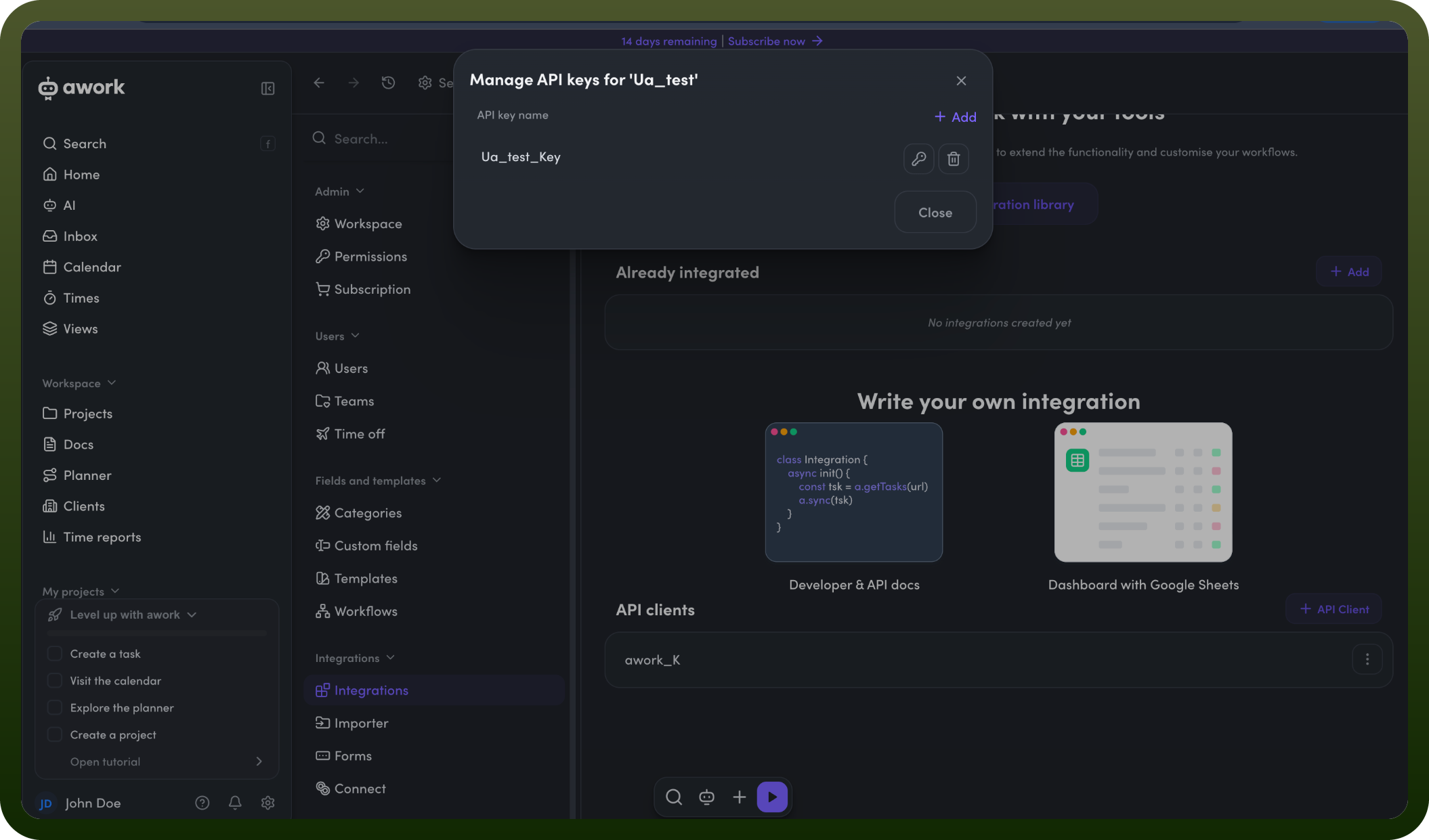
Step 1: Generate an API Key
Log into your awork workspace
Go to Settings > Integrations
Click Manage API Keys
Create a new API key
Step 2: Use the Key Include the API key in the Authorization header:
Authorization: Bearer YOUR_API_KEY
OAuth 2.0/2.1 Authentication
User-specific tokens that respect roles and permissions. Recommended for user-facing integrations.
Recommended Flow: Authorization Code Flow with Proof Key for Code Exchange (PKCE)
Endpoints:
Authorization Endpoint: https://api.awork.com/api/v1/accounts/authorize
Token Endpoint: https://api.awork.com/api/v1/accounts/token
Scopes:
full_access - Full workspace access
offline_access - Refresh token capability
Client Types:
Confidential: Backend applications (requires client secret)
Public: Web, mobile, and CLI applications
Token Lifetimes:
Access Token: Short-lived (approximately 1 day)
Refresh Token: 30-day expiration (renewed on use)
Authorization Code: Transitory, not stored
Actions
Action Name | Description |
|---|---|
Create a project | Creates a new project in Awork |
Create a task | Creates a new task in Awork |
Delete a project | Deletes the project with specified ID in Awork |
Get a project | Gets the project with specified ID in Awork |
Get a task | Gets the task with specified ID in Awork |
Search projects | Search projects in Awork |
Search users | Search users in Awork |
Update a project | Updates the project with specified ID in Awork |
Update a task | Updates the task with specified ID in Awork |
Triggers
Trigger Name | Description |
|---|---|
New project | This trigger will be invoked when a new project is created in Awork |
New task | This trigger will be invoked when a new task is created in Awork |
New time entry | This trigger will be invoked when a new time entry is created in Awork |
Updated project | This trigger will be invoked when a existing project is updated in Awork |
Updated task | This trigger will be invoked when a existing task is updated in Awork |
Updated time entry | This trigger will be invoked when a existing time entry is updated in Awork |
About the API
The awork API provides a resource-based architecture for:
Workspace Management: Manage workspace data and configuration
User-Specific Access: Data scoped to user roles and permissions
Project Management: Create and manage projects
Task Management: Task creation and tracking
Team Collaboration: Cross-team work and communication
For complete API reference documentation, visit https://developers.awork.com/apiv1