


Use the UpLead connector to find B2B leads and contact data.
Integrating your application with UpLead lets you use these operations in an automation. It exposes 10 actions, listed below. Add the connector from the Connections area, authenticate, then select its operations in the automation builder. Capabilities: actions.
Authentication
Before you begin, make sure you have the following information:
Connection Name: Choose a meaningful name for your connection. This name helps you identify the connection within your application or integration settings.
Authentication Type: The authentication method for this connector is defined in the connection setup. Select the connector in the Connections area to see the fields it requires.
Obtaining Your API Key
Log in to your UpLead account.
In the bottom-left corner of the screen, click the arrow (>) button to expand the account menu.
Select Profile from the expanded menu.
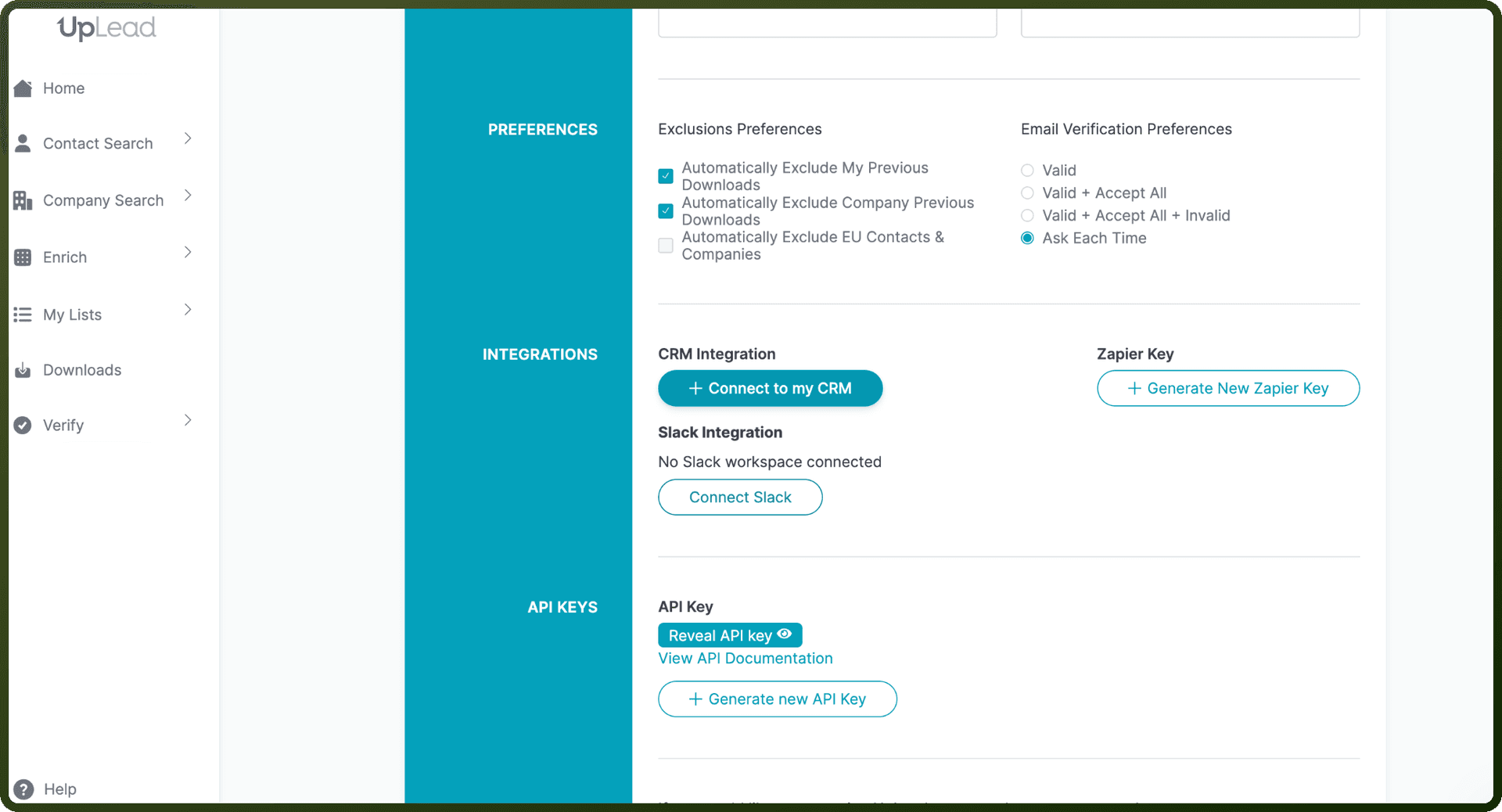
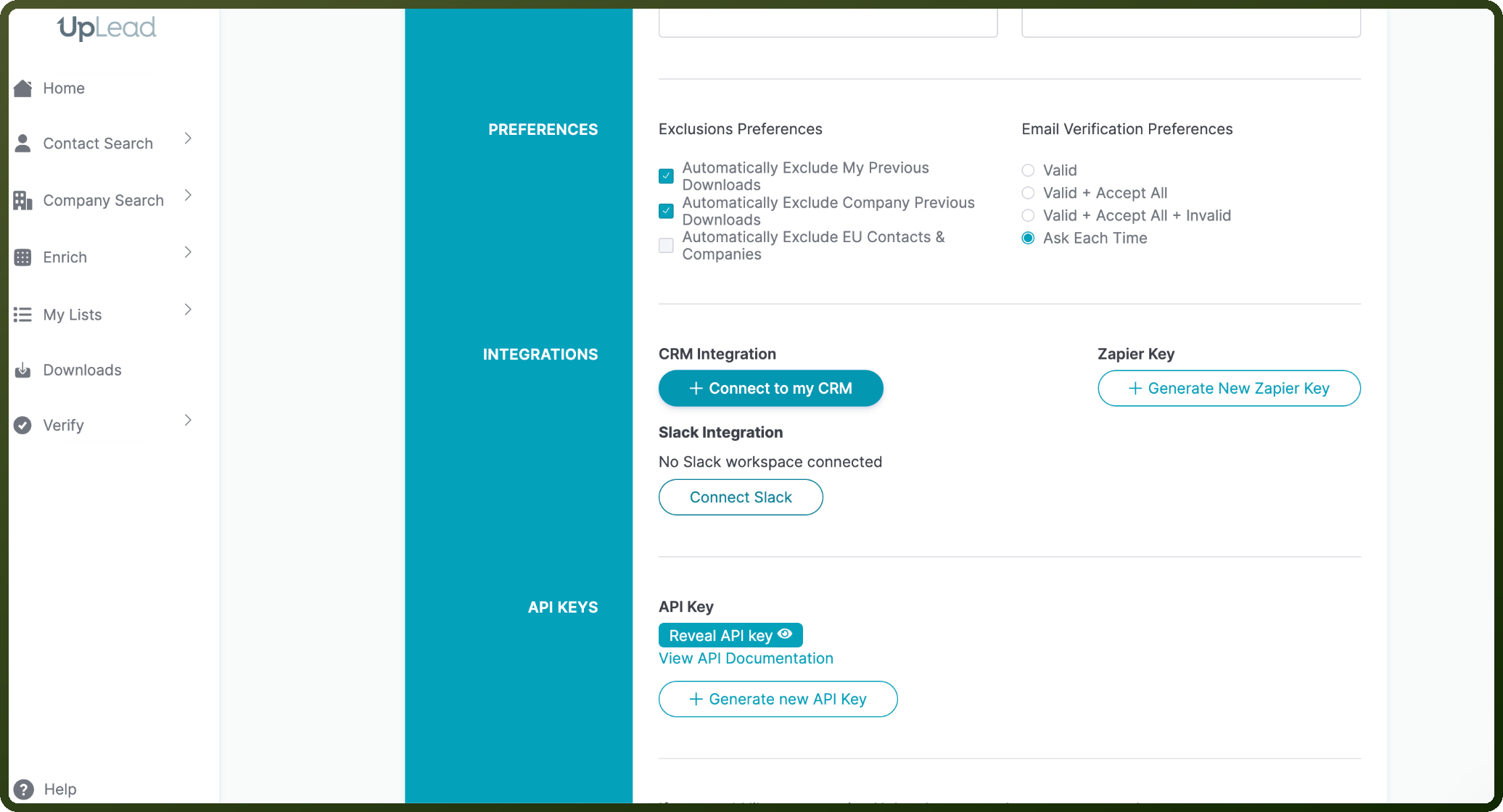
Open the Integrations and API Keys section.
Click Generate New API Key to create a new key (or Reveal API Key to view an existing one).
Copy the API key and store it securely for further authentication purposes.
Authentication & setup
UpLead uses API Key-based authentication for all API requests.
Getting Credentials:
Request a free API key via their signup form: https://forms.gle/cMKiUHAUsiAnf1Gb8
Credentials are available in your account settings
Implementation: Include your API key in the Authorization header for every request:
Authorization: myapikey
Actions
Action Name | Description |
|---|---|
Create combined search | Creates a combined search request in UpLead |
Create company name to domain | Creates a company name to domain request in UpLead |
Create company search | Creates a company search request in UpLead |
Create industries | Searches for industries in UpLead |
Create person search | Creates a person search request in UpLead |
Get combined search | Gets combined person and company data by email from UpLead |
Get company name to domain | Gets company domain and logo from an exact company name from UpLead |
Get company search | Gets company data by domain, company name, or internal id from UpLead |
Get industries | Gets industry search results from UpLead |
Get person search | Gets person details from UpLead |
About the API
UpLead is a B2B data lookup and prospecting platform providing access to a comprehensive database of contacts and companies.
Core Capabilities:
Lookup APIs
Company Search: Find company details via domain, company name, or ID (location, employees, revenue, social links, etc.)
Person Search: Retrieve contact information via email or name + domain
Combined Search: Fetch person and company data simultaneously
Prospecting & Bulk Search
Prospector API: Find contacts within a company by job function, title, management level, and location
Prospector Pro API: Advanced filtering with industry, business type, employee count, revenue ranges
Quick Search API: Flexible search for contacts or companies with multiple filter options
Utility APIs
Company Logo: Retrieve company logos by domain (free with attribution required)
Company Name to Domain: Convert company names to website domains
Industries Search: Look up industry classifications
Lists API: Create, manage, and organize contact lists
Rate Limits: 500 requests per minute
Billing Model: One credit per contact/company record retrieved (valid emails only)