


Aircall is a cloud-based phone system designed for sales and support teams. It enables businesses to manage inbound and outbound calls, track call activities, integrate with CRM and helpdesk platforms, and analyze team performance through real-time analytics and reporting. By integrating Aircall APIs, you can access call logs, manage users, retrieve call recordings, track call activities, and automate workflows related to customer communication.
Authentication
Before you begin, make sure you have the following information:
Connection Name: Choose a descriptive name for your connection, such as “Aircall Connection”. This helps you easily identify the connection within your integration settings.
Authentication Type: Aircall supports Basic authentication.
Basic auth:
Log in to your Aircall Dashboard.
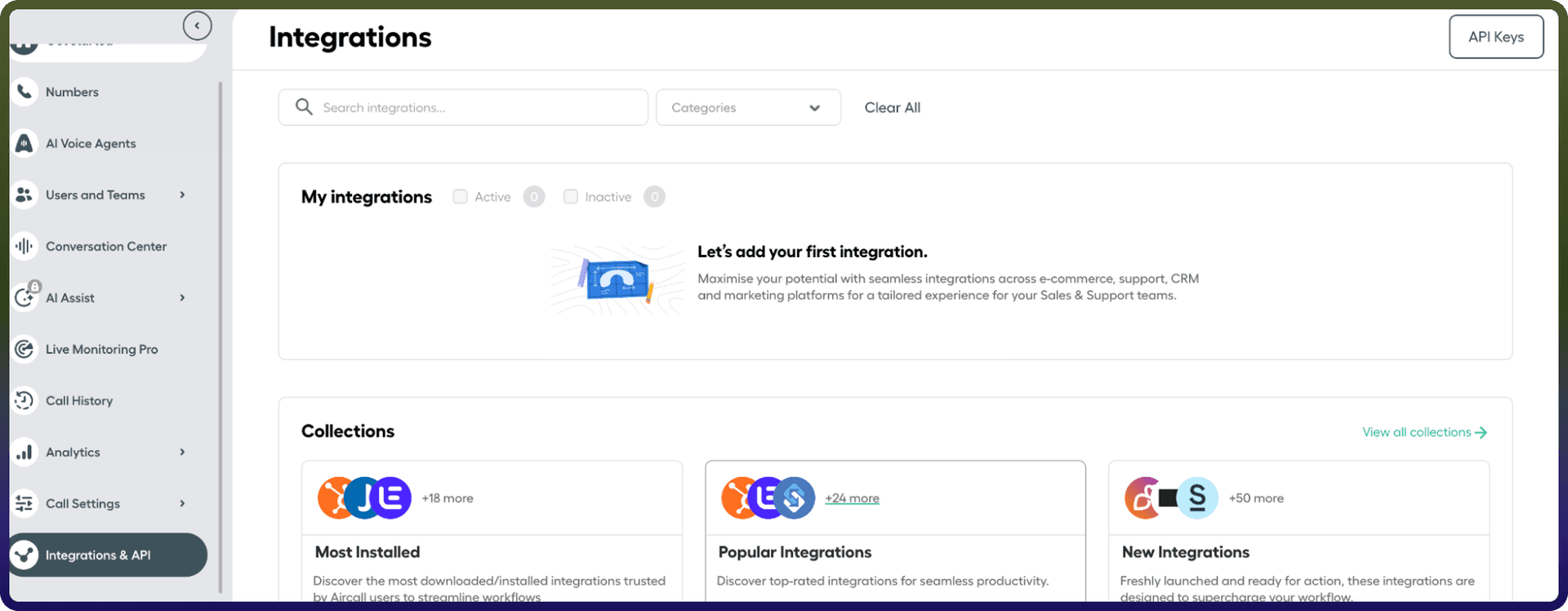
Click Integrations & API from the left sidebar.
Select API Keys.
Click Create API Key.
Copy the generated API ID and API Token.
Actions:
Action Name | Description |
| Add User to a team in Aircall |
| Check the availability of a user |
| Create a new team in aircall |
| Create a new user in aircall |
| Delete an existing user in aircall |
| Delete a team in aircall |
| List all teams in aircall |
| List all users in aircall |
| Removes a user from a team in Aircall |
| Retrieve a team in aircall |
| Update an existing user in aircall |