


Freshsales is a Customer Relationship Management (CRM) software that helps sales teams manage leads, track emails, and visualize their sales pipeline. It includes AI-powered insights, automation tools, and an integrated calling system. The platform enables businesses to streamline their sales processes and close more deals efficiently.
Freshsales offers a built-in phone and email system with AI-driven lead scoring, giving sales teams a faster and smarter way to prioritize and connect with prospects—all in one platform.
Authentication
Before you begin, make sure you have the following information:
Connection Name: Choose a meaningful name for your connection. This name helps you identify the connection within your application or integration settings. It could be something descriptive like ‘Freshsales Connection’.Authentication Type: Freshbooks API uses API Token for authentication.
API Token
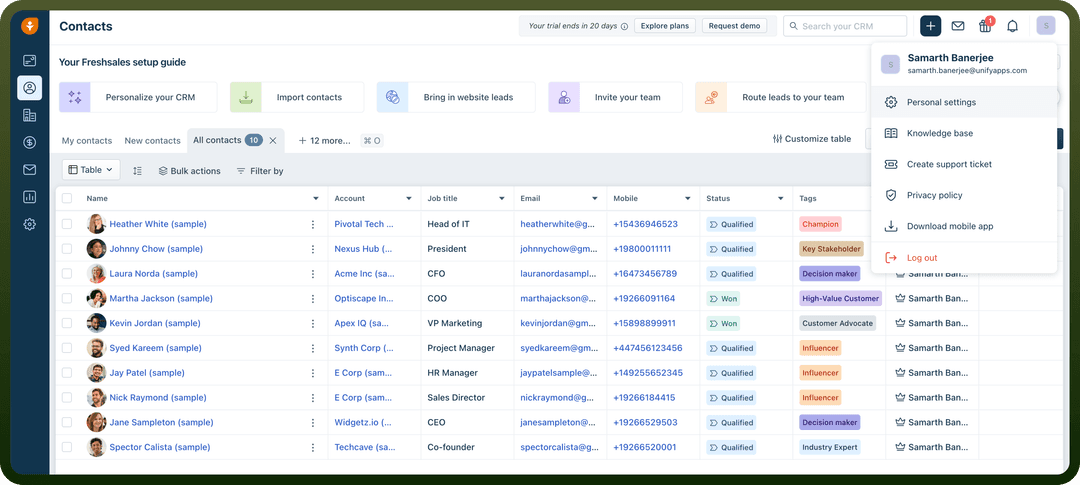
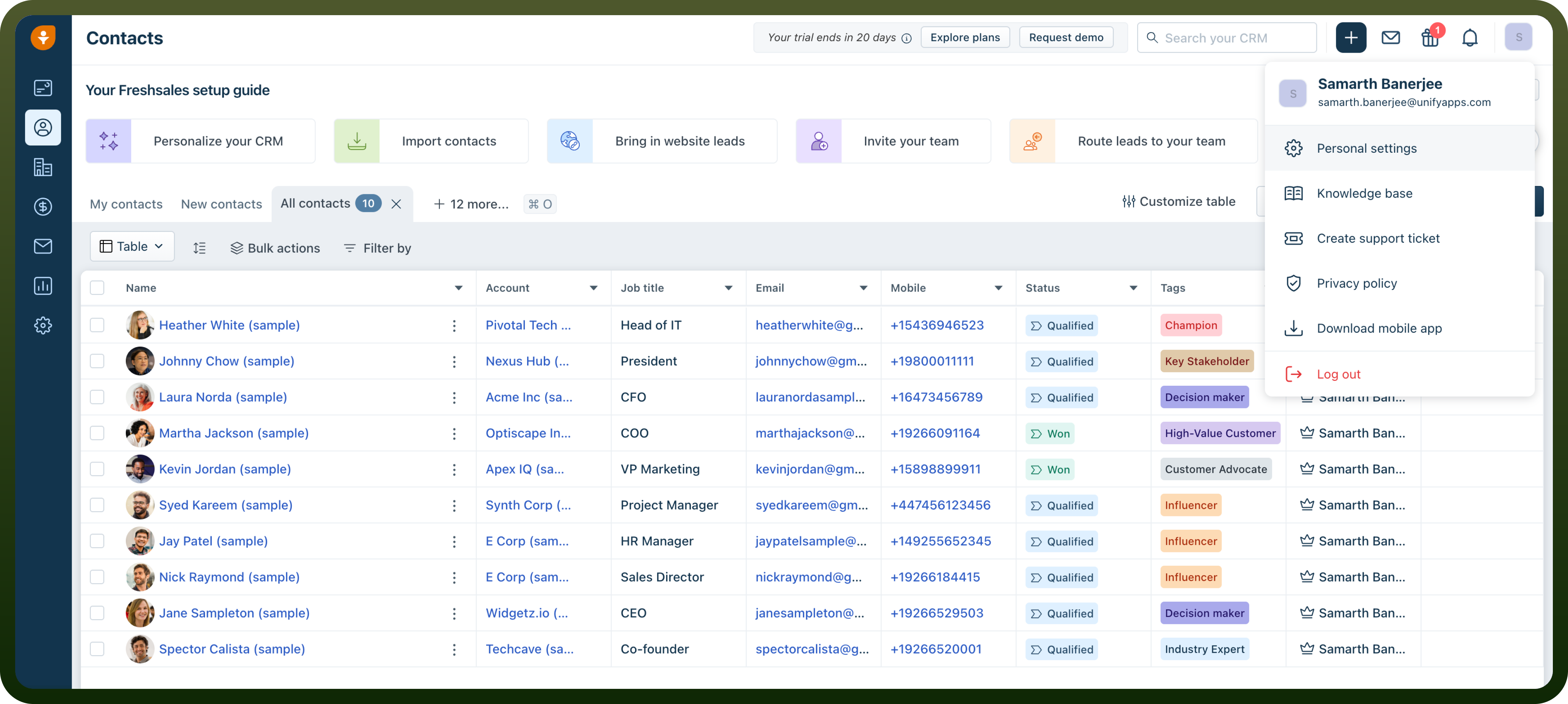
Log in to your Freshsales account and click on the ‘
profile icon’ at the top right corner.Navigate to ‘
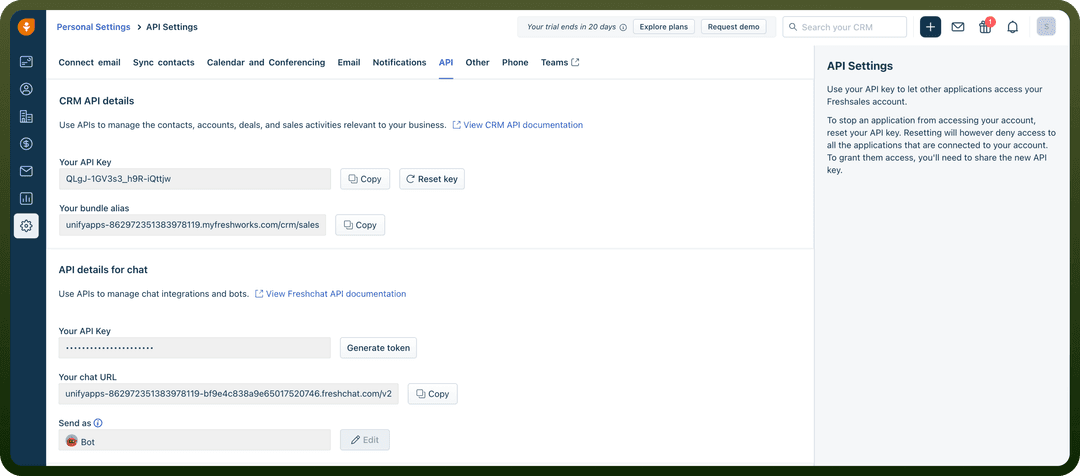
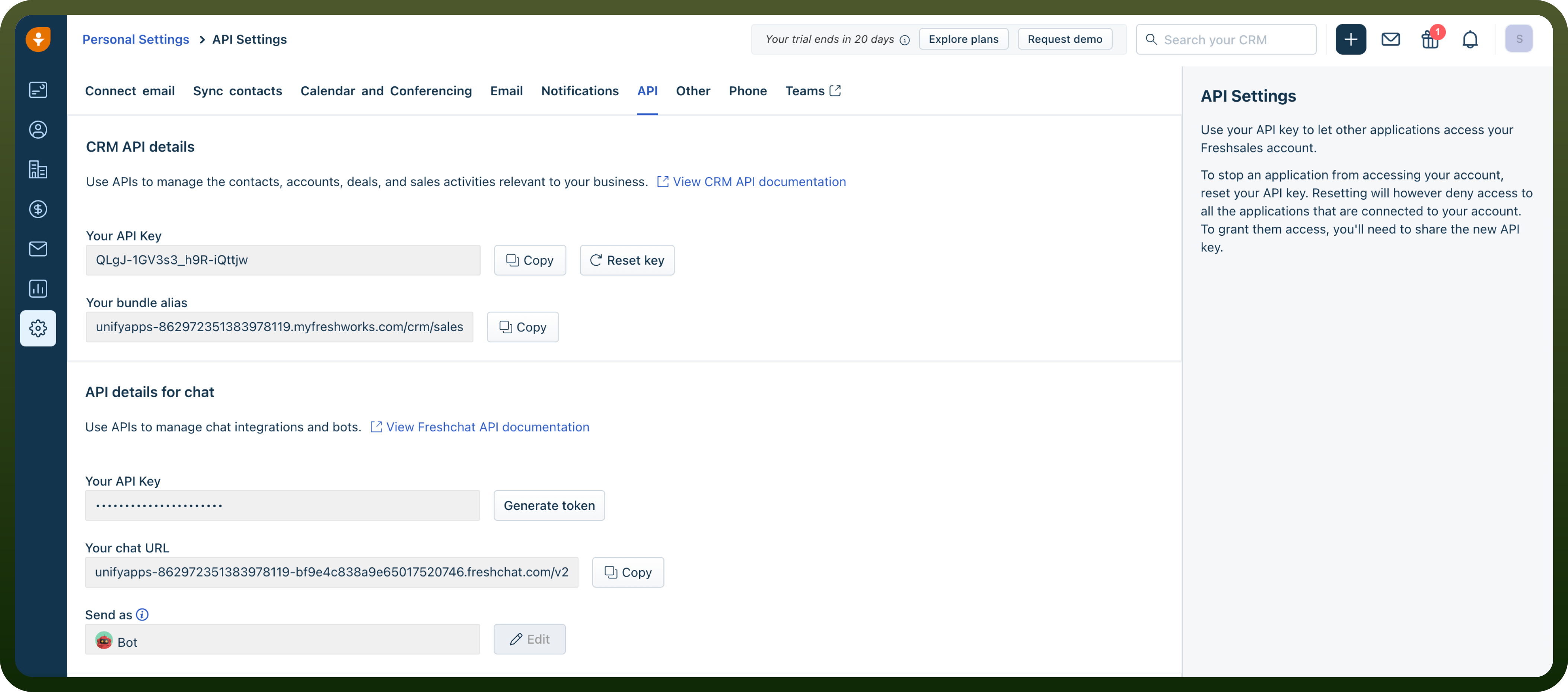
Personal Settings’ from the dropdown menuIn the ‘
Personal Settings’ page, navigate to the ‘API’ tabAPI Token will be created, copy and store securely for further use.
Actions
| Actions | Description |
Create sales account | Creates a sales account in Freshsales |
Create task | Creates a task in Freshsales |
Delete contact | Delete contact in Freshsales |
Delete custom module record | Deletes a custom module record in Freshsales |
Delete deal | Delete deal in Freshsales |
Delete note | Deletes a note in Freshsales |
Delete sales account | Delete sales account in Freshsales |
Delete sales activity | Deletes a sales activity in Freshsales |
Delete task | Deletes a task in Freshsales |
Get contact details | Gets contact details from Freshsales |
Get custom module record details | Gets custom module record details from Freshsales |
Get deal details | Gets deal details from Freshsales |
Get sales account details | Gets sales account details from Freshsales |
Get sales activity details | Gets sales activity details from Freshsales |
Get task details | Gets task details from Freshsales |
Lookup search | Retrieve list of records details in Freshsales |
Remove contacts from a marketing list | Remove contacts from a marketing list in Freshsales |
Search contacts | Search contacts in Freshsales |
Search deals | Search deals in Freshsales |
Search records by query | Retrieve list of records by query in Freshsales |
Search sales accounts | Search sales accounts in Freshsales |
Search tasks | Search tasks in Freshsales |
Update contact | Update contact in Freshsales |
Update custom module record | Updates a custom module record in Freshsales |
Update marketing list | Updates a marketing list in Freshsales |
Update note | Updates a note in Freshsales |
Update task | Updates a task in Freshsales |
Upsert contact | Upsert contact in Freshsales |
Upsert deal | Upsert deal in Freshsales |
Upsert sales account | Upsert sales account in Freshsales |
Move contacts to a marketing list | Mode contacts to a marketing list in Freshsales |
Add contacts to a marketing list | Add contacts to a marketing list in Freshsales |
Clone contact | Clone contact in Freshsales |
Create contact | Create contact in Freshsales |
Create custom module record | Creates a custom module record in Freshsales |
Create marketing list | Creates a marketing list in Freshsales |
Create note | Creates a note in Freshsales |