


Mask PII in PDF detects and redacts personally identifiable information — including identifiers such as Social Security Numbers — from PDF documents, producing a sanitized copy safe for downstream sharing, indexing, or storage.
Overview
The Mask PII in PDF operation is a self-contained data-privacy utility in the Unify AI toolkit. It scans a PDF for configured PII patterns and replaces matching content with redaction marks, returning a masked version of the document. The original source file is not altered — only the output copy carries the redactions.
Use this operation before sharing, indexing, or storing PDFs that may contain sensitive personal data. Because masking acts on the document's embedded text layer, detection reliability is higher for digitally produced PDFs than for scanned or image-based pages.
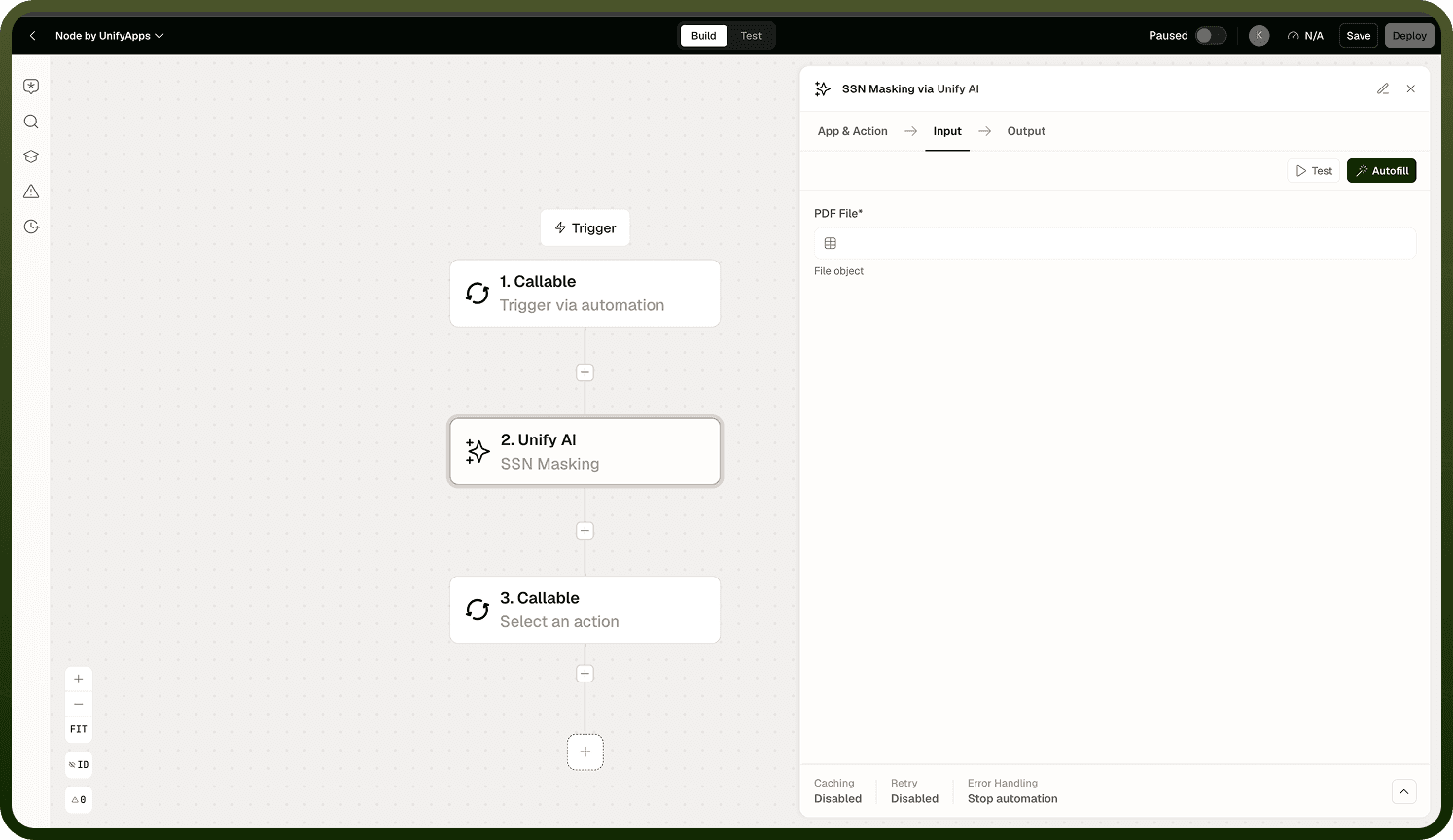
Input
Field | Type | Required | Description |
|---|---|---|---|
PDF File | file | Yes | The PDF document to scan for PII and redact. |
PII Types | array | No | The categories of PII to detect and redact (for example, SSN). When omitted, the operation applies its default detection set. |
Output
Returns the masked PDF with identified PII replaced by redaction marks. The document structure and all non-PII content are preserved in the output.
Notes
Masking is applied to the output document only — the original source file is not modified.
Social Security Numbers (SSNs) are an explicitly supported PII type.
Detection reliability is higher for embedded text than for text within scanned or image-based pages.
This operation does not store or transmit the detected PII values; it only redacts them from the output copy.
Combine with Read PDF Pages or Read Document in the same pipeline if you also need the plain text content from the masked document.