


The Encryption Tools node encrypts and decrypts data using standard ciphers — for protecting values at rest, exchanging encrypted payloads with a system that shares a key, or meeting a field-level encryption requirement. Key material is supplied through a connection. All encrypted output is Base64-encoded so it is safe to store and transport as text.
Overview
Supported algorithms:
AES — symmetric encryption using a shared key; supports 128-bit, 192-bit, and 256-bit key lengths.
RSA — asymmetric encryption using a public/private key pair; suited to small payloads such as keys or tokens.
AES with hash — AES encryption that also returns a hash of the plaintext for integrity verification.
Connection
The Encrypt and Decrypt actions read their key material from a connection configured for the Encryption Tools node — the key itself (and, for RSA, the public/private key pair) is stored there, not entered as an action input. The algorithm, key length, mode, and initialization vector used for a given call are also configured on this connection, not on the action itself:
Connection Field | Description |
|---|---|
Algorithm | AES, RSA, or AES with hash. Must match the algorithm the other side of the exchange expects. |
Key length (AES) | 128, 192, or 256 bits, matching the key configured on this connection. |
Mode (AES) | The block cipher mode: GCM (recommended — authenticated), CBC, CTR, or ECB (avoid unless a legacy system requires it). |
Initialization vector (IV) | Required for GCM, CBC, and CTR modes. Must be the correct size for the chosen mode. You supply the IV — it is not auto-generated. Use a fresh, unique IV for every encryption. |
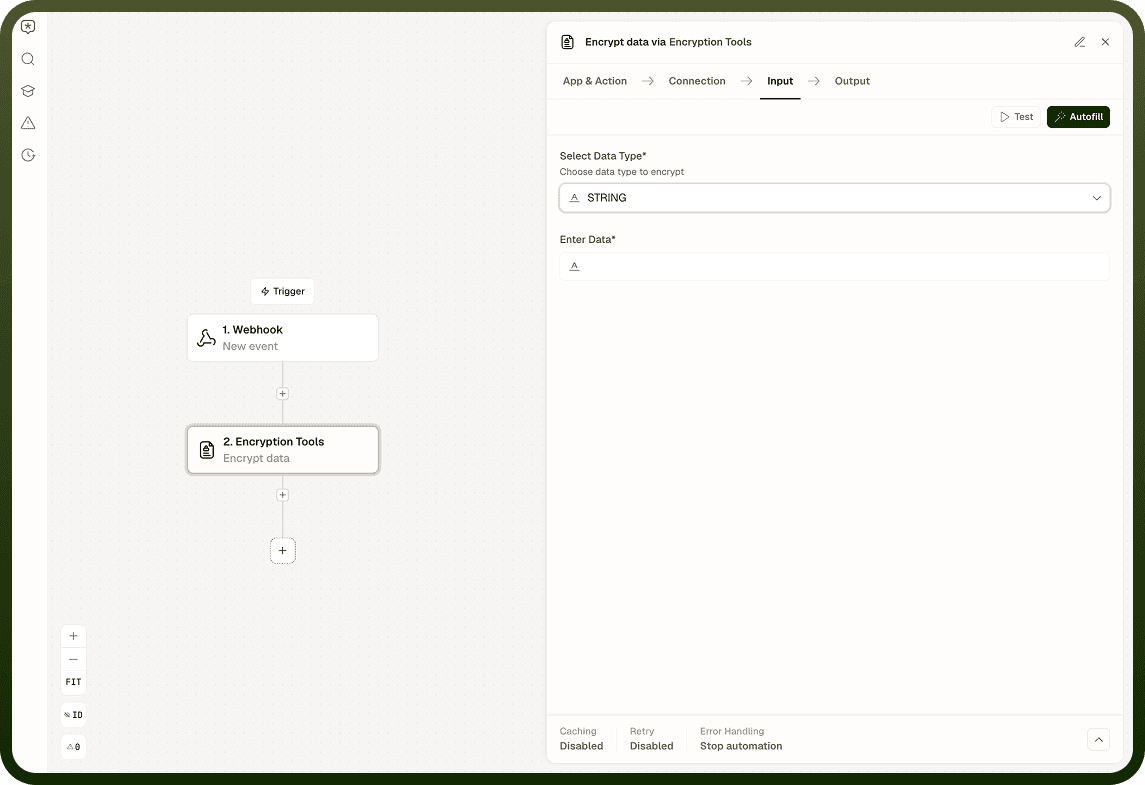
Select this connection when configuring the Encrypt or Decrypt action — the action itself takes only the data to process.
Encrypt
Input Field | Description |
|---|---|
Data | The plaintext value or payload to encrypt. |
Output: The encrypted, Base64-encoded ciphertext. For AES with hash, also returns the hash of the original plaintext.
Decrypt
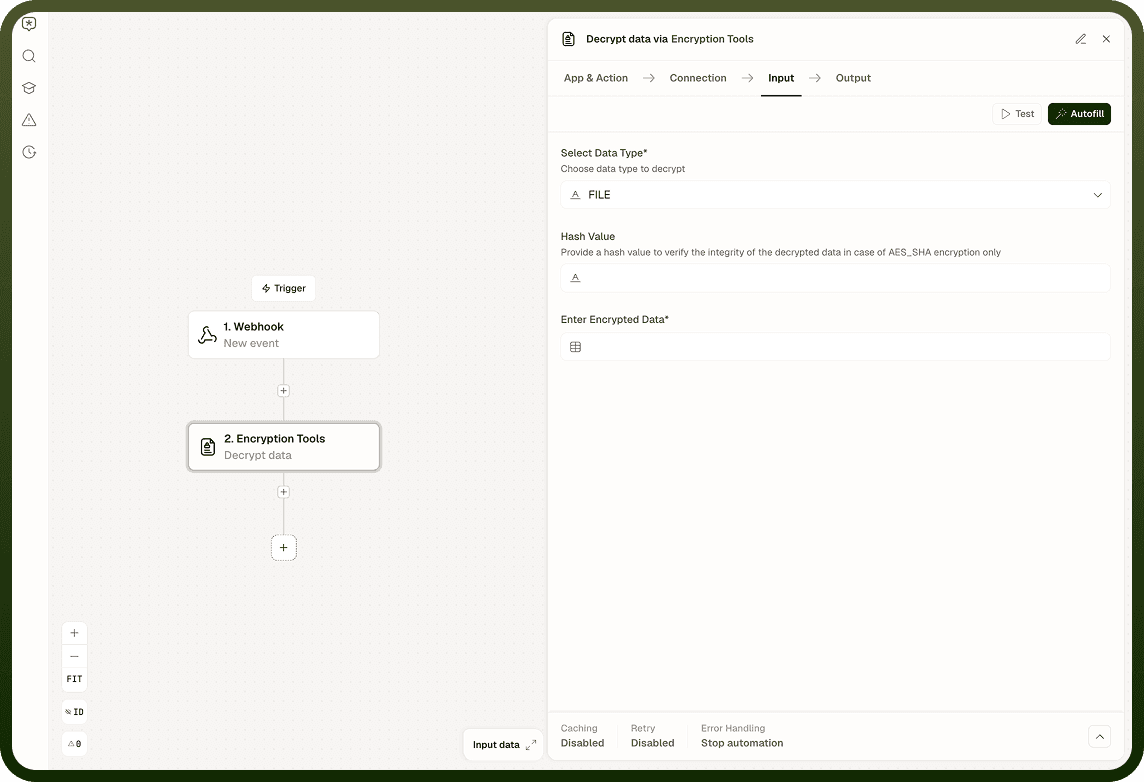
Input Field | Description |
|---|---|
Ciphertext | The Base64-encoded encrypted value to decrypt. |
Output: The decrypted plaintext.
Algorithm and Mode Selection
Option | Guidance |
|---|---|
AES-GCM | Recommended default. Authenticated mode — encrypts and detects tampering without a separate HMAC step. |
AES-CBC | Widely supported. Requires padding; does not include tamper detection — add a MAC if integrity matters. |
AES-CTR | Stream-cipher mode; good for large data. No tamper detection built in. |
AES-ECB | Available for legacy compatibility only. Reveals repeating patterns in plaintext. Do not use for new implementations. |
RSA | For small payloads (keys, tokens). Encrypt with the recipient's public key; decrypt with the matching private key. |
AES with hash | Combines AES encryption with a hash of the plaintext. Useful when the receiver needs to confirm integrity of the decrypted value. |
Notes
The Encryption Tools Node works best when you follow these practices:
The key must match the algorithm exactly. An AES-256 key must be the correct byte length; a key with stray padding or incorrect encoding causes the operation to fail. RSA keys must be in the expected encoded form.
The IV is not auto-generated. You must supply it. Use the correct IV size for the chosen mode, and generate a fresh, unique IV for every encryption call — never reuse the same IV with the same key, particularly in GCM mode where reuse breaks the security entirely.
Decryption must use the same IV that was used during encryption. Store or pass the IV alongside the ciphertext (the IV is not secret, but it must be preserved).
All output is Base64-encoded. The decryption step expects Base64 input and returns the decoded plaintext.
Keys and IVs must be stored in the node's connection. Keep them out of logs and plaintext storage.
RSA is not suited to large files. For bulk data, use AES to encrypt the content and RSA only to encrypt the AES key (key-wrapping pattern).
A well-configured Encryption Tools Node reduces errors and keeps automations maintainable.