


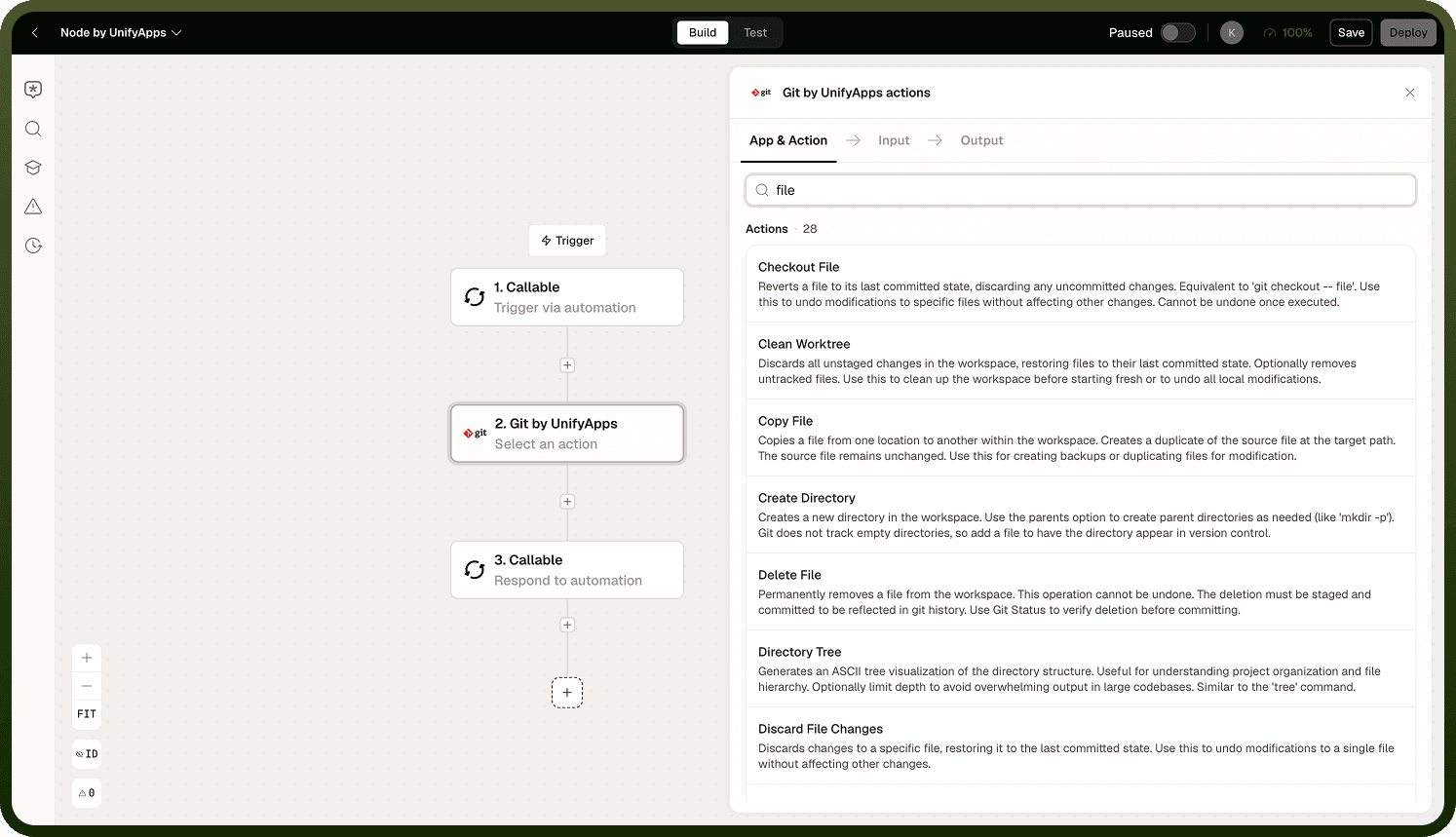
The Git node's Files and Code Operations let an automation read, write, search, and execute files within the session workspace. Use these alongside the version control operations to make meaningful changes to a cloned repository during an automation run.
File Operations
The full set of file manipulation operations available in the workspace:
Files and Code Operations overview
Read — read the contents of a file by path. Returns the file's text content as a data pill.
Write — write content to a file. Creates the file if it does not exist; overwrites it if it does.
Edit — make targeted changes to an existing file without overwriting the whole file. Useful for patching a specific section of a config file or source file.
Copy — copy a file from one path to another within the workspace.
Move — move or rename a file within the workspace.
Delete — remove a file from the workspace.
Make Directory — create a new directory at the specified path.
Directory Operations
List — list the files and directories at a given path (one level deep).
Tree — list the recursive directory structure under a given path, showing all files and subdirectories.
File Info — return metadata for a file: size, last-modified time, and type.
Search Operations
Two search modes let you locate content within the workspace:
Files and Code Operations details
Grep — search file contents using a regular expression pattern. Returns matching lines and their file paths. Use for precise, pattern-based matches.
Find in Files — search file contents using plain text (no regex). Use when you need a simple substring match without writing a regular expression.
Glob — find files by name pattern (e.g., **/*.json, src/**/*.ts). Returns matching file paths, not file contents.
Bash Execute
Run a shell command in the workspace. The command runs with the workspace root as the working directory. The default timeout is 2 minutes; long-running commands that exceed this are terminated. Use Bash Execute for operations that are not covered by the named file operations — running a build script, installing a tool, or calling a CLI.
Note: Bash Execute runs arbitrary shell commands. Ensure the commands are constructed from trusted inputs only — never pass unvalidated user-supplied content directly into a shell command.
Language Server Features
LSP (Language Server Protocol) features — such as go-to-definition, find-all-references, and hover documentation — are not implemented. Operations that request LSP capabilities return a "not implemented" error. Use Grep or Find in Files to locate symbols and references within the workspace instead.
Notes
Keep the following in mind when using Files and Code Operations within the Git node:
All file paths are relative to the workspace root (the cloned repository directory).
Changes made with file operations are not committed automatically — use the Stage and Commit version control operations to record them.
Bash Execute has a 2-minute default timeout; design long-running build steps to complete within that limit or break them into smaller commands.
LSP features are not available; use Grep or Glob for symbol and file lookups.
For committing, pushing, and creating pull requests, see Version Control Operations.