


The On-Prem Commands node runs shell commands and Playwright scripts on an on-prem agent's host, returning the exit code, stdout, and stderr of each run.
Overview
On-Prem Commands routes execution requests through an on-prem agent installed inside your network. The agent opens an outbound connection to the UnifyApps platform and keeps it live; when an automation reaches this node, the platform sends the command to the agent, which runs it locally using the agent's own OS credentials and returns the result. Exit code, stdout, and stderr come back as separate output fields — check the exit code to determine success or failure, and use stderr for diagnostics when the exit code indicates a problem.
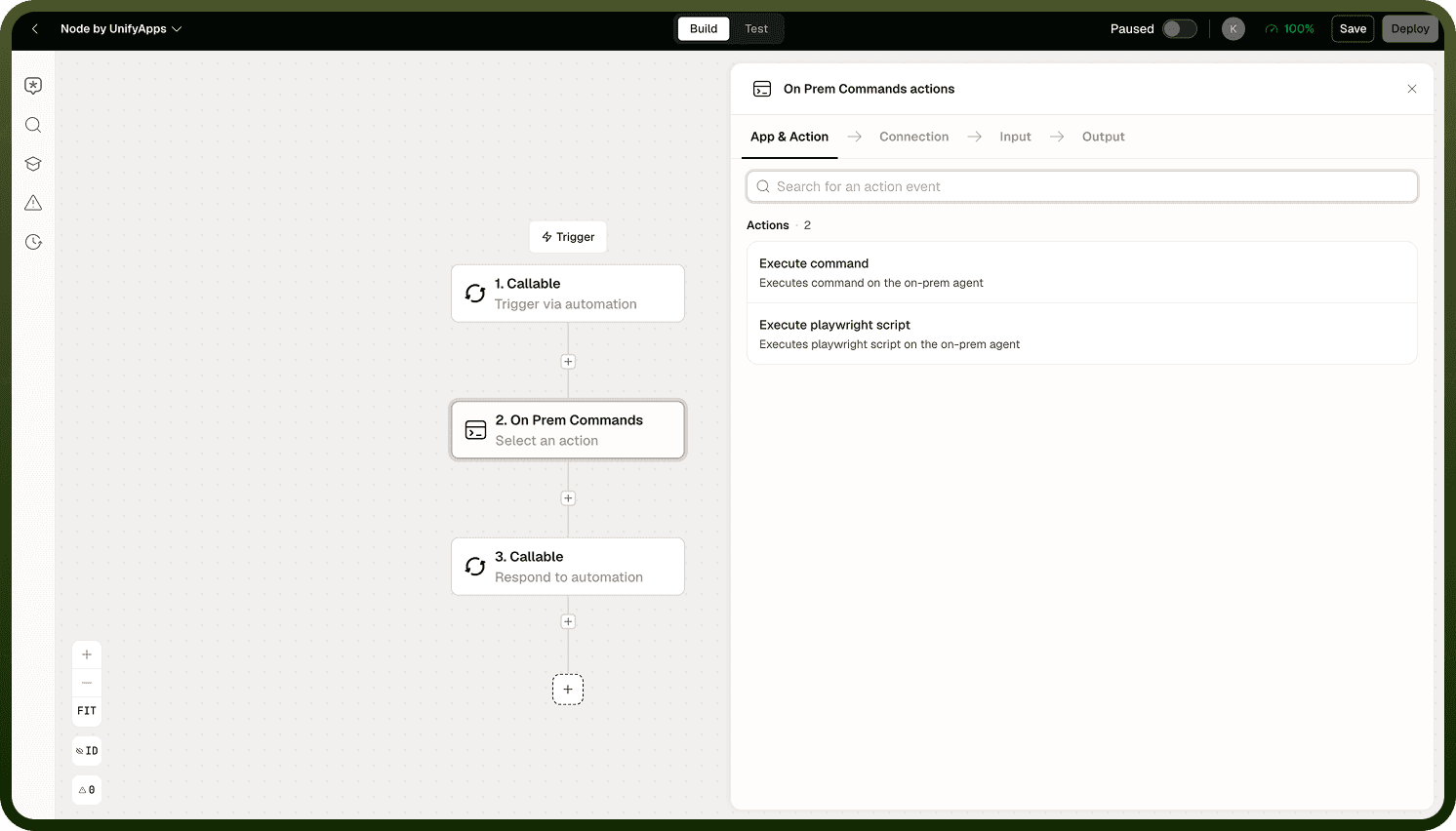
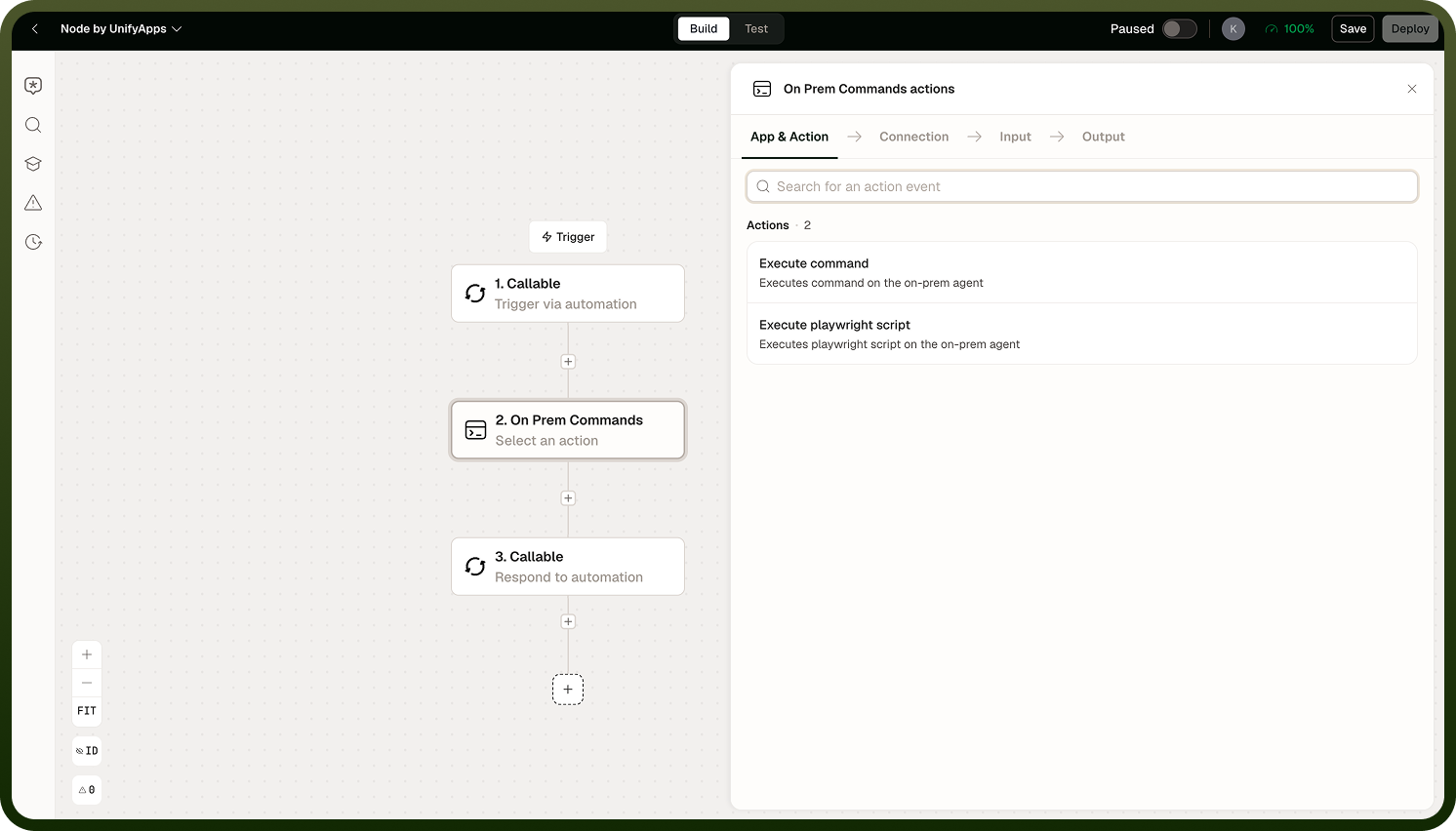
Because the agent initiates an outbound connection only, no inbound firewall openings are required. Use On-Prem Commands to execute scripts, invoke command-line tools, or automate browser interactions against internal systems without those systems being internet-reachable. You select the agent (or agent group) via the Connection setting on the node.
Configuration
Three settings govern how a command runs on the agent's host.
Setting | Description |
|---|---|
Command / Script | The shell command or Playwright script to execute on the agent's host. |
Timeout | Maximum execution time before the node cuts the command off. The default is intentionally short — increase it explicitly for any job that takes more than a few seconds. |
Output Size Limit | Maximum size of captured stdout and stderr combined. Defaults to approximately 5 MB; raise it when the command produces large output, otherwise the output is truncated. |
Commands run with the agent's own OS user permissions. Scope the agent's account carefully — it can only do what its OS user is allowed to do. Apply the principle of least privilege: grant the agent account only the access your automations actually require.
Timeout is short by default: The default timeout is designed for fast commands. Any job that takes more than a few seconds will be cut off unless you explicitly increase the Timeout setting. Set this value to something that covers the expected runtime of your command before deploying.
Playwright Scripts
Instead of a shell command, you can supply a Playwright script. The node executes it on the agent's host using the locally installed Playwright runtime, returning the same exit code, stdout, and stderr fields as a shell command. Use this to automate browser interactions against internal web applications — filling forms, scraping internal portals, navigating internal tools — without those applications being reachable from the internet.
The command runs inside the agent's shell environment, so the script has access to environment variables, the local file system (within the agent's permissions), and any other resources available to the agent's OS user.
Playwright prerequisites: Playwright and its required browser binaries must be installed on the agent host and accessible to the agent's OS user. Verify the Playwright version and browser dependencies before using Playwright scripts in production.
Notes
The default timeout is short by design. Increase the Timeout setting explicitly for any command that takes more than a few seconds — otherwise it will be cut off before it finishes.
Output is capped at approximately 5 MB by default. If your command produces large output, raise the Output Size Limit; otherwise the output is truncated and downstream nodes receive an incomplete result.
Commands run as the agent's OS user. Apply the principle of least privilege to the agent account — it can only do what that user is permitted to do on the host.
For Playwright scripts, the Playwright runtime and required browser binaries must be installed on the agent host before use.
Check the exit code output field to determine whether the command succeeded; a non-zero exit code typically indicates failure. Use stderr for detailed error information.
Piped commands, redirects, environment variables, and other shell constructs work as they would in a terminal session on the agent host.