


Create Record adds a new row to a UnifyApps Storage object, populating it with the field values you supply via data pills from earlier automation steps.
Overview
The Create Record action writes a single new record to a chosen Storage object. You map field values using data pills from earlier steps in the automation. Per-field options let you control how empty and null values are handled: Skip if blank leaves the field unset when the incoming value is empty or null, and Unset if null removes the field entirely when the value is genuinely null. An empty string is always stored as-is — it is not treated as null and does not clear a field. The platform generates a record ID automatically; you do not need to supply one.
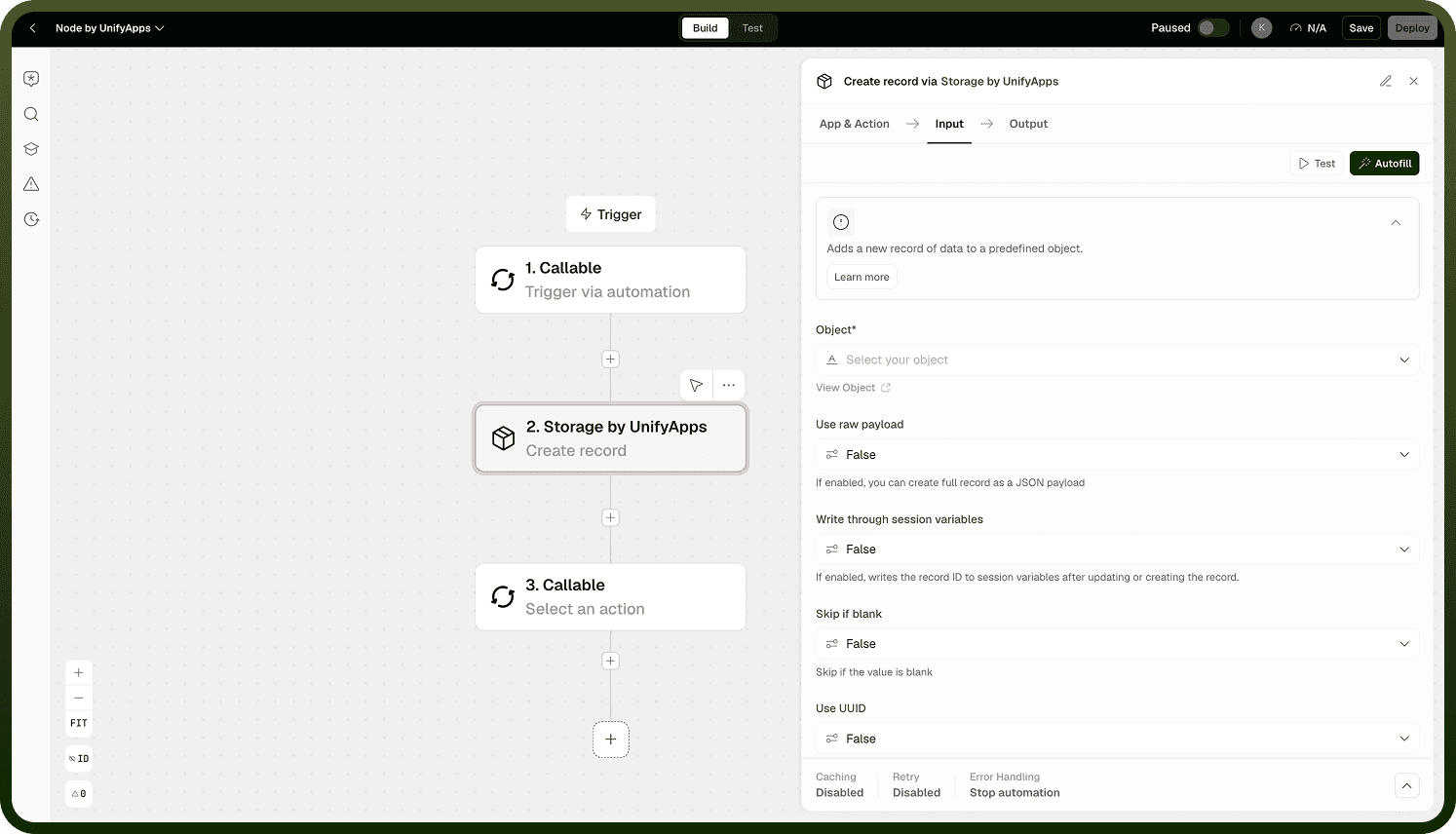
Input
Field | Description | Required |
|---|---|---|
Object | The Storage object (table) to write the new record into. | * |
Fields | Key-value pairs defining the new record's data. Map values using data pills from earlier automation steps. | * |
Skip if blank | Per-field option. When enabled for a field, the field is omitted from the new record if its incoming value is empty or null. | |
Unset if null | Per-field option. When enabled and the incoming value is genuinely null, the field is removed rather than stored as null. |
Output
The newly created record, including its system-generated record ID and all stored field values. Use the returned ID in downstream steps to reference, update, or delete this specific record.
Notes
Keep the following in mind when using Create Record.
A record ID is generated automatically by the platform — you do not need to supply one when creating a record.
An empty string is stored as-is and is not treated as null; storing "" means storing an actual empty string, not clearing the field.
Use Skip if blank when you want to omit a field from the new record rather than store an empty value.
Use Unset if null when the incoming value may be null and you want the field absent from the record rather than stored as null.
Field values are mapped using data pills from earlier automation steps — for example, a trigger payload or a previous node's output.
Choose blank and null handling deliberately: store "" to mean an actual empty string, use Skip if blank to mean "don't include this field," and use Unset if null to mean "remove this field when the value is null."