


Execute REST Request sends a standard HTTP call to any URL with full control over the method, headers, query parameters, and body. Use it to call any REST API endpoint that does not require file uploads or streaming responses.
Overview
The Execute REST Request action is the standard, general-purpose HTTP call within the Custom HTTP node. You specify the HTTP method, the endpoint URL, any request headers, query parameters to append to the URL, and an optional request body. The remote server's response — including its status code, headers, and body — is returned as output for use in subsequent steps.
HTTP error statuses such as 4xx and 5xx are returned as part of the response rather than being raised as automation failures. This lets your automation inspect the status code and take the appropriate action — retry on a 429, handle a 404 differently from a 401 — rather than stopping unconditionally on any error response.
Input
Field | Description | Required* |
|---|---|---|
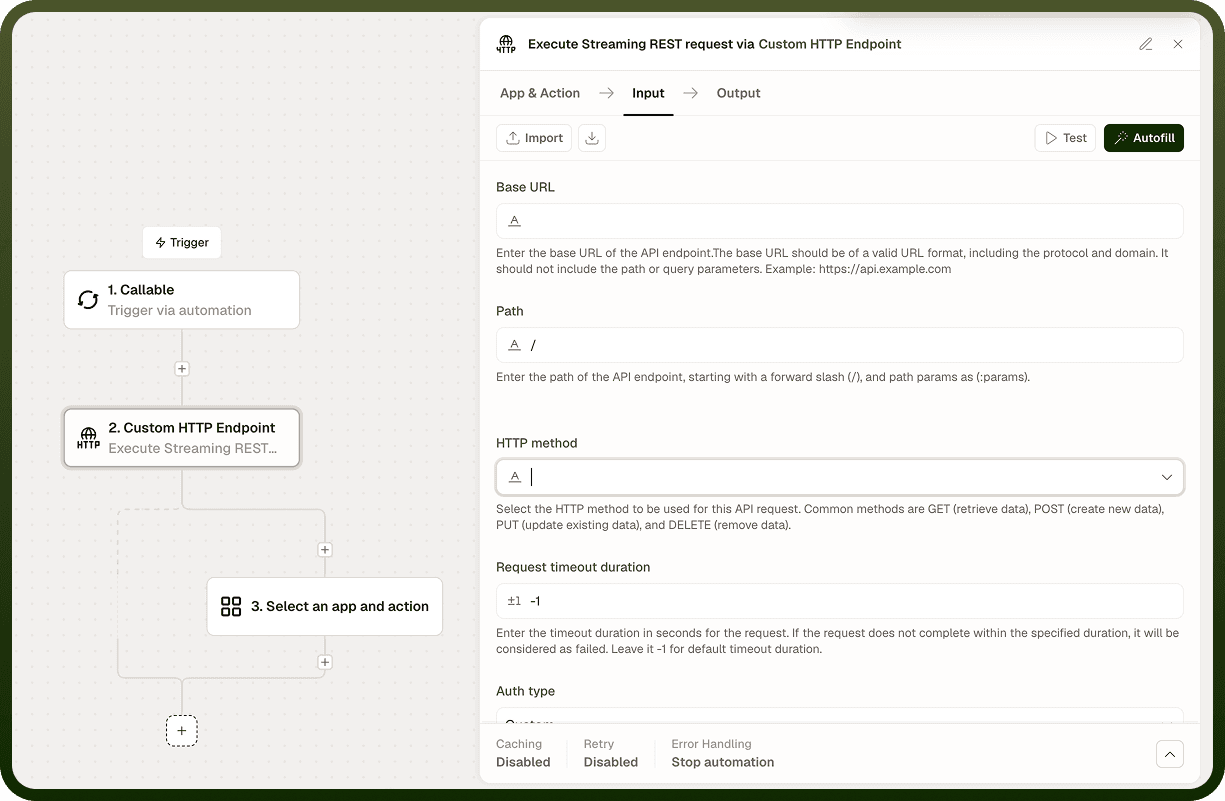
Method | HTTP method for the request: GET, POST, PUT, PATCH, DELETE, HEAD, or OPTIONS. | Yes |
URL | The full endpoint URL for the request (e.g., https://api.example.com/users/123). | Yes |
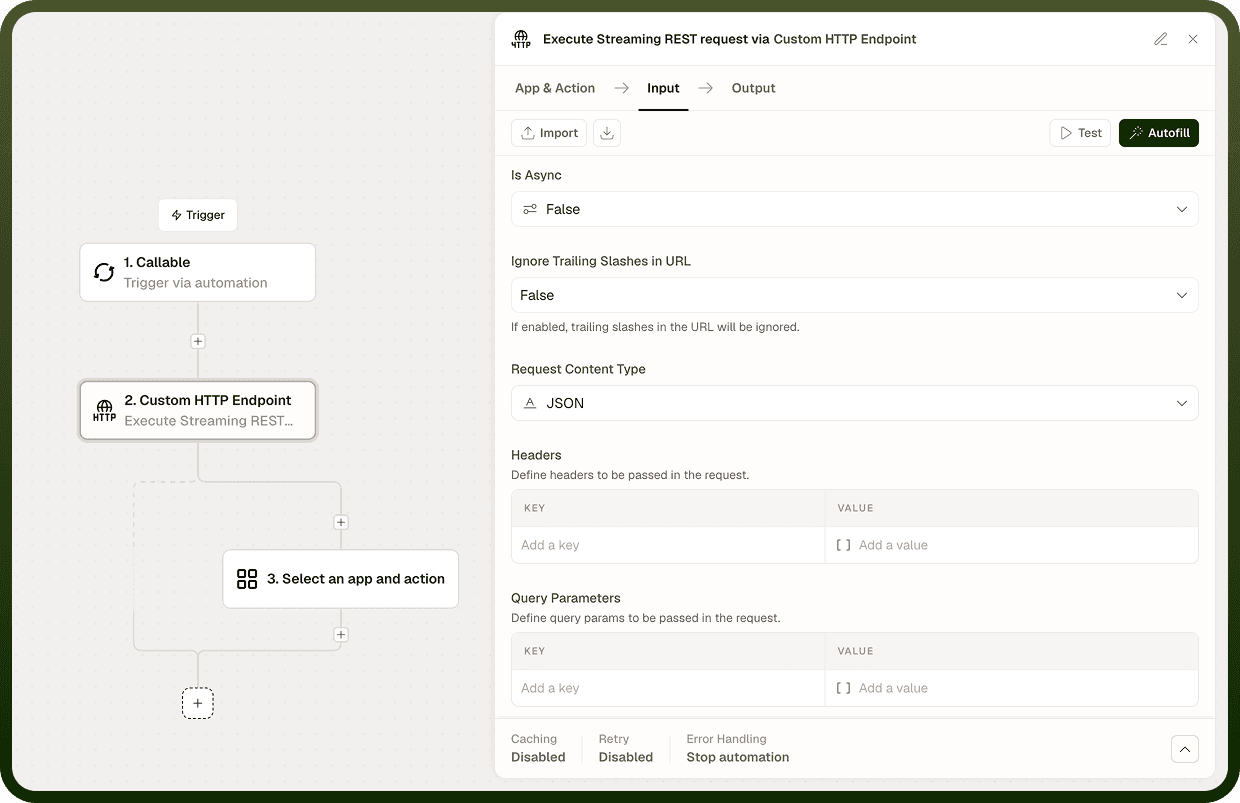
Headers | Key-value pairs added to the HTTP request headers, such as Content-Type, Accept, or Authorization. | No |
Query Parameters | Key-value pairs appended to the URL as a query string (e.g., page=1&limit=25). Values are URL-encoded automatically. | No |
Request Body | The body payload sent with the request. Typically JSON or plain text; set Content-Type in Headers to match the body format. | No |
Authentication Type | Authentication scheme: None, Basic, or Custom. | No |
Username | Username for Basic authentication. Active only when Authentication Type is Basic. | No |
Password | Password for Basic authentication. Active only when Authentication Type is Basic. | No |
Custom Auth Configuration | Configuration object for a custom authentication scheme. Active only when Authentication Type is Custom. | No |
SSL Verification | Verify the server's TLS certificate. Enabled by default; disable only in fully trusted, non-production environments. | No |
Proxy URL | Route the request through an HTTP or HTTPS proxy. Use when the target host is reachable only via a proxy. | No |
Run Asynchronously | Execute the request in the background; the automation continues immediately and the response is delivered when the call completes. | No |
Execute REST Request node Input tab showing method, URL, headers, query parameters, and request body configured
* Required fields must be populated for the node to run.
Output
Field | Description |
|---|---|
Status Code | The HTTP status code returned by the remote server (e.g., 200, 404, 500). |
Response Body | The raw response body as a string. Parse it in a subsequent step to access nested fields. |
Response Headers | A map of the response header names and values returned by the server. |
Notes
GET and HEAD requests should not include a body; body content sent with them may be ignored or rejected by some servers.
Set Content-Type: application/json in Headers when sending a JSON body. The node does not infer Content-Type from the body format.
Query Parameters are URL-encoded automatically. Do not manually encode values already placed in this field — double-encoding will break the request.
HTTP 4xx and 5xx responses are returned in Output and do not halt the node. Check Status Code before treating any response as successful.
The response body is always returned as a raw string. Use a JSON parse expression in the next step to access individual fields.
A connection-level failure (host unreachable, TLS error) is a true node error and halts the automation; this is distinct from an HTTP error status returned by a reachable server.