


The Data Quality node checks data against your organization's rules from inside an automation. It has two operations: Detect Business Term to classify an entity's fields against known glossary terms, and Evaluate Rule to run a data-quality rule against a record and receive a pass, fail, or skipped result. Use it to profile and tag incoming data, and to gate or flag records that do not meet your quality standards.
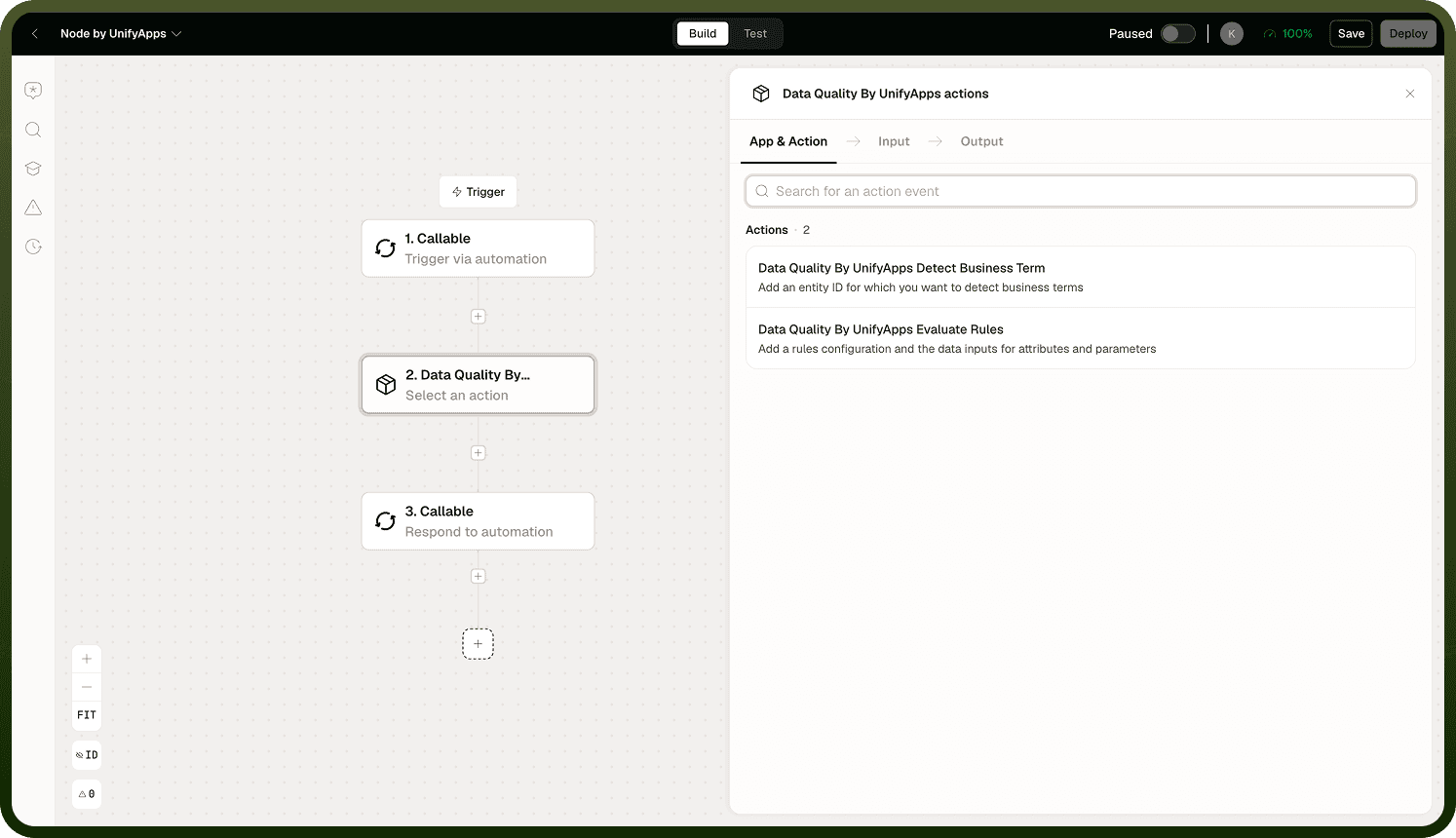
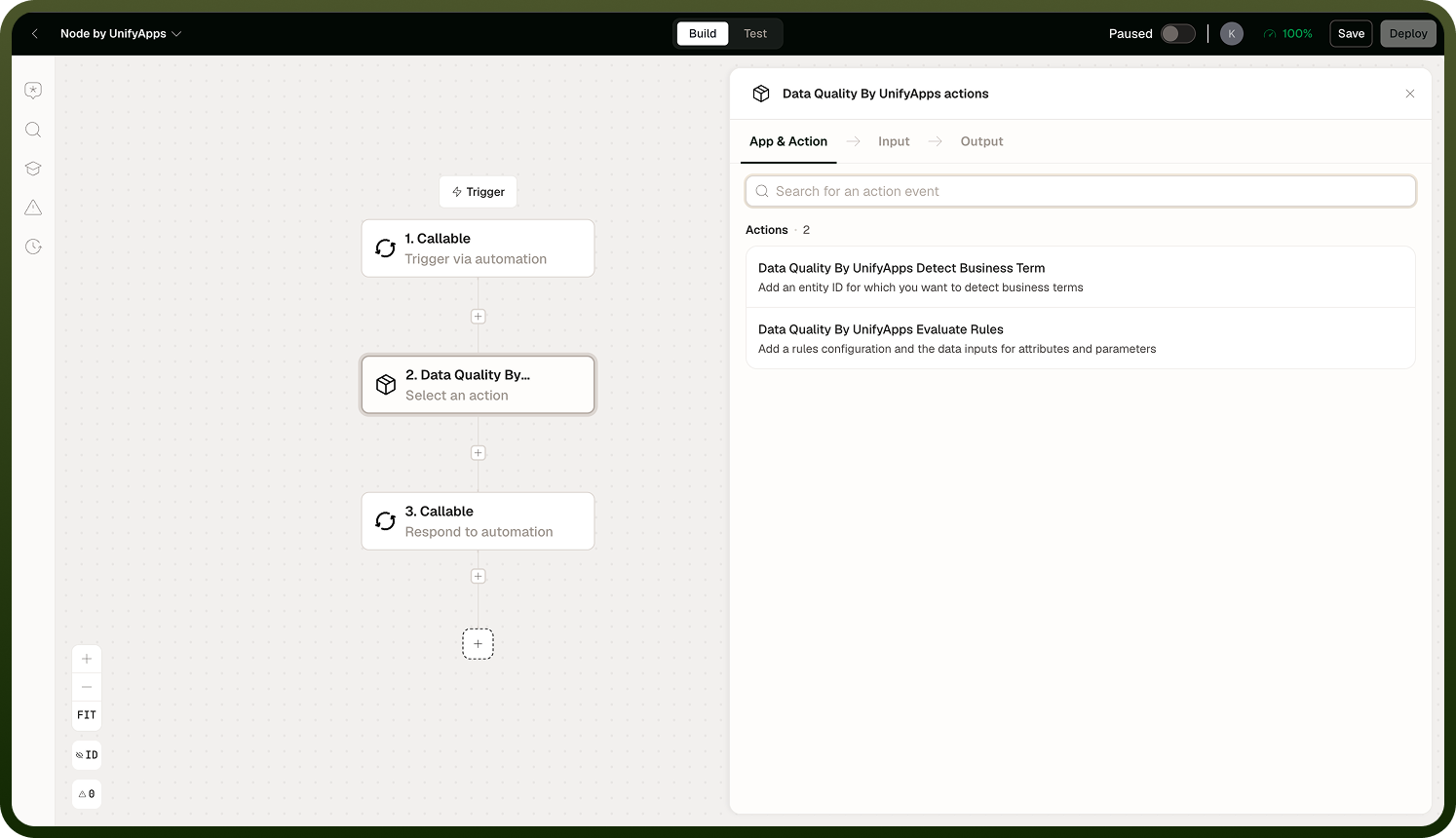
Operations
Detect Business Term — Scans an entity's fields and identifies which ones match known business glossary terms — recognizing, for example, which column holds an email address, an account number, or a customer name. Detection is rule- and pattern-based, not AI inference.
How Detection Works
For each business term, the operation looks at the entity's fields whose data type matches the term's expected type. It then runs the term's filter rules against the field's actual values and counts how many values match. If the proportion of matching values meets or exceeds the configured threshold, the field is tagged with that term.
The default matching threshold is 50% — at least half of the field's sampled values must satisfy the term's filter rules for the tag to be applied. You can override the threshold per term when the default is not appropriate.
Detection works from the data values themselves. Metadata-only detection — inferring a term from column name or type alone — is not currently available.
Input
Input Field | Description |
|---|---|
Entity | The data entity whose fields should be classified against business terms. |
Threshold | Optional. The minimum proportion of matching values required to tag a field. Defaults to 50%. |
Output
Returns the detected business term tags for each field, including which term matched and the match score.
Note: For large entities, detection requires scanning the actual data values — it is not instantaneous. Factor this into your automation's timeout and performance expectations when running detection on high-volume datasets.
Evaluate Rule — Runs a data-quality rule against a record and returns a pass, fail, or skipped result. Rules consist of one or more rulesets — each ruleset is either filter-based (a condition over the record's fields) or template-based (a true/false expression). The operation evaluates rulesets in order and returns the result of the first one that matches.
How Evaluation Works
Short-circuit evaluation: rulesets are evaluated in order; the first matching ruleset's result is returned and evaluation stops. If multiple rulesets could match, only the first one's result counts.
Type coercion: field values are coerced to their declared types before evaluation — ensure your field types are declared correctly on the rule.
Pre-filter: if you supply a record and a pre-filter condition, the rule is only evaluated when the record matches the pre-filter. If the record does not match the pre-filter, the operation returns a "skipped" result rather than evaluating the rulesets.
Input
Input Field | Description |
|---|---|
Rule ID | The ID of the data-quality rule to evaluate. |
Record | The data record to evaluate the rule against. |
Pre-Filter | Optional. A condition that gates evaluation — if the record does not match this filter, the rule is skipped. |
Output
Returns the evaluation result: pass, fail, or skipped. For pass and fail results, the output also indicates which ruleset matched and what result it produced.
Note: Evaluate Rule is short-circuit — it returns as soon as the first matching ruleset is found. Order your rulesets by priority so the most specific or important conditions are checked first.
Notes
To make the most of it:
Use the pre-filter on Evaluate Rule to scope which records a rule applies to — rules that check for a specific record type should skip records of other types rather than evaluating against them and producing misleading results.
Order rulesets by specificity: more specific conditions first, broader fallback conditions last, since evaluation stops at the first match.
Set an explicit threshold in Detect Business Term when the 50% default is too permissive or too strict for a given term — a term like "SSN" may need a higher threshold than a generic "text identifier".
Check for "skipped" results downstream from Evaluate Rule; skipped is a legitimate outcome when the record type did not match the pre-filter, not an error.
Ensure field types are declared correctly on your rules before using Evaluate Rule — type coercion happens silently and a mismatch can produce unexpected evaluation behavior.