


The Default Agent Tools are a curated set of built-in capabilities — web search, code execution, file generation, document summarization, and user clarification — that an AI agent can call automatically during a run without any explicit wiring from you.
Overview
An AI agent comes with a set of ready-made tools it can call on its own during a run. You do not call these tools directly — the agent selects and invokes them as it works through the task. Understanding what each tool does helps you predict and shape your agent's behavior through the instructions you write.
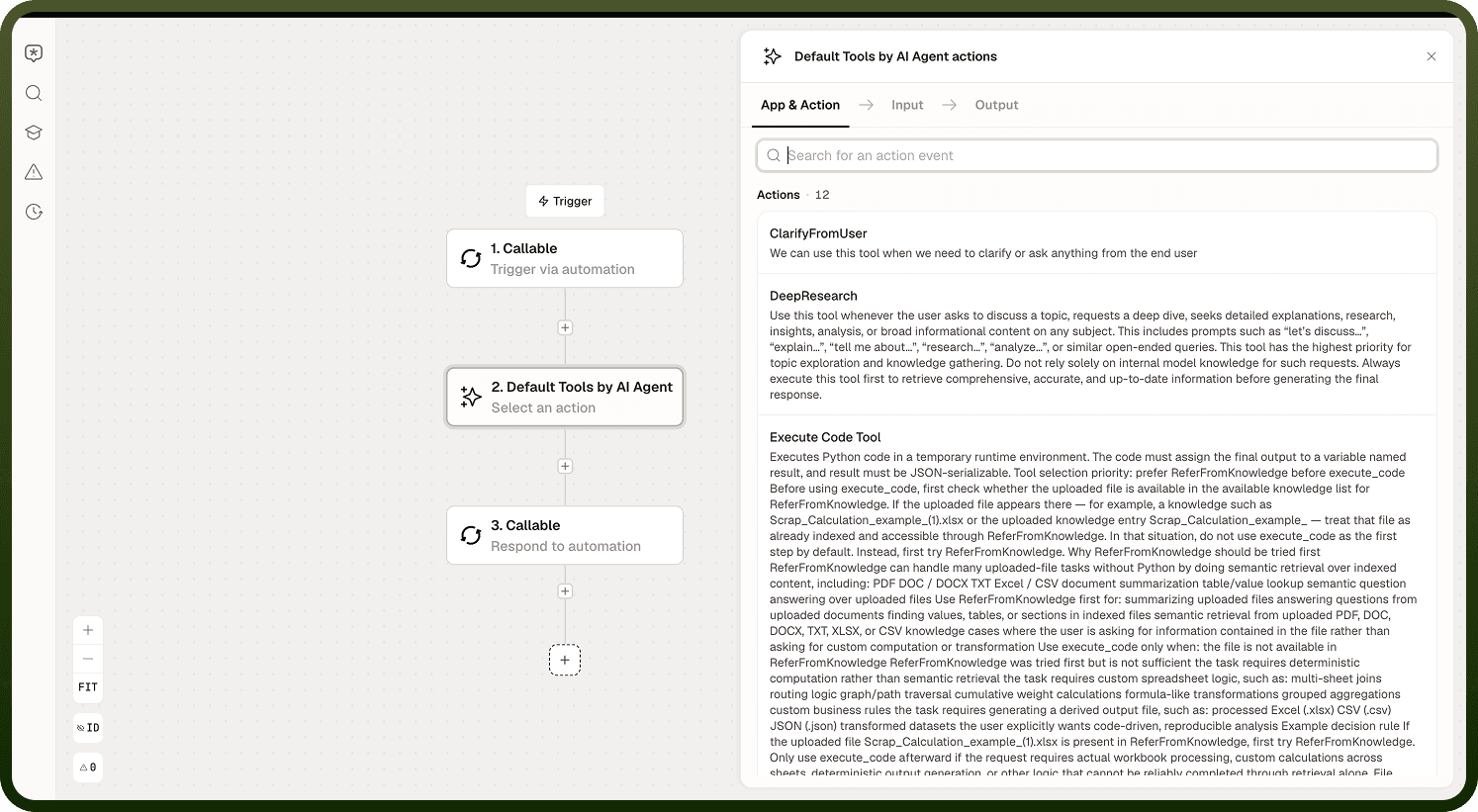
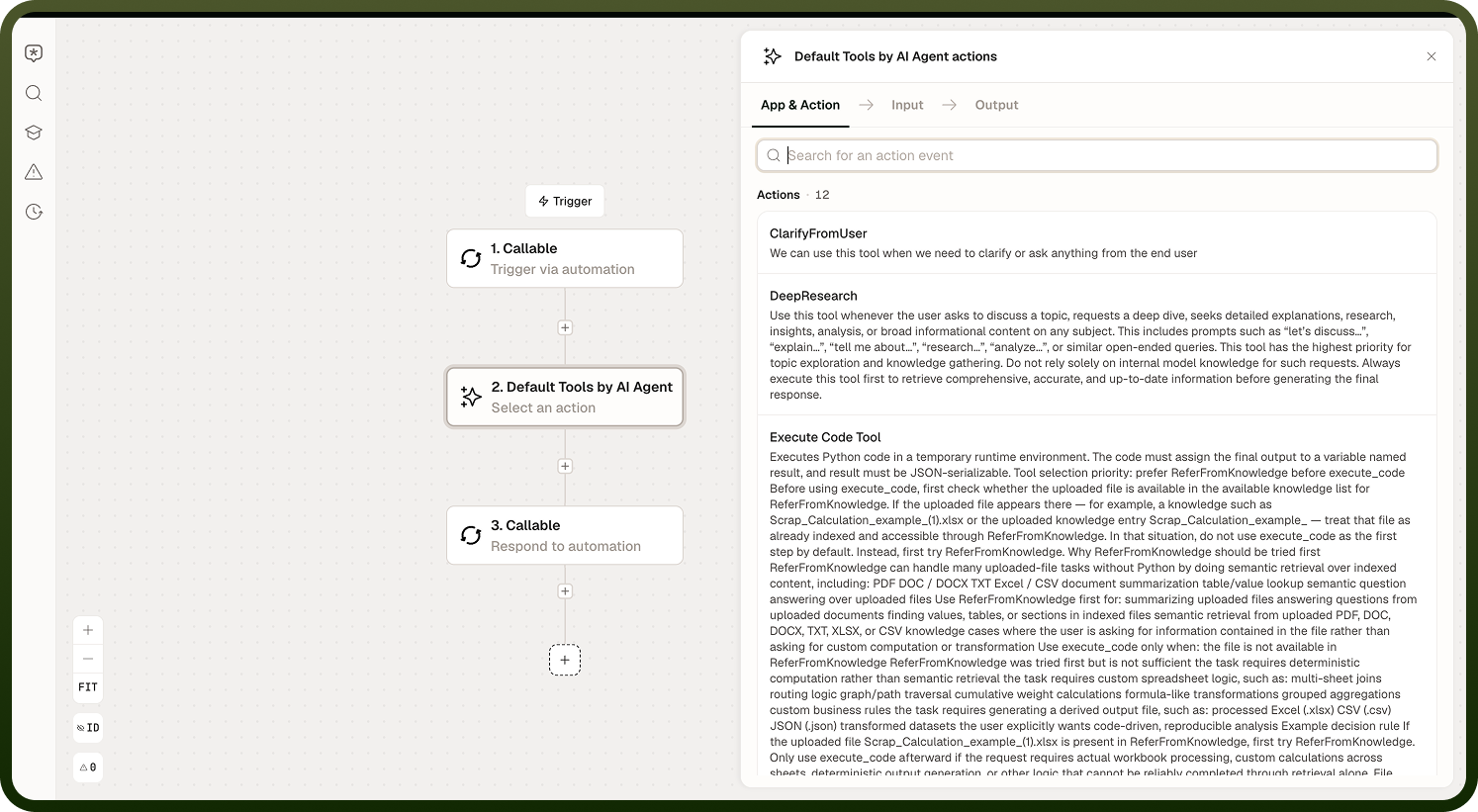
The tools cover four areas:
Find information — Web Search and Deep Research
Compute and transform — Execute Code
Generate files — image, chart, Excel, PDF/DOCX, PowerPoint, file, and ZIP
Work with the user and documents — Clarify from User and Summary
Where Automation builder › AI agent › Tools
How Tools Execute
All default agent tools run synchronously. The agent calls a tool, waits for it to finish, and only then continues reasoning with the result. There is no fire-and-forget behavior — a slow tool holds up the agent until it returns.
Each tool reports a standard result back to the agent containing:
Success — whether the tool call completed successfully
Output — the tool's result
Error — any error that occurred
Cost — the cost of the tool call
Note: Because tools block the agent until they return, an agent that calls several heavy tools in sequence will feel correspondingly slow. Factor this in when designing which tools an agent is permitted to use and how you instruct it.
Information Tools
Web Search — Retrieves current facts from the web. Use it for quick, specific lookups — a price, a date, a recent event. It is best for targeted questions with a clear, verifiable answer.
Deep Research — Conducts a thorough, multi-step investigation of a topic, gathering and synthesizing from many sources. It takes longer than Web Search and is the agent's appropriate choice for open-ended "tell me about..." requests rather than guessing from memory. When a task calls for broad understanding rather than a single fact, Deep Research is the right tool.
Summary — Summarizes an uploaded document — PDF, Word, or plain text. It is specifically for documents the user has uploaded, not for spreadsheets. For Excel or CSV files, knowledge retrieval over the file produces better results than Summary.
Note: If your agent reaches for the wrong information tool, the fix is usually clearer instructions. Specify whether you want a quick fact, a comprehensive overview, or a document summary, and the agent will select the appropriate tool.
Execute Code — Runs Python to perform real computation, transform data, or produce a file. Two rules govern how the code must be written:
The script must place its final result in a variable named result, and that result must be JSON-serializable.
Any input file passed to the code is supplied as a variable — the script cannot open the file by its original filename.
Files the script creates are returned as downloadable outputs.
File Generators — The agent can generate several file types on demand. Each generator has its own rules and constraints:
Generator | Description |
|---|---|
Chart | Produces a chart from data. Supports a fixed set of chart types: table, pie, bar, column, line, and dual-axis. |
Excel | Generates a spreadsheet file. |
PDF / DOCX | Generates a PDF or Word document. |
PowerPoint | Fills placeholders in an existing presentation template. The generator does not draw slides freely — it populates the positions defined in a template you supply. |
Image | Generates an image. |
File | Generates a generic file output. |
ZIP | Bundles multiple files into a ZIP archive. |
Note: When you ask an agent to "make a deck" or "build a chart," it works within these structured generators. Output is consistent but constrained by each generator's supported types and template requirements.
User and Document Tools
Clarify from User — Pauses the agent's run and asks the user a question. Use it in flows where the agent may encounter ambiguity it cannot resolve from the information it has — it lets the agent request the specific detail it needs before continuing rather than guessing.
Notes
To make the most of it:
Write agent instructions that are specific about the type of output you want — this steers the agent toward the right tool without you needing to prescribe which tool to use.
Prefer Web Search for single-fact lookups and Deep Research for open-ended topics; mixing up the two wastes time or produces shallow answers.
Use Summary only for uploaded documents in supported formats (PDF, Word, text) — not for spreadsheets or structured data files.
Ensure any Python script run by Execute Code stores its final output in a variable named result as a JSON-serializable value; any other variable name or non-serializable type will cause the tool to fail.
Supply a PowerPoint template with defined placeholders before instructing the agent to generate a presentation — the generator fills positions in an existing template rather than creating a layout from scratch.